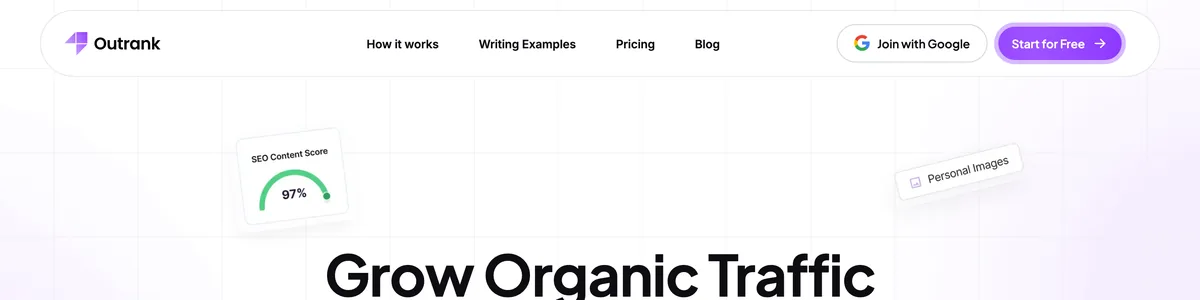
Outrank claims it can run your blog on autopilot, and that’s a rare promise even among AI content tools, so this Outrank review puts it to the test. It handles keyword research, article writing, image generation, and localization in one continuous loop, then publishes straight into your WordPress or Framer site. If it works, you get 30 articles a month without writing a word.
As a solopreneur, that’s hard to ignore. A blog that grows while you focus on sales, products, or clients sounds like the kind of advantage that separates thriving solo operators from overwhelmed ones. And because it publishes directly, you really don’t have to touch anything if you don’t want to.
After running Outrank on a test site for a month, we noticed a gap between the autopilot promise and the reality of publishing content that builds trust. The output is coherent, the pipeline functions, and you can set it up in under 30 minutes. But it works best as a draft machine, not a publisher.
The central question is this: 30 automatically generated articles a month could help you rank for long-tail keywords, or it could hurt your site’s credibility with thin content. Outrank doesn’t understand your brand story, your customers’ deepest pain points, or the nuances of your industry. It can’t tell you which article is worth publishing and which one will embarrass you when a prospect finds you through search.
We kept coming back to that during our testing. Does an autopilot blog build your business, or just fill space?
In this review, I’ll walk through what the autopilot actually looks like, from setup to weekly maintenance, and give a verdict based on your situation.
On this page
- What Outrank Promises: The Autopilot Pitch
- Setting Up Outrank for WordPress
- Setting Up Outrank for Framer
- What the Output Actually Looks Like and What Needs Your Attention
- The Weekly Autopilot Checklist: 30 Minutes to Keep Things on Track
- Outrank Pricing: Who the 30-Article Plan Actually Fits
- Where Outrank Falls Short
- How Outrank Compares to BabyLoveGrowth and Machined AI
- Outrank Review Verdict: Is It the Right Autopilot for Your Solo Site?
What Outrank Promises: The Autopilot Pitch
Outrank bundles keyword research, article writing, image selection, and localization into one system, so you don’t have to juggle separate tools. It connects directly to WordPress, Framer, Webflow, Shopify, and a few other platforms, pushing posts live without any manual uploading or copy-pasting.
The main plan is “All in One,” which includes 30 articles a month. You can upgrade to 60 or 90 articles if you need more volume. There’s also a free trial to test the system, though features might be limited during that window.
The autopilot pitch is simple: it replaces the repetitive parts of blogging. Finding topics, writing drafts, sourcing images. Those tasks eat hours and rarely feel like progress. Outrank’s idea is that you hand those tasks to the machine and keep your attention on strategy, like positioning, offers, and actually running your business.
That’s what sets it apart from most AI writers. They do the writing fine, but you still have to copy the output into your CMS, format it, add images, and hit publish. Outrank closes that loop from idea to published post. Its built-in image generation means articles come with visuals, no trip to Canva or stock photo subscriptions needed. And localization lets you publish in multiple languages, which could open new markets if you’re targeting non-English audiences.
The tool is genuinely designed for hands-off operation, but our experience suggests quality depends heavily on your initial setup and ongoing oversight. It’s a system that needs tuning, reviewing, and occasional course correction. That’s a fair trade if it saves you the grunt work, and a trap if you expect it to think like a strategist.
Setting Up Outrank for WordPress
Connecting your WordPress site to Outrank is where the autopilot promise actually delivers. No export files, no copy-pasting, no manual uploads. Once set up, Outrank handles everything from keyword to published post. Here’s how we configured it on our test site.
Enter your domain in Outrank and generate an application password from your WordPress Users section. This creates a dedicated token for Outrank, so your main credentials stay safe.
Decide whether posts go live immediately or save as drafts. We recommend starting with drafts until you trust the output. It’s easy to switch later, and it gives you a safety net while you calibrate things.
Assign a default category and tag structure so articles automatically fit your site’s taxonomy. If you use topic-based categories, map them here once and every post inherits the structure.
Set the post author to yourself or a generic site account to keep things consistent across all autopilot posts. One author name keeps the blog looking cohesive.
Enable AI-generated images as featured images, and verify that the image size matches your theme’s requirements. Some themes crop featured images at specific dimensions, and a mismatch can make a fine article look broken on your homepage.
Check compatibility with SEO plugins like Yoast or Rank Math. Outrank’s metadata can overwrite your plugin settings if you don’t configure them correctly. We suggest testing with one article to see which tool controls the title tag and meta description before trusting the defaults.
Configure publishing frequency to spread 30 articles evenly across the month. Daily posting avoids flooding your sitemap and looking spammy, to readers and search engines alike. A burst of 30 posts in one week reads like automation; one per day reads like a consistent blog.
Test the connection with a single article before scaling up. Check formatting, internal linking (if set), and image placement. This is when you catch problems like broken image paths or misapplied categories, when cleanup still takes minutes.
Back up your site before going live with autopilot. If something goes wrong, a restore is faster than manually cleaning up dozens of posts. Even a simple backup plugin with one-click restore is enough insurance for the first month.
Setting Up Outrank for Framer
The Outrank Framer integration follows the same hands-off logic as WordPress: connect once and articles flow in without copy-paste. But Framer’s CMS works differently, so the setup demands more attention to field mapping. Here’s how we configured it on our test site.
In Outrank, select Framer as your CMS and enter the site’s API endpoint. Then generate an API key from Framer’s settings panel and paste it into Outrank. This authentication bridge needs to come from the Framer side, not Outrank.
Map Outrank’s output fields (title, body, image) to the corresponding Framer CMS collection fields. Framer collections use custom field names. If they don’t match what Outrank sends, content lands in the wrong spots. Verify each field maps to the right collection slot before publishing anything.
Set the locale to match Outrank’s localization output if your Framer site supports multiple languages. A mismatch puts articles in the wrong language or under the wrong locale in Framer’s CMS. Align the two systems once and localization runs clean from there.
Choose to create new CMS items as drafts initially so you can adjust layout and design before going live. This is the same safety net we recommended for WordPress, and it matters more on Framer because template styling can affect how content renders.
Ensure your Framer CMS collection includes a slug field for proper URL generation. Without one, Outrank can’t assign a clean permalink, and you’ll end up with broken or auto-generated URLs that look messy in search results. Add the slug field to your collection before connecting Outrank.
Test one article to see how AI-generated images render in Framer’s responsive design. Framer handles images differently across breakpoints. A featured image that looks fine on desktop might crop awkwardly on mobile. Adjust image styling or container settings based on what the test reveals.
Set a publishing schedule that aligns with your site’s performance. Framer sites on fast CDNs handle frequent updates without issue, but cache rebuilds can slow things down if you publish too aggressively. Daily posts worked well for us, but your mileage depends on your hosting and how quickly Framer regenerates pages.
Double-check that your essential static pages (about, contact, privacy policy) remain untouched. The autopilot should only add to your blog collection, not interfere with pages that anchor your site’s credibility. A quick review after the first few posts confirms the integration is scoped correctly.
Monitor the first week’s posts for broken links, malformed CMS entries, or design inconsistencies, and adjust the mapping if needed. This is where you catch issues like image fields pointing to the wrong collection slot or titles not inheriting the right formatting. The fixes are simple once you spot them, but ignoring the first week means carrying those problems forward.
What the Output Actually Looks Like and What Needs Your Attention
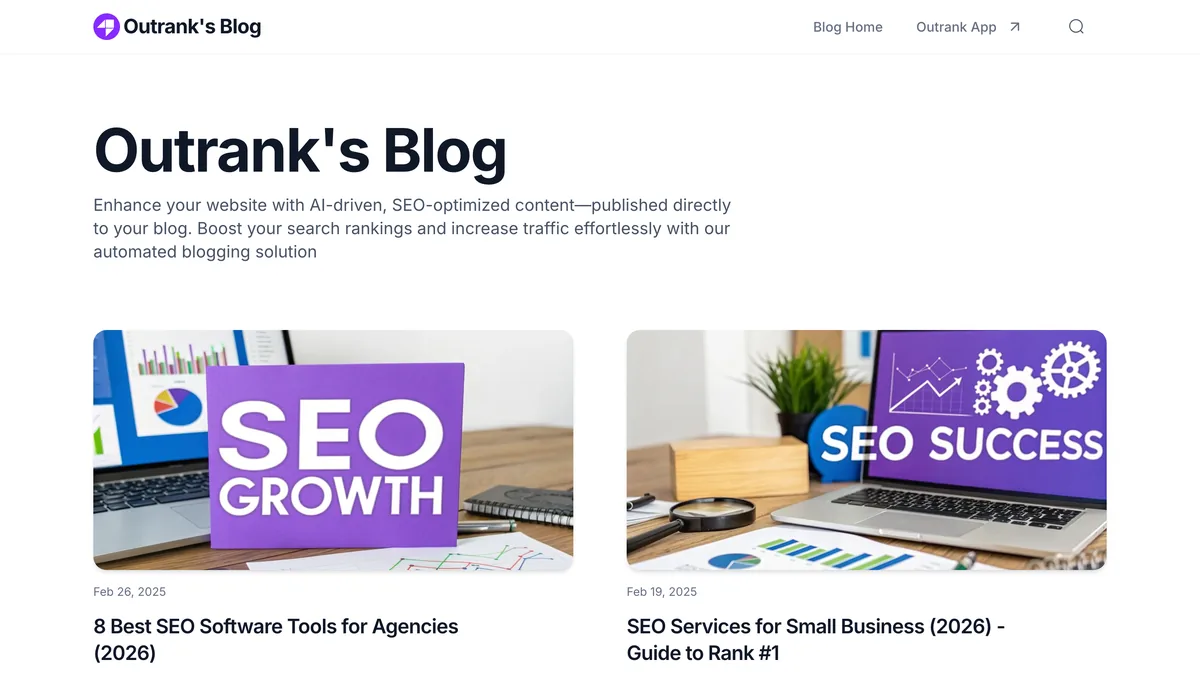
After a month of watching Outrank produce articles on our test site, here’s the honest verdict: the writing is grammatically correct and flows well, but it lacks the personal voice and deep expertise that makes content someone trusts rather than skims. The articles read like competent but generic AI. Nothing is broken, nothing is embarrassing, but nothing would make a reader stop and think, ‘this person actually gets my problem.’
That’s the trade-off with autopilot. Keywords are integrated, but sometimes they feel forced. You’ll spot paragraphs that exist just to include a term. They add a sentence that doesn’t really advance the argument, which waters down readability and value. The AI does what it’s told, but it can’t judge when a keyword fits naturally versus when it’s just there for the search engine.
Images follow a similar pattern. They’re stock-like, occasionally off-topic. A generic office photo for a piece about client onboarding, a handshake for a post about pricing. If your brand depends on high-quality, distinctive visuals, plan on replacing them.
Localization works, but it’s blunt. It translates meaning, not culture. Idioms flatten, humor disappears, and phrasing that works in English can land awkwardly in Spanish or German. A native speaker review is essential if you’re publishing multilingual content that represents your business.
The most serious concern is factual accuracy. The AI can invent statistics or claims that sound plausible but aren’t verified. A confidently stated percentage with no source behind it. A market figure that looks reasonable on the surface. Every claim has to be checked against a reliable source before it goes live. This isn’t optional for a business blog. One fabricated statistic in an otherwise solid article can blow your credibility with a reader who knows the topic.
Internal linking is another area where the defaults fall short. Outrank can link to your existing content if you set up rules for it, but by default, articles won’t reference anything you’ve already published. That limits the SEO benefit of a growing library, since posts sit as isolated pages rather than a connected structure. Meta titles and descriptions are auto-generated, too, and they sometimes run too long or lack the kind of hook that makes someone click. For your key posts, you’ll want to rewrite those by hand.
Articles can reach 1,500 words, but the depth stays surface-level. Think ‘intro to topic’ rather than ‘definitive guide.’ The structure is sound, with headings, subheadings, and natural flow, but the substance stays at an overview level. For a reader who already knows the basics, there’s nothing new here.
Before you scale up autopilot, manually review the first 10 articles for consistency, factual errors, and alignment with your site’s purpose and tone. That’s when you catch the pattern of problems before it multiplies across 30 posts a month.
The Weekly Autopilot Checklist: 30 Minutes to Keep Things on Track
Keeping the autopilot on track takes about 30 minutes a week. Here’s the checklist we landed on after a month of testing. It’s the difference between a blog that builds authority and one that quietly loses it.
Every Monday, skim the headlines and first paragraphs of that week’s scheduled posts for 10 minutes. Catch bizarre titles or off-brand intros before they go live.
Spot-check a random sample with a plagiarism checker. AI content can accidentally mirror existing text, and a duplicate-content flag from Google is a headache you don’t want.
Keep an eye on Google Search Console for sudden ranking drops. A dip might signal that your autopilot content isn’t passing muster.
Once a month, pull out the highest-potential articles and improve them by hand. Add personal anecdotes, fresh data, or multimedia.
Remove or noindex articles that are clearly irrelevant or weak before they pile up and drag down your site’s authority.
Add two to three internal links from each new post to your cornerstone content. It passes link equity and helps search engines crawl your site.
Compare engagement metrics (time on page, bounce rate) between autopilot posts and ones you wrote yourself. If the autopilot stuff lags, adjust your topic selection.
Check comment sections if you have them. AI-generated posts tend to attract spam or shallow comments that need moderation.
Revisit your Outrank settings each month. Refine topic clusters based on what actually drives traffic, not just what the tool suggests.
The tool’s topic suggestions come from keyword data, not from what your readers actually do once they arrive. If a cluster of posts gets traffic but nobody stays, shift the settings toward what converts, not just what ranks.
Outrank Pricing: Who the 30-Article Plan Actually Fits
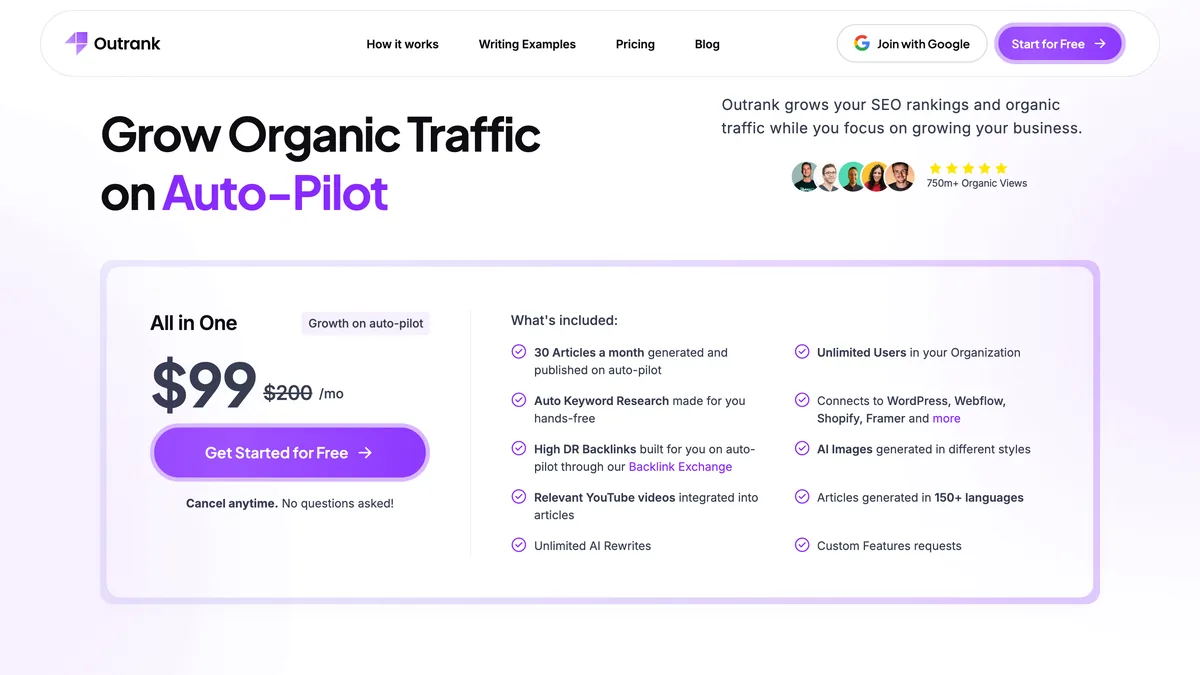
Outrank’s core plan, “All in One,” delivers 30 articles per month (roughly one post per day), with upgrades to 60 or 90 articles if you need more. A free trial lets you test the output before committing, though features may be limited. Check whether you get a capped number of articles or full access before you judge the system.
Compared to hiring budget writers, the plan is cost-effective for quantity. A freelancer charging $50 per article costs $1,500 a month for the same volume, and that’s before revisions. Outrank costs far less. But you’re trading editorial polish for those savings. The articles won’t have the nuance, voice, or research depth a real writer brings, and you’ll feel that gap in the posts that matter most.
Then there’s the hidden cost of your time. Even on autopilot, you’ll spend a few hours each week reviewing, editing, and fact-checking the output before it’s safe to publish. That’s not a criticism of Outrank. It’s the reality with any AI content system. But it’s worth factoring into your decision. The subscription fee is only part of what the plan costs you.
Here’s who the volume actually fits:
The sweet spot is a solo operator with an existing, monetized site who wants to rapidly expand informational content and capture long-tail keywords a human writer would never get to.
Thirty articles a month can work for a new site if you’re smart about keyword selection. But without oversight, you risk indexing thin content that hurts your domain’s credibility.
The plan is a poor fit for brands that rely on deep expertise, original research, or a strong personal voice. AI can’t replace that differentiation, and readers notice.
If your site earns through display ads or affiliate commissions, more content could increase impressions. But low-quality pages might hurt your RPM if engagement drops.
My advice: start with the free trial and a low-volume setting. See if the output justifies the subscription fee. Don’t commit to an annual plan without testing. Outrank earns its place for the right site, but let it prove that to you first.
Where Outrank Falls Short
Outrank has clear limitations, and you should know them before handing it the keys to your blog. Some are quirks you can work around. Others are structural gaps no amount of tweaking will close.
The most serious one: no built-in fact-checking. The AI will confidently assert wrong information. If you publish without verifying, you’re liable. A prospect catching a fabricated statistic about your industry is worse than publishing nothing at all. Every claim needs a human check, and that cuts into the hands-off promise more than anything else.
The image generator produces utilitarian visuals but no brand-specific styling. You’ll get a competent photo that suits the topic, not something that matches your visual identity. If your blog leans on a distinctive look, be ready to replace images on every post.
Outrank doesn’t assess or build topical authority, either. It writes on whatever keywords the system surfaces, so your content can sprawl across unrelated subjects without a strategy. A site that publishes one post about accounting software, another about office furniture, and another about email marketing reads as shallow. The tool won’t flag that your topics are scattered. That’s on you.
Localization often literal-translates rather than transcreates. Idioms flatten, humor vanishes, and phrasing that works in English can land awkwardly or offensively in another language. For a business publishing multilingual content, that’s a real risk to your reputation.
You also can’t set a custom brand voice beyond basic tone sliders. The output always carries that recognizable AI sheen. Readers are getting better at spotting it. If your audience values authenticity, they might distrust content that reads like it was generated, not written by someone who understands them.
Integration with analytics or SEO tools is absent. You can’t see which autopilot articles are performing without manually checking dashboards and cross-referencing. For a tool that promises hands-off operation, that’s a notable gap.
The 30-article monthly quota is fixed, which causes two problems. If you run out early, you wait. If you don’t use them all, they likely don’t roll over, which feels wasteful for a subscription you’re paying for. And there’s no A/B testing for titles or intros, so you miss chances to optimize click-through rates on your best posts.
Compared to tools like BabyLoveGrowth or Machined AI, which we’ve also tested, Outrank’s automation is broader but each article is less polished. It prioritizes quantity over craft. The other tools we’ve reviewed tend to produce fewer articles with more editorial attention built in. Outrank spreads its effort across a larger volume. That’s a deliberate trade-off, and it’s fine if you know what you’re getting: a draft machine that needs your editorial hand, not a finished publication system.
How Outrank Compares to BabyLoveGrowth and Machined AI
Outrank isn’t the only automation-first content tool we’ve tested. BabyLoveGrowth, which we reviewed earlier, takes a growth-hacking approach and offers deeper keyword analysis and topic modeling. But it doesn’t natively publish to as many platforms as Outrank. Machined AI, another tool we’ve covered, emphasizes content clusters and internal linking, giving you more control over structure and metadata. It lacks Outrank’s built-in image generation and one-click publishing, though, and takes more manual input to get a similar result.
Where Outrank stands out is the direct Framer and WordPress integration. It’s unmatched among these three and cuts the steps from idea to live post more than either competitor. The loop from research to publish is faster. The all-in-one approach means fewer tools to juggle and one subscription instead of several. That kind of consolidation really matters for a solo operator watching both time and budget.
Still, none of these tools can build authority the way a human writer does with original insights, unique data, or compelling stories. Both BabyLoveGrowth and Machined AI offer free plans, which are lower-risk ways to try things out. Ultimately, Outrank competes on speed and breadth. But no AI autopilot is truly set-and-forget. Every one of them needs editorial judgment to keep your site safe, and Outrank is no different.
Outrank Review Verdict: Is It the Right Autopilot for Your Solo Site?
Whether Outrank is worth it doesn’t have a clean yes or no answer. It depends on who you are, what you’re selling, and how established your site is. After a month of testing, here’s how I’d break it down.
For a solopreneur with an established site that already monetizes long-tail informational traffic, Outrank can profitably fill your content calendar. The math is simple: 30 articles a month at a fraction of a freelancer’s cost, covering keywords you’d never get to otherwise. But there’s a condition. Every article needs a human review before it goes live. If you treat Outrank as a draft machine feeding your editorial process rather than a replacement, the volume becomes an asset. Otherwise, it’s a liability.
If you’re building a personal brand or selling high-ticket services, the generic AI tone is a real risk. Your voice is your asset. Readers considering a five-figure engagement notice when a post reads like a template. For that kind of site, I’d limit Outrank to low-stakes supporting content: glossary pages, definitions, background pieces that answer basic questions. Keep thought leadership, case studies, and opinion pieces for your own writing.
New sites without authority should be cautious. Google has gotten better at spotting automated content. A sudden flood of AI articles on a domain with no track record may be viewed skeptically, potentially delaying or blocking indexing. If you’re starting from scratch, ramp up slowly. Draft with Outrank, edit heavily, and build your site’s reputation before scaling the volume.
For sites in YMYL niches (health, finance), the advice is straightforward: avoid unattended autopilot. The risk of factual errors isn’t just about credibility. It can be a legal and ethical problem. A confident but wrong claim about medication, taxes, or investing could cause real harm. No AI tool on the market is reliable enough to run unsupervised in those categories.
On the platform side, Outrank earns its place if your primary stack is Framer or WordPress. The direct integration saves significant time over copy-pasting from other AI tools. Neither BabyLoveGrowth nor Machined AI matches that convenience. For a solo operator publishing daily, the time savings add up fast.
If you’re still unsure, the path forward is low-risk. Start with the free trial and the weekly checklist I outlined. Draft 10 articles, improve the best ones manually, and measure their search performance over a month. That gives you real data on whether the output drives traffic and engagement for your niche. Don’t subscribe to an annual plan until you’ve run the monthly cadence for at least 60 days and confirmed the return.
One last thing: autopilot doesn’t mean zero work. Plan for one to two hours per week of review and editing. That’s the cost of using any AI content system responsibly. It’s not a knock on Outrank. It’s just the reality of publishing content under your name.
My verdict at By Solopreneurs is that Outrank is a solid tool for the right operator. It’s a supplement to your content strategy, not a replacement for genuine expertise. If you bring the judgment, the brand voice, and the editorial oversight, Outrank can multiply your output without watering down your credibility. If you expect it to think like a strategist and write like a human, you’ll be let down. Know which operator you are, and you’ll know if Outrank belongs in your stack.


Leave a Reply