
A solo business’s choice of time tracker depends on what it needs to do with the hours it records. An hourly service provider may need a billable total for client work. A fixed-fee consultant needs to judge whether a project’s fee justifies the time spent. A creator may want a clearer picture of personal time allocation, while a freelancer handling invoices needs to turn recorded work into a payment request.
Each requires different features. Recording hours establishes how long work took. Applying billing rates calculates a charge. Measuring profit also requires costs, while issuing an invoice takes more than a report showing a billable amount. Device compatibility matters alongside those financial requirements, especially when work moves between a desk and appointments away from it.
This comparison of Toggl and Clockify for solopreneurs covers the current Toggl product and Clockify. The choice comes down to which current product and plan supports the business’s required output, devices, and depth of financial reporting.
Pricing and the smallest suitable paid plans
Pricing depends on the financial work a subscription needs to support. Billable rates, native cost and profit reporting, and invoice creation each have a minimum plan. Clockify has the lower starting price for billable rates, but that entry plan may not include the reporting or invoicing features a business needs.
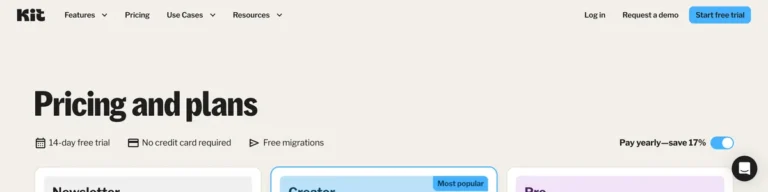
The standard USD prices below are dated November 11, 2026. Each price pair shows the monthly equivalent billed annually first, followed by the price with monthly billing. Annual equivalents require annual billing; they aren’t month-to-month subscription prices. Toggl lists its prices and plan requirements on its pricing page and in its plan documentation. Clockify lists its corresponding prices and requirements in its pricing matrix.
| Requirement or plan detail | Toggl | Clockify |
|---|---|---|
| Price basis | USD per user/month | USD per seat/month |
| Entry paid plan | Starter: $9 billed annually; $12 monthly | Basic: $3.99 billed annually; $4.99 monthly |
| Other paid plans | Premium: $16 billed annually; $24 monthly | Standard: $5.49 billed annually; $6.99 monthly. Pro: $7.99 billed annually; $9.99 monthly |
| Enterprise | Custom pricing | $11.99 billed annually; $14.99 monthly |
| Minimum plan for billable rates | Starter | Basic |
| Minimum plan for native cost/profit reporting | Premium | Pro |
| Native invoice creation | — | Standard |
For an owner occupying one paid seat, the listed per-user or per-seat amount is also the one-person subscription amount on that billing basis. A solo Clockify Basic subscription therefore costs $4.99 with monthly billing, while $3.99 is its monthly equivalent under annual billing. Additional occupied seats change the total.
Clockify counts active and invited users, including owners, as paid seats. Deactivated users don’t occupy paid seats. Its five-user Free allowance doesn’t carry into a paid subscription. Toggl handles membership through licenses. Adding someone automatically purchases a license, but removing that person doesn’t release it. An administrator must explicitly release the license for the next billing cycle.
These plan requirements matter even for a one-person business. An hourly service provider needing native billable rates can start with Clockify Basic or Toggl Starter. Native cost and profit reporting requires Clockify Pro or Toggl Premium. Clockify Standard is the smallest suitable tier for native invoicing.
The listed amounts cover standard base subscriptions. Promotional offers, possible renewal terms, and paid add-ons need separate consideration; they shouldn’t be counted as assumed savings or included features. Toggl’s 30-day trial provides temporary access, distinct from both its Free plan and an ongoing paid subscription.
What the free plans include and where they stop
Both free plans support ongoing time tracking and reviews of how work hours are spent. Their differences become more significant when a solo business needs financial information or reports covering longer periods.
Toggl Free supports three users and includes timers, projects, tasks, and tags for organizing work. Its personal, Summary, and Time logs reports show recorded hours, while PDF exports and branded public report links provide ways to share them. These are ongoing Free features, separate from temporary trial access, according to the current plan documentation.
Clockify Free includes timer and manual tracking, timesheets, a calendar, mobile and desktop apps, Auto Tracker, and reports. It permits five active users. After a new workspace’s paid-feature trial expires, only the owner and first four invitees remain active unless the workspace upgrades. Older accounts that haven’t migrated may differ. Free lacks native billable/non-billable toggles, hourly rates, and financial amounts, so recording client hours on Free doesn’t provide a native billing workflow. Basic is the starting tier for those capabilities, as documented in the Free-plan update and current pricing matrix.
Clockify’s Free reporting limit needs careful interpretation. Report and dashboard queries cover at most 31 days. The update FAQ describes annual reporting through month-by-month queries, while other wording on the same page indicates that access to older data requires an upgrade.
For a solo operator reviewing a full year of records, access to earlier months matters as much as access to the current month’s report. A short reporting window and missing historical entries are different limitations. Neither should be assumed to mean the other.
Capturing client work and everyday admin time
Separating client delivery from the work of running a business makes time records more useful. A hypothetical consultant might spend the morning preparing a client proposal, pause to reconcile business records, then return to a paid assignment. A timer records each stretch as it happens, provided it’s stopped or switched when the work changes. Manual entry reconstructs a known period, such as a client call with a confirmed start and finish.
Both methods need review. A running timer may continue through an interruption, while a manual entry becomes a guess if the consultant can’t establish when the work happened. Combining live capture with corrections based on known times may produce a more accurate record than relying on either method alone.
How entries are organized determines what they explain later. Clients identify whose work was performed. Projects group assignments or deliverables, and tasks distinguish activities within them. Tags add another way to group entries, such as research or administration, without creating a separate project for every activity. The consultant could keep business administration under an internal project and client assignments under their respective clients.
That internal label describes the work. It doesn’t create a native nonbillable classification or calculate a billable amount. Those financial functions depend on the relevant paid capabilities, even when a free plan already provides enough detail to separate administration from delivery.
The products offer different aids for remembering and reconstructing work:
Toggl Free includes Google/Outlook calendar sync with one-click logging, auto-track, and matching rules. Calendar-assisted logging gives the consultant a starting point for recording scheduled work, while matching rules support capture based on configured conditions. The available capture methods vary by app, as described in the current Toggl app guide.
Clockify advertises calendar sync, reminders, idle detection, and Pomodoro. These aids depend on the supported app and its settings, so availability needs checking in the app used during the workday. It shouldn’t be assumed across every interface. The feature matrix distinguishes the advertised capabilities and plan availability.
A calendar appointment provides a starting point for logging, but it doesn’t prove that the scheduled work happened. If the consultant’s proposed hour-long meeting ends early or is canceled, the entry should reflect the actual work. Reminders and idle detection likewise flag something for review. They can’t determine the business purpose of every interval.
Passive activity records also need interpretation. Clockify Auto Tracker records activities that require manual conversion into time entries. Toggl’s desktop activity capture similarly lets the person choose what becomes an entry, according to its app guide. An application being open may help reconstruct the consultant’s afternoon, but the finished record still needs the appropriate duration and project.
Device support and offline tracking
Device support matters during paid work, especially when a connection isn’t available. Operating-system requirements, offline timer behavior, and access to reports are separate considerations. A mobile report requiring internet doesn’t mean the timer requires it too.
Toggl desktop supports Windows 11 and Apple Silicon/Intel Macs running macOS Ventura 13.5+. Version 1.12+ allows offline timer start, stop, and rename, with recently opened projects, tasks, and tags available for organizing entries. Older versions disable offline start, stop, and continue, so the installed version matters for offline work. Logs marked “Not synced” synchronize after reconnection. Other desktop pages remain unavailable offline.
Toggl mobile provides Timer, Calendar, and Tasks on iOS and Android, and its timers synchronize after reconnection. Summary reports require internet access. Exports, other reports, saved/shared views, and full administration require web or desktop, so a phone supports time capture without providing all reporting functions.
Toggl web has a separate synchronization precaution. After offline use, the browser tab should remain open until its synchronization marker clears. That instruction applies to the web tab, not to keeping a native mobile app open. All current Toggl apps share account data and are available on every plan. Downloads should come through the current product’s Download apps links. The current Toggl app guide documents these platform, version, and synchronization requirements.
Clockify supports offline tracking through its mobile and desktop apps. Its Auto Tracker is available on Windows, Linux, and the Mac app downloaded from its website. The Mac App Store version excludes Auto Tracker. Native Linux availability is a separate compatibility consideration for a solo operator whose work depends on that platform. Clockify’s feature matrix lists offline support, while its Auto Tracker documentation identifies the supported desktop versions.
Both products support offline tracking within their documented app and version requirements. The useful check is whether the intended device records work offline and provides the reporting functions needed afterward.
Billable rates, client reports, and exports
An applicable hourly rate turns recorded billable time into a charge. Toggl Starter supports workspace, member, and project billable rates. Premium adds member-specific project rates. Clockify Basic includes rates, billable/non-billable classification, financial amounts, and historical rates, while Standard adds task rates.
For a hypothetical assignment with three billable hours and an applicable project rate of $80 per hour, the time-based charge would be $240. That example assumes the project rate applies to those entries. Where member-specific or task rates are configured, the report needs to reflect the applicable documented rate rather than an assumed order of precedence. Additional rate options matter when the business charges differently for those people or activities.
A useful client report should include:
The project associated with the client’s assignment.
The reporting period covered by the charge.
Work descriptions that explain the recorded time.
The billable amount, where the plan supports it.
Reviewing internal work separately helps explain the difference between hours worked and hours charged. A hypothetical freelancer might record a full afternoon of work while charging only for the client assignment within it. Administration still consumes business time, even when it contributes nothing to that client’s billable total. Clear descriptions also help distinguish chargeable preparation from internal business development.
For Toggl exports, the current plan documentation places PDF on Free and CSV/XLSX on Starter. Free PDFs retain Toggl branding. A PDF serves as a client-facing record, while a spreadsheet export supports further calculations or a separate handoff.
Clockify Free retains PDF report exports, while CSV/Excel report exports and shared reports require payment, starting with Basic. Its owner-only Workspace settings export provides current-year time entries as CSV, but serves as an administrative backup. It isn’t equivalent to a configurable client report or accounting integration. These distinctions appear in the Free-plan update. Free’s report-window and historical-access limits still matter when preparing records for an earlier billing period. An available export format doesn’t establish access to every required period.
Fixed-fee analysis and project profitability
For a fixed-fee consultant, recorded hours are enough to begin assessing a project’s return outside the tracking tool. In a hypothetical example, a $1,200 assignment taking 20 recorded hours produces an effective hourly return of $60. That calculation uses the agreed fee and recorded project hours. It excludes expenses and labor costs, so the result isn’t net profit.
Comparing Toggl and Clockify for project profitability means deciding how much financial analysis needs to happen inside the product. A consultant comparing estimated hours with actual delivery time has a different requirement from one calculating revenue against labor costs.
Toggl Starter adds project estimates. Premium adds fixed-fee projects, labor costs, and profitability, alongside workload/utilization reports, according to the current Toggl plan documentation. Starter therefore suits a consultant needing estimates alongside recorded hours, with fee-versus-hours calculations handled separately. Premium becomes relevant when native financial analysis is required. Workload reporting has a narrower role for a solo business and needn’t drive that upgrade.
Clockify Basic adds time estimates. Pro adds labor-cost rates and profitability, budgets, forecasting, expense recording, and multiple currencies, as listed in its pricing matrix and Pro feature guide. Basic supports comparing time against an estimate. Pro is the suitable tier when the business requires those native cost and financial controls.
Revenue alone can’t establish a project’s margin. Missing hours may make an assignment appear more rewarding than it was, while the chosen labor-cost rate changes the cost attributed to delivery. Relevant expenses also affect the result. For a solo consultant, assigning a cost to personal working time makes that assumption explicit. Treating that time as costless answers a different financial question.
Turning tracked hours into invoices
An invoice serves a different purpose from a time record. A billable total calculates a charge, while an issued invoice requests payment and provides a document to track. A spreadsheet of approved hours supports that process, but it still needs to become an invoice in the chosen billing system.
Clockify Standard supports native and recurring invoices, PDF downloads, invoice-status tracking, and a QuickBooks integration. For a freelancer invoicing tracked time within the same workflow, Standard is the smallest suitable plan, according to the current pricing matrix. Invoice-status tracking shouldn’t be taken as evidence of payment processing.
Expense recording requires a different plan. Although Clockify invoices can include expenses, recording those expenses requires Pro. That tier also supports receipt attachments, reimbursements, mileage, and fixed fees added to invoices. Those requirements may justify Pro, but tracked-time invoices alone don’t require that upgrade, as detailed in the Pro feature guide.
The connections involved in billing serve different purposes:
Native invoice creation turns recorded work into an invoice inside the time-tracking product, as Clockify Standard supports.
A software integration connects applications. Clockify Standard’s QuickBooks connection belongs here. Its availability doesn’t establish that every accounting task or field transfers automatically.
A file export downloads records for a separate handoff. CSV/XLSX files support invoice preparation elsewhere, but downloading them doesn’t create an invoice or establish an accounting integration.
A current Toggl workflow can instead use exported records to prepare an invoice in a separate application, with the client details and charges reviewed there.
Connections used to capture work also differ from billing connections. Toggl’s browser timers embedded in tools such as GitHub and Notion help record time where work happens. They don’t establish an invoice or accounting handoff. Its Jira and Asana integrations require Premium, while embedded browser timers have a different role and scope, as described in the current app guide and plan documentation.
Privacy and practical checks for a trial workday
Private activity capture helps reconstruct work, but it differs from manager-facing monitoring. Toggl’s My activity privately captures apps, websites, and calls. Window titles remain on the computer, and extension activity stays on-device, according to the current app guide. That distinction matters when comparing privacy in Toggl and Clockify.
Clockify Auto Tracker stores application names, window titles, website URLs, and idle percentages locally, visible only to the user. Records are deleted after 45 days, and URL capture can be disabled. Optional screenshots and location tracking have separate conditions, requiring explicit administrator activation and user notification. Auto Tracker’s privacy boundaries shouldn’t be assumed to cover those features (Clockify data-handling documentation).
A useful trial workday tests ordinary work and the records the business needs afterward.
The evaluator should compare timer capture and manual entry on the actual devices intended for daily use, including correcting an entry after switching assignments.
A brief offline period followed by reconnection should confirm whether captured entries synchronize with the expected durations and project assignments.
Reconstructing a forgotten work period from the available calendar or activity record should reveal whether it provides enough context for an accurate entry.
A review of internal work alongside client delivery should establish whether the resulting view makes unpaid business time easy to identify.
Producing the required client report or export for a representative reporting period allows its contents and format to be checked beyond an on-screen total.
Where invoicing or native profitability analysis is required, the evaluator should produce that specific output and inspect the charges or cost assumptions behind it.
Each required capability needs to belong to the intended ongoing plan. Access during a paid-feature trial doesn’t establish that the feature remains available on Free.
Which tool fits each type of solo business?
For client billing, the choice between Toggl and Clockify comes down to the finished output a solo business needs. A record of working hours, a calculation of project profit, and an invoice each require different capabilities.
A cost-conscious hourly service provider needing native billable classification, rates, financial amounts, and spreadsheet reports has a starting point in Clockify Basic, the lower-priced qualifying option. Toggl Starter is the corresponding entry tier when its capture and reporting workflow better fits the business. Neither Free plan meets that full billing requirement.
A creator reviewing personal time allocation may have enough functionality in either Free plan. The deciding factors are the creator’s actual devices, preferred capture methods, reporting periods, and required exports. Clockify’s Free reporting restrictions deserve particular attention for longer-term reviews. Both products support offline tracking under the app and version requirements described earlier, so offline work alone doesn’t establish a preference.
A fixed-fee consultant comparing an agreed fee with recorded hours can use an external calculation without paying for native profitability reporting. That approach shows the effective hourly return, but assessing margins also requires costs. When cost and profit reporting must happen inside the tool, the relevant minimum plans are Toggl Premium and Clockify Pro.
A freelancer needing invoices within the same workflow has a documented starting point in Clockify Standard. Pro becomes necessary when expense recording or native cost and profit reporting is also required. Current Toggl remains a tracking and reporting option for this business, with a separately verified handoff to an invoicing application.
The smallest suitable plan is the one that produces the required output on the devices used for work. The trial checks above help confirm that fit by taking an ordinary workday’s entries through to the report, financial analysis, or invoice the business needs.


Leave a Reply