
I’ve spent 20 years in tech building websites for solo business owners, and I’ve never needed an agency. A one-person business can absolutely build a solopreneur website that attracts the right clients and shows up in Google. You don’t need coding chops or a designer on retainer. You just need a clear sequence of decisions and the willingness to make them in the right order.
In this article, I’ll walk you through four choices you’ll actually face: picking your pages and social proof, deciding whether to DIY or hire, choosing a website builder that matches your business model, and planning your first content. By the end, you’ll know your next concrete step, whether that’s writing your homepage, signing up for a tool, or publishing a post.
The key difference between a corporate site and a solopreneur site is focus. A solo business has to sell one offer, not catalog everything it can do. An enterprise-style site with twenty pages and a dozen navigation links overwhelms someone who just needs to know what you do and how to work with you.
I’m not going to give you generic advice. Later in this article, the builder recommendations are specific to the kind of solopreneur you are – service, product, or blog-first. What works for a freelance coach won’t always work for a niche e-commerce store, and I’ll be upfront about which tool fits which model.
Search engines reward sites that publish helpful content consistently. We’ll cover a launch plan you can actually keep up with, because the sites that rank well aren’t necessarily the biggest; they’re the ones that post the most useful stuff on a steady beat.
I see a lot of solopreneurs overthink their first site. Starting with a simple one-page site is often smarter than waiting for a perfect full design that takes months. I’ll point out when a builder or approach isn’t worth your money. A review that praises everything is useless, and this one won’t.
On this page
- The Three Pages Your One-Person Business Website Can’t Function Without
- The Homepage
- The About Page
- The Contact or Services Page
- Making These Pages Work for Search
- How to Turn Visitors into Believers with Social Proof and a Clear Offer
- Build It Yourself vs. Hire Someone: The Real Trade-Offs
- DIY Website Builders: What You Gain and What You Give Up
- When Hiring a Professional Is the Smarter Move
- Which Website Builder Matches Your Solopreneur Type
- Where to Find More Granular Builder Comparisons
- Your Launch Content Plan: What to Publish First and How Often
- Your Concrete Next Step: From Reader to Live Site
The Three Pages Your One-Person Business Website Can’t Function Without
Most solopreneurs think their website has to look like a small company’s: a dozen pages, portfolio, blog, team page – the works. But that’s the trap that keeps people from launching. A one-person business really only needs three pages to get started. Everything else can wait until you have traffic, feedback, and an actual reason to add more.
Here are the three solopreneur website essential pages, in the order your visitors will actually encounter them.
The Homepage
You’ve got about five seconds to tell a visitor three things: what you do, who you help, and what you want them to do next. Miss one, and they’re gone.
That next action could be booking a call, buying something, or reading a post. Just make it one thing. If your homepage asks someone to explore, learn more, and get in touch all at once, it’s not asking anything at all, it’s noise, and people click away.
The About Page
Your About page isn’t a resume. Nobody comes here to scan your job history. They come to decide if they trust you. So tell your story in a way that shows why you’re the right person to help them. If you spent a decade in the industry you now consult for, or you solved the exact problem your clients face, that’s what builds credibility. And put a photo of yourself on the page. A face makes a one-person business feel real, not anonymous.
The Contact or Services Page
This is where things get done, so make it easy. If you offer a service, lay out your process in three to five clear steps so visitors know what to expect. Then give them a direct booking link. Don’t make anyone hunt for how to reach you.
One call to action per page. When you offer ten choices, people choose none. A single, obvious next step turns a visitor into a lead or a buyer.
You also need a privacy policy page if you collect any data. It’s a legal must, not a selling point, so tuck it in the footer and keep it out of your main navigation.
Making These Pages Work for Search
For search, put your core keyword in the title tag, the H1, and work it naturally into the body. Don’t stuff. Write for people, and search engines will follow. Use clear headings and short paragraphs. Big walls of text lose mobile readers immediately, and most of your traffic will come from phones. If a paragraph feels long on a small screen, split it.
How to Turn Visitors into Believers with Social Proof and a Clear Offer
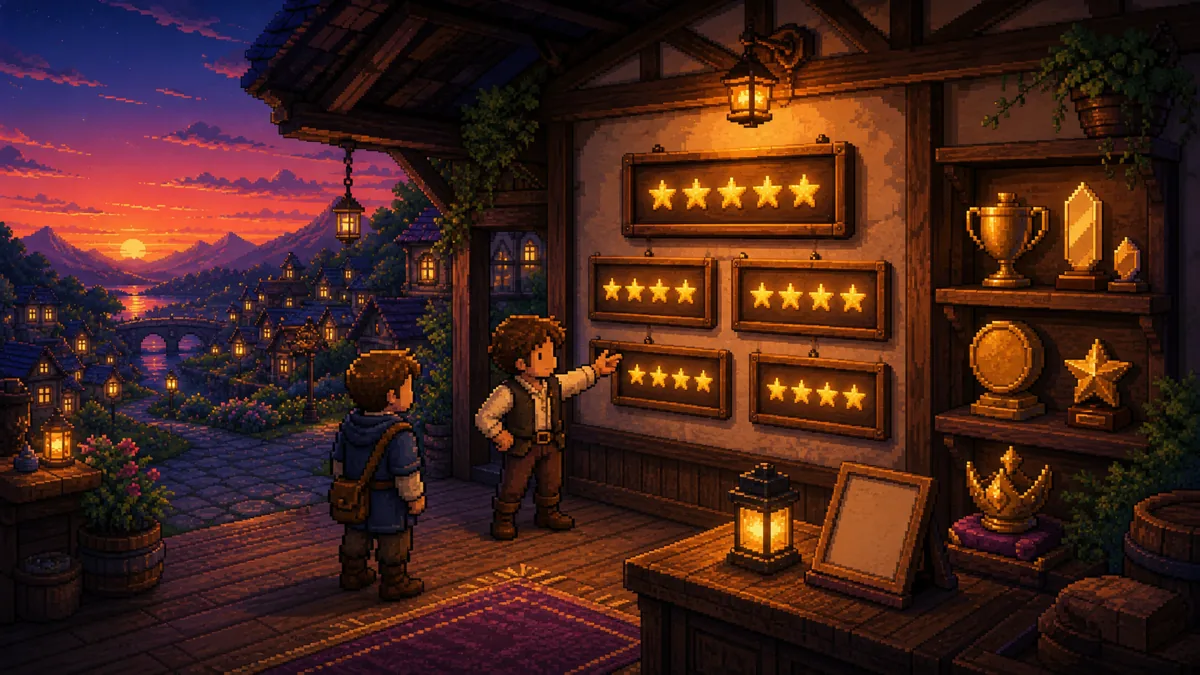
Even if your one-person business site has spot-on copy and a clean design, none of it matters if visitors don’t trust you. Trust is what converts a curious reader into a paying client. As a solo operator, you don’t have a brand name or corporate reputation to lean on. What you have is proof that you’ve done this before.
Proof can take a few forms:
Testimonials from past clients, with their own words, name, and role attached.
Client logos, even just a small grid of businesses you’ve worked with.
Case studies that walk through a specific problem, your approach, and the outcome.
Screenshots of emails from clients or readers who reached out unprompted to say thanks.
The one rule: every piece of proof has to be real and specific. A testimonial that says “Great job!” is useless. One that says “Sarah rebuilt our checkout flow and our abandoned cart rate dropped by a third.” That’s gold. Specifics feel real, and reality is what builds belief.
If you haven’t had clients yet, you’re not stuck. Show your process or your own results. “I grew my LinkedIn following to 5,000 using this method” is legitimate social proof if you’re teaching audience-building. It shows you can do the thing you’re selling, even if you’ve never done it for a paying client.
Concrete numbers make proof land harder. “Saved a client 10 hours a week” beats “saved a client time.” “Helped a freelancer raise rates by 40%” beats “helped a freelancer earn more.” But only use numbers that are true. Fake results eventually come to light, and a solopreneur’s reputation is the one asset that’s hard to rebuild.
Now, the offer. Decide on the one thing you want visitors to do, and make everything on your site point to that action. It could be “Get a free SEO audit,” “Buy my ebook,” or “Book a 15-minute call.” The exact words matter less than the fact that there’s only one choice. When a visitor knows exactly what you want them to do, they might actually do it.
Your offer should solve a problem your audience already admits they have, not one you think they have. If you’re unsure, ask your last three prospects what they needed help with. Their answers tell you what to lead with, and they often surprise you.
Place your primary CTA in the header, repeat it in the footer, and include it once in each page’s body. That’s three touchpoints per page, and it’s plenty. If a CTA shows up in every paragraph, it feels like a pop-up ad, and visitors learn to ignore it.
A lead magnet, like a checklist, template, or short PDF that solves a real problem, can help you collect emails. But only start one if you’ll actually send useful emails on a regular schedule. A list you never email is dead, and a dead list is just a privacy policy headache.
Before you launch, test your offer on a real person. Show your site to a friend and ask, “What do you think I want you to do?” If they pause, simplify. The gap between what you think your site says and what it actually says is almost always bigger than you expect.
Build It Yourself vs. Hire Someone: The Real Trade-Offs

When you’re deciding between building your site yourself or paying someone else, you’re really choosing between saving money and saving time. Both are fine, but the costs are different, and the call should come down to how much your site drives your income.
| DIY | Hire a Pro | |
|---|---|---|
| Cost | Usually $0 – $30/month for a builder, plus your time | $2,000 – $10,000+ for a custom site, and you still maintain it |
| Time investment | 20 – 40 hours to learn and build | Less of your time, but you’ll spend it on briefing, feedback rounds, and waiting |
| SEO advantage | Builders like Webflow or Squarespace give good out-of-the-box SEO | A pro can optimize site speed and structure further, if they specialize in SEO |
| Ongoing maintenance | You own the updates | A hired site may require a retainer, or you risk security issues if it goes unmaintained |
| Customization | Templates, with limits | Unique designs, but pros often over-engineer; many solopreneurs don’t need a complex custom build |
The cost gap jumps out, but it’s the maintenance line that catches most people off guard. Paying a pro doesn’t mean you’re finished. Updates, security patches, new content – all of that still needs doing. If the only person who can do it is the developer you paid once, you’re either paying them again or buckling down to learn it yourself.
That’s why the DIY route is more doable than people think. 20 to 40 hours seems like a lot until you spread it over a few weekends, and today’s builders have strong built-in SEO. If you can write clearly and follow a template, you can launch a site that holds its own against a custom build for most service businesses.
When Hiring Makes Sense, and When It Doesn’t
Before you hire, watch for red flags: a price that’s only revealed on a call, no portfolio to look at, promises of “guaranteed #1 rankings” (which no one can actually promise), or a developer who locks you into a system you can’t leave. Any one of those is enough reason to back away.
There’s a middle ground I think works best for most solopreneurs: build the site on a builder, then hire someone for a one-time custom template tweak or a copywriter for your pages. You get professional polish where it counts without paying for a full custom build you don’t need.
The decision itself is pretty clean. If your site is your main sales channel, like an e-commerce store, investing in a pro for the initial setup can pay off. If the site is a test project, something to validate an offer or start building an audience, go DIY. You’ll learn what you actually need, and you can always hire later once the site proves itself.
And keep in mind: learning to build a solopreneur site isn’t a skill you’re locked into forever. It’s a starting point you can improve, hand off, or rebuild once you know what your business truly needs.
DIY Website Builders: What You Gain and What You Give Up
Choosing a website builder for solopreneurs is the decision that shapes everything else, because it’s the one you’ll live with longest. Modern DIY builders have nearly closed the gap with custom development, but each one makes trade-offs you need to see clearly before you commit. Here’s what you gain and what you give up.
Let’s break down the trade-offs:
Full control over your content, with instant changes and no developer bottlenecks. The monthly cost usually lands between $12 and $45.
The learning curve depends on which builder you pick. Drag-and-drop options like Squarespace and Wix take a few days to feel natural. Webflow can take weeks, but you get far more customization in return.
SEO quality varies. Wix used to have messy code; it’s better now but still worth checking. Ghost and Webflow produce cleaner code out of the box. Before you sign up, make sure you can edit custom meta tags for each page.
Templates look professional when you install them, which is why so many solopreneur sites end up looking like templates. To stand out, swap the stock photos, replace the generic icons, and tweak the design past the default.
Site speed depends partly on the builder and mostly on your images. Huge, uncompressed images slow down any platform. Resize and compress before uploading.
Watch out for platform lock-in. Moving from one builder to another usually means rebuilding your pages from scratch, a huge headache. Choose one you can commit to for at least two years.
Support quality isn’t consistent. Some builders, like Webflow and WordPress, have active forums. Others lean on chat support. If you need hand-holding, pick a builder with 24/7 availability.
DIY builders aren’t designed for complex e-commerce. If you’re managing more than 20 products with variants and fulfillment, you’ll probably outgrow them. Then look at Shopify or BigCommerce.
See the pattern? Every convenience has a constraint. The drag-and-drop simplicity that gets you live in a weekend is the same simplicity that limits customization down the road. The clean code that’s great for SEO often comes from a builder that took weeks to learn. None of these trade-offs are dealbreakers by themselves, but they add up. So pick with a two-year horizon, not just which one feels quickest today.
When Hiring a Professional Is the Smarter Move

Hiring a pro for a solopreneur site shouldn’t be your first move. But there are specific situations where it’s the smarter call, not just the more expensive one. The trick is knowing when you’re in one of those situations instead of avoiding a hire just to save money.
So when does it actually make sense to pay for help?
If your site needs a membership area, a booking calendar that takes payments, or a complex database behind the scenes, no standard builder can handle that natively. At that point, you’ve outgrown drag-and-drop. Trying to patch those features together will burn more time and frustration than just hiring a developer.
Once you’ve validated your business and you’re getting real traffic, a conversion-focused redesign is worth paying for. A professional can apply UX research and A/B testing to crank up your lead generation in ways a template just can’t. That’s not an expense; it’s an investment in revenue.
If you’ve had “build the website” on your list for six months and it still isn’t done, the clock is costing you. Spending $3K – $5K to go live in four weeks is often cheaper than waiting any longer. Opportunity cost is real, and it piles up.
If any of those fit, hiring a pro is the right move. But picking the right pro matters as much as the decision to hire at all.
This is where most solopreneurs get burned. Before you send any money, do this:
Find someone with experience in your niche. A designer who only builds restaurant sites isn’t the right person for a SaaS business, no matter how good they are. Ask to see work in your industry or something nearby.
Get a client reference and actually make the call. Don’t skip it. Ask how the communication was, whether they hit deadlines, and, most importantly, whether the site generates leads. A portfolio shows design skill; a reference shows the work delivered.
Read the contract. It should spell out exactly what you’re getting, what post-launch support looks like, and who owns the code and content. Never sign without clear milestones and a set scope of work.
Confirm the design is custom. A lot of “agency” packages are just white-labeled templates with your logo thrown on. If you’re paying for custom, ask to see wireframes first. A real professional won’t mind showing you their process.
One more thing. If you have revenue and need ongoing SEO work, content, outreach, hiring an agency for that can make sense. Just stay away from long contracts. Month-to-month keeps you in control, and you can leave the moment the work stops paying off.
Here’s the bottom line: hiring a pro for your site is a business decision, not a badge of legitimacy. When it gets you live faster, adds a feature you can’t build, or turns more of your traffic into leads, it earns its cost. When it’s just a way to outsource something you could learn over a weekend, it’s wasted money.
Which Website Builder Matches Your Solopreneur Type
There’s no single best website builder for solopreneurs. It depends entirely on what your business does. A coach, a product seller, and a blogger all need different things. Here’s how I’d pair them up.
| Solopreneur type | Recommended builder(s) | Key consideration |
|---|---|---|
| Service-based (coaches, consultants, freelancers) | Squarespace or Carrd | A simple, attractive one-page site with a booking link is all you need. Avoid complex features you’ll never use. |
| Product-based (physical or digital goods) | Shopify, or Gumroad/Podia | Shopify if you have more than 10 products. Gumroad or Podia for simple digital sales. Don’t overbuild. |
| Blog-first | WordPress (self-hosted) or Ghost | WordPress with a lightweight theme like GeneratePress gives you full SEO control. Ghost offers a minimal, fast-reading experience. |
| Portfolio or landing page only | Carrd.co | $19/year, one page, fast, no coding. Use a custom domain. |
| All-in-one marketing (email, courses, community) | Kajabi or Podia | Expensive, but they remove the tool clutter. Compare the costs carefully before committing. |
If you’re service-based, coach, consultant, freelancer, your site just needs to look credible and get someone to book a call. Squarespace handles that nicely, and Carrd does the same job for way less money. You don’t need a 15-page site with a blog and a shop when your whole funnel is “read, trust, book.”
For product sellers, don’t build more than you sell. Under 10 products, Gumroad or Podia handles everything without the weight of a full e-commerce platform. Once you pass that, Shopify’s inventory and fulfillment tools start earning their monthly cost.
Blog-first solopreneurs care about search traffic above all. WordPress gives you the most SEO control, and pairing it with a light theme like GeneratePress keeps things fast. Ghost is a cleaner alternative if you’d rather skip plugin management and updates, and its reading experience is actually pleasant.
Builders to Avoid, and a Few Warnings
I’ll be blunt about the ones to skip. Wix still has technical baggage that matters if SEO is central to your plan, and Weebly feels dated. Unless you’ve got a very specific reason, there’s no reason to start with either today when cleaner options are right there.
Watch out for the “free” plan trap. Free tiers almost always slap the builder’s branding and a subdomain on your URL, and both scream “amateur” to visitors who know what they’re looking at. A custom domain costs a few bucks a year, and it’s a must if you want anyone to take you seriously.
No builder covers everything perfectly. The honest move is to pick based on your main need, selling, writing, or showcasing, and accept the trade-offs elsewhere. A site built to convert won’t offer the best reading experience, and a beautiful portfolio builder won’t handle your course payments. That’s fine. Know what matters most, choose for that, and move on.
Where to Find More Granular Builder Comparisons
I’m not going to rehash detailed builder face-offs here – that would double the length of this article. Those comparisons already live on this site, and they dig into specific scenarios more deeply than I can. If you’re ready to pick, this is where the real side-by-side comparison happens:
For the trio of top choices for solopreneurs (Squarespace vs. WordPress vs. Webflow), I’ve written an internal comparison article.
For e-commerce solopreneurs, the comparison is Shopify vs. Squarespace Commerce vs. BigCommerce; the detailed breakdown is here.
For landing-page tools, the head-to-head is Carrd vs. Unbounce vs. Leadpages; see that article.
Each comparison breaks down pricing, SEO, ease of use, template quality, and how hard it is to migrate later, so you can choose without a headache. They also include real speed test data and honest downsides. We call out builders that slow down when you add plugins or lock you out of custom code. Those are exactly the frustrations that hit you six months in.
We publish updated builder reviews every year, covering new features and price changes. Subscribe to get those when they drop, because builder pricing and abilities change more often than you’d expect.
If your situation doesn’t match any of these, leave a comment on any post and our editorial team will point you in the right direction.
Your Launch Content Plan: What to Publish First and How Often
A good launch content plan isn’t about volume. It’s about publishing three pieces that each have a job: build trust, show expertise, and prove results. Here’s what to publish first.
Your First Three Pieces
A detailed About Me or founder story. Write about why you started this business in a way that connects with your ideal client’s situation. The point isn’t bio, it’s resonance. When a visitor finishes reading and thinks “this person gets me,” you’re done.
A pillar guide that solves your audience’s biggest problem. Take the question your clients ask most and answer it fully. This is how you build authority, and it’s also where your offer fits naturally as a next step at the end, not a sales pitch in the middle.
A case study or results post. Show a transformation, even if it’s your own. If you’ve helped a client, walk through the before, the process, and the outcome. If you haven’t, document your own journey: “How I grew my LinkedIn following to 5,000 using this method.” Your own results count as proof.
These three pieces give your site weight from day one. Search engines and visitors both judge a site by what they find when they land on it.
The Cadence That Actually Works
Don’t start a blog unless you’ll publish at least twice a month. An empty or stale blog signals neglect and hurts your SEO. A blog with two posts from 14 months ago tells Google your site is abandoned, and it tells visitors the same.
Write one in-depth post every two weeks. That means 1,500+ words on a specific question your clients actually ask, not a listicle or a hot take, but a real answer. Two solid posts a month beat eight thin ones.
Hook up Google Search Console from day one. It shows you the queries bringing traffic, and that tells you what to write next. If you’re getting impressions for a question you haven’t answered yet, that’s your next post.
Target one primary keyword and a few related long-tail queries per piece. Use them in headings and naturally in the text. If a phrase sounds forced, reword it. Search engines reward genuinely useful content, not keyword stuffing.
Promote your posts where your audience actually spends time: LinkedIn for B2B, Twitter for tech, Instagram for visual businesses. Don’t just hit publish and hope Google finds you. Share every post, and share it more than once. Most followers won’t see it the first time.
Repurpose one blog post into five social snippets, an email newsletter, and a short video. You’ve already done the hard thinking; repurposing is just rearranging. This stretches your reach without stretching your writing time.
Track rankings and traffic every month with a basic spreadsheet. Note which posts climb and which stall. Then put more effort into what’s working. Most solopreneurs guess at their content plan; a spreadsheet kills the guesswork.
The solopreneur website launch plan that actually works is the one you can stick with. Two thoughtful posts a month, shared where your audience lives, wins every time over a burst of ten posts then silence. Start with those three core pieces, settle into the twice-monthly pace, and let the data guide what comes next.
A spreadsheet is the free version of that tracking, and our roundup of the best SEO tools for solopreneurs covers what to move to when the manual version stops keeping up.
Your Concrete Next Step: From Reader to Live Site
You’ve got the full map now: the three pages you need, the social proof strategy, the DIY-or-hire call, the right builder for your business model, and your first three pieces of content. The next step for your solopreneur website is to take one action today. Not tomorrow, not after reading one more comparison. Today.
Here’s which action to take based on where you’re stuck:
No site yet? Go sign up for the builder you picked and set up your domain. This takes 20 minutes, tops. It’s the hardest mental hurdle for most solopreneurs. Once you put down money for that first month, the project gets real.
Have a builder but no content? Write your homepage headline and your one-sentence offer. Just the words, in a text file. Worry about design later. The message comes first.
Can’t decide between hire and DIY? Give yourself three hours to try a free trial of a builder. If you’re still stuck after three hours, that’s your answer: start reaching out to professionals. The experiment settles it faster than any amount of thinking.
Then tackle three quick follow-ups:
Bookmark the head-to-head comparison articles for your builder shortlist so you can pick with real data.
Write your first blog post this week, using the outline from the launch plan. Don’t overthink it. Hit publish even if it’s messy. A live post you can tweak later beats a polished draft that never goes live.
Set up Google Search Console and submit your sitemap within 48 hours of launch. Most builders handle the sitemap for you, but check to make sure it’s actually happening.
In twenty years of building sites, I’ve seen this over and over: a site that launches with three solid pages and one clear offer will convert better than one with ten pages and scattered messaging. Success doesn’t come from a fancy design. It comes from a clear message and a steady publishing habit.
So start. Pick one action from this list, do it today, and let the momentum carry you. Your site doesn’t need to be perfect. It needs to exist, and it needs to say one thing clearly. Everything after that is iteration.


Leave a Reply