
Most solopreneurs overspend on bloated SEO suites when a handful of targeted point solutions would do the job. After three months of testing seven of the best SEO tools for solopreneurs across keyword research, on-page optimization, automated content, and rank tracking, I can tell you the minimum viable stack is smaller, cheaper, and easier to manage than most people assume.
Every tool I recommend has a free tier that covers early-stage needs. Upgrading only makes sense once those free limits start costing you time or missed opportunities. In some cases, spending zero is the right call. I’ve broken down where the free versions hold up, where paid plans earn their keep, and what I’d skip entirely.
This guide is built on full, in-depth reviews published on By Solopreneurs, so if you want the complete breakdown of any tool, the category hub has it. The final stack I landed on costs less than most all-in-one subscriptions while matching their output. That’s exactly what the best SEO tools for solopreneurs should do. For a one-person business, the right tools aren’t the ones with the most features; they’re the ones that cover your four core jobs without charging you for a hundred you’ll never touch. There’s a ‘who should buy nothing’ section ahead for the jobs where no tool earns your money at all.
On this page
- The 4 SEO Jobs Every Solopreneur Should Tackle First
- Keyword Research: Why I Picked Hike SEO for Finding High-Potential Topics
- On-Page Optimization: How SurferSEO Helps Content That Actually Ranks
- Automated Content: Machined AI for Bulk Article Drafting
- Rank Tracking: BabyLoveGrowth to Monitor Your Progress
- Who Should Buy Nothing and Stick With Free Tools
- My Actual Solopreneur SEO Stack and How I Use It
- The Bottom Line on the Best SEO Tools for Solopreneurs
The 4 SEO Jobs Every Solopreneur Should Tackle First

Before I get into which tools I actually pay for, let’s step back and look at the four jobs every solopreneur has to handle with SEO. These aren’t arbitrary categories I invented for convenience. They map directly to a content-led approach that works especially well for service-based solopreneurs, where your website’s articles and landing pages do the heavy lifting of bringing in qualified leads. If you nail these four jobs, you have a functioning SEO operation. If you skip one, the others start to underperform.
Here’s what each job involves:
Keyword research uncovers the terms your audience actually searches for, so you can create content around those queries.
On-page optimization fine-tunes your content structure, meta tags, and internal linking so that content ranks for those keywords.
Automated content uses AI to draft articles quickly, but editing is essential before anything goes live.
Rank tracking monitors where you appear for your target keywords over time, so you know what’s working and what isn’t.
The question of how many SEO tools a solopreneur actually needs comes up constantly, and the answer is usually fewer than people expect. Most beginners try to handle all four jobs with a single all-in-one platform, assuming one subscription will cover everything. But no single tool excels at all four. The ones that try tend to be mediocre at keyword research, weak at on-page suggestions, or clunky at rank tracking. That’s why a point-solution stack, where you pick the best tool for each specific job, works better for a one-person operation.
There are also two jobs I’d deliberately leave out of your starting stack. Backlink analysis and technical audits matter eventually, but not on day one. When you’re just getting traction, spending time hunting for link opportunities or auditing schema markup is a distraction from publishing content that actually helps people. Those capabilities can wait until your content is ranking and you need the next lever to pull.
Every tool I reviewed for this guide was chosen with one criterion in mind: it offers a free tier or a low-cost entry point. That’s deliberate. The solopreneur SEO stack shouldn’t require a significant monthly investment before you’ve proven the approach works. You should be able to test each tool, run it alongside your existing workflow, and only upgrade when the free limits start holding you back.
Keyword Research: Why I Picked Hike SEO for Finding High-Potential Topics
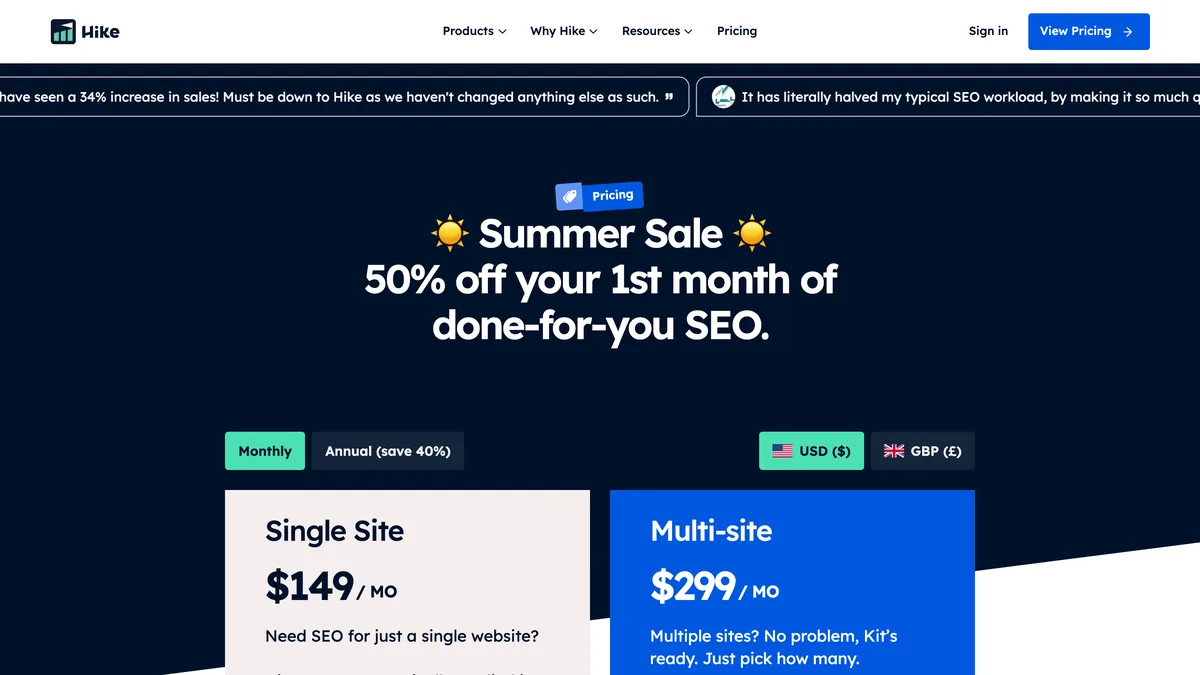
Keyword research is the job I’d tackle first, because every other piece of your SEO operation depends on knowing what people are actually searching for. Write the wrong topics and your on-page work, content, and tracking are all pointed at an audience that isn’t there. My pick here is Hike SEO, and it’s the tool I pay for first out of everything in this stack.
The Hike SEO free tier gives you a limited number of keyword lookups and site audits each month, which sounds restrictive until you realize it’s enough to research a handful of articles. In practice, that covers your first 10 – 15 content pieces, which is plenty when you’re still figuring out your niche and establishing a content rhythm. The tool suggests related terms alongside your main query and attaches difficulty scores to each one, so you can spot the low-hanging fruit without drowning in raw data. It also bundles in a simple site auditor, meaning you can check basic on-page fundamentals like meta tags and structure while you’re already in the tool, rather than juggling a second subscription.
Upgrading starts to make sense when you’re publishing weekly and the free limits begin cutting into your workflow. The paid plan removes those caps and adds competitor keyword analysis, which matters once you want to see what terms are driving traffic to sites you’re competing against. You’ll also want it when you start chasing harder terms and need full SERP analysis to understand what it’ll actually take to rank. That said, I’ll be honest about the gap: Hike SEO’s keyword database isn’t as deep as Ahrefs or Semrush, so ultra-long-tail terms can slip through. If your strategy leans heavily on very niche, low-volume queries, you might occasionally need to supplement it.
For keyword research for a one-person business, Hike SEO hits the sweet spot of being useful from day one and affordable when you outgrow it. The upgrade costs less than a weekly coffee, which makes it the easiest yes in this entire stack. It’s not the deepest tool on the market, but it’s the best keyword research tool for solopreneurs I found, because it does the job without asking you to commit to a platform-sized investment before you’ve proven your content strategy works.
On-Page Optimization: How SurferSEO Helps Content That Actually Ranks
For on-page optimization, SurferSEO is my pick, and it’s the one tool in this stack that breaks the free-tier pattern. There’s no permanent free version here. You get a 7-day trial that lets you optimize a single document, which is enough to run your most important page through the system once. After that, you’re either committing to a plan or walking away. For a one-time page rescue, the trial works. For ongoing use, you need to be realistic about the cost.
The paid plans unlock the Content Editor, which is where SurferSEO earns its keep. It scores your draft against the top-ranking pages for your target keyword and suggests terms to include as you write. The tool checks keyword density, headings, images, and questions worth answering, then gives you a real-time score out of 100. That’s the SurferSEO content optimization loop: draft, check the score, adjust, repeat until you’re comfortably above the benchmark. It’s a solid on-page SEO tool for solopreneurs who already know their keywords and just need help executing on them.
One thing to know going in: SurferSEO is not a keyword discovery tool. It works best when you arrive with keywords already in hand, which is exactly why it pairs well with Hike SEO from the previous section. Run your research there, then drop those terms into SurferSEO and let it help you build the page around them. The other caveat is the NLP analysis. A common complaint is that it pushes you toward over-stuffing terms, and I’ve seen that tendency myself in how the suggestions stack up. Treat the score as a guide, not a rule. If a suggested term reads awkwardly in context, skip it. The score is a proxy for what a well-optimized page looks like, not a guarantee.
The SurferSEO free vs paid question resolves itself once you’re publishing more than two articles a month and want each one optimized without burning a whole day. Upgrading makes sense at that point. It’s more hands-on than the automated content tools in this stack, so you’ll spend real time editing and iterating against the score. But that’s the trade-off that produces ranking gains worth the effort. For a one-person operation that’s serious about on-page work, it’s the difference between guessing at structure and having a clear target to write toward.
Automated Content: Machined AI for Bulk Article Drafting
For the automated content job, Machined AI is my pick. It’s the tool that directly answers which AI SEO tools are worth paying for. You set up keyword clusters and it generates complete articles built around a methodology designed to prioritize topical authority rather than just churning out keyword-stuffed pages. The free tier lets you generate a limited number of articles per month, which is enough to test the quality of the output before you commit anything to it. I’d use that trial period to run a handful of drafts and see whether the structure and depth match how you’d write, because that’s where the real decision gets made.
Paid plans unlock the features that make this a serious production tool: unlimited generation, internal linking capabilities, and article bulk scheduling. It also creates AI-generated images automatically, which saves more time than you’d expect. Sourcing stock photos for every article you publish is one of those tasks that eats an afternoon without feeling like real work, and having that handled in the background means the whole pipeline from keyword to published draft moves faster. For a solopreneur publishing on a regular cadence, that’s the difference between a content operation and a content hobby.
That said, the honest Machined AI review has to include the caveat that every article still needs human editing. Facts need checking, your voice needs to be refined into the draft, and real examples need to be added. Without that pass, the content reads generic in a way readers pick up on immediately. The WordPress integration helps here, pushing drafts straight to your dashboard where you can edit in the same place you’ll publish, which keeps the review loop tight. If you’re publishing 10 or more articles a month, the paid plan replaces hours of drafting and frees you to focus on strategy instead of staring at a blank page.
The biggest shortcoming is one you can’t edit your way around entirely. Machined AI won’t build real expertise or lived experience into your posts. It drafts from data and patterns, not from the years of work that give a solo founder something unique to say. That’s your job to layer in, and it’s non-negotiable if you want automated content for solopreneurs to feel like it came from a person rather than a pipeline. Treat the tool as your first draft machine and the editing pass as where your authority actually gets built.
Rank Tracking: BabyLoveGrowth to Monitor Your Progress
Rank tracking is the job where I’ve seen the most tools try to do too much, which is why my pick here is so refreshingly narrow. BabyLoveGrowth rank tracking does exactly one thing: it monitors your keyword positions daily and graphs the historical trends so you can actually see momentum building. No keyword research, no site audits, no backlink checks. It just tracks, which means it runs faster and costs less than the rank-tracking modules buried inside bigger, all-in-one suites that charge you for a dozen features you’ll never open.
The free tier tracks up to 10 keywords, and that’s enough for a solopreneur’s initial target list. If you’re just starting out, your content strategy probably centers on a handful of terms you actually care about, and ten covers that comfortably. What I appreciate most is that this free tier isn’t a teaser designed to frustrate you into upgrading. It’s a legitimate free rank tracker for solopreneurs that stays useful indefinitely as long as your keyword set stays small. I only moved to paid after my tracking list grew past 50 terms, and even then it was a gradual decision rather than a forced one.
The paid plans are where the tool starts pulling real weight: unlimited keywords, competitor position tracking, and white-label reports. The competitor tracking matters once you’re trying to gauge whether you’re gaining ground relative to the sites you’re actually competing against. And if you work with clients, the white-label reports mean you can present progress under your own branding instead of exporting raw data and reformatting it yourself. Moving to paid makes sense when you’re tracking more than 10 keywords or need to show clients where their rankings stand. There’s also a quiet feature I’ve come to rely on: email alerts when a keyword moves up or down. You don’t have to log in daily to stay on top of changes, which matters when you’re juggling everything else a one-person operation demands.
For a rank tracking tool for a one-person business, BabyLoveGrowth hits the mark because it respects your time and your budget. It doesn’t try to be your entire SEO stack, and that focus is exactly what makes it work. The data is clean, the updates are daily, and the cost stays reasonable precisely because you’re not subsidizing modules you’d never use. If you already have keyword research and on-page optimization handled from the earlier picks in this stack, this is the final piece that closes the loop and tells you whether your efforts are paying off.
Who Should Buy Nothing and Stick With Free Tools
Before you spend a dollar on any of the tools I’ve recommended in this guide, ask yourself whether you actually need to. If you’re brand new to SEO, the honest answer is usually no. The best free SEO tools for solopreneurs cover more ground than most people realize, and there’s a strong case for running your entire early operation on them until the limits start to bite.
Here’s what I’d lean on before opening a wallet:
Google Search Console shows which queries bring impressions and clicks to your site, making it a free rank tracker. You can see which terms are surfacing, how your click-through rate trends, and whether your content is gaining ground, all without a subscription.
Google’s results page itself is a keyword research tool. Search your topic, read the autocomplete suggestions, and mine the “People also ask” box for the questions real searchers are typing. It’s raw, but it’s free, and it reflects actual demand rather than a database’s estimate.
The free version of Google Docs paired with manual competitor analysis can replace on-page optimization tools for your first few articles. Open a competitor’s ranking page in one tab and your draft in another, then note what they cover that you don’t. It’s slower than SurferSEO’s score, but it’s sufficient at low volume.
The question of whether you need paid SEO tools resolves itself once you look at your actual situation. Skip the paid stack entirely if these describe you:
Your site is less than six months old and doesn’t yet have 30 published pages. You don’t have enough content to optimize or track meaningfully yet. Your job right now is volume and consistency, not precision.
You’re writing fewer than two articles per month. At that pace, AI content tools aren’t solving a volume problem because you don’t have one. You’re better off writing manually and keeping the money.
You’re early in your niche and can keep tabs on competitors by hand. Many solopreneurs get by for years with just Search Console, Google Trends, and a critical eye on what competitors publish. That combination covers research, tracking, and inspiration without a single recurring charge.
The moment that changes is the moment a paid tool earns its place. When you start needing to track more than 10 keywords, publish weekly, or analyze competitors systematically, then a paid tool provides leverage that free workarounds can’t match. Until then, holding off on paid tools and putting that cash into content or ads almost always yields better early ROI than a subscription you’re not fully using. The best SEO tools for solopreneurs aren’t the ones with the most features; they’re the ones that fit where you are right now.
My Actual Solopreneur SEO Stack and How I Use It

This is the solopreneur SEO workflow I’ve settled on after testing each tool individually, and it’s simpler than the stack most people assume is necessary. Four tools, four jobs, and a weekly routine that takes roughly two hours from start to finish. Here’s how they fit together.
Start with Hike SEO to research a topic cluster and create a keyword list. I pick a theme, run it through Hike’s suggestion engine, and walk away with a focused list of terms ranked by difficulty. This is the foundation, so I don’t rush it.
Feed those keywords into Machined AI to generate article drafts in bulk. Once the list is locked, I drop it into Machined AI and let it produce full drafts for each term. It handles the heavy lifting of first-draft generation while I move on to other work.
For the top-priority articles, use SurferSEO’s Content Editor to optimize them against competitors. Not every draft gets the SurferSEO treatment. Only the pieces I’m betting on for rankings get scored and refined against what’s already winning the SERPs.
BabyLoveGrowth runs in the background tracking keyword movement so you know which pieces to update. It watches positions daily and tells me when a page is slipping or gaining so I know where to point my editing time next.
The SEO tools I actually use cost less combined than a single Semrush subscription, and that’s the point. I’m not paying for a platform-sized suite when four focused tools cover my core needs. I also don’t pay for backlink tools, and I’ll say plainly that I think most solopreneurs shouldn’t either. I earn links naturally through content quality and genuine relationships, and a solo founder’s time is better spent creating something link-worthy than chasing outreach at scale.
The entire weekly workflow from research to review takes about two hours, which frees me up for client work and the parts of my business that generate revenue. For the full testing data behind each tool, read the in-depth reviews here at By Solopreneurs. I update them as tools evolve, so they stay current with pricing changes, feature additions, and anything else that shifts the value equation. These four picks represent the SEO software for solo founders that I’ve found worth paying for, and the reviews give you the complete picture of why.
The Bottom Line on the Best SEO Tools for Solopreneurs
If you’re brand new to SEO, the answer to which SEO tool should I buy first is simple: none. Use Google’s free tools until you outgrow them. Search Console, the results page itself, and a manual eye on competitors will carry you through your first several months without a single recurring charge. The moment a free workaround starts costing you more time than a subscription would, that’s when you buy.
Here’s the order I’d follow when the time comes:
When you need keyword data, your first purchase should be Hike SEO’s paid tier. It’s the cheapest upgrade in the stack and the one that unlocks the most leverage, since every other job depends on knowing what to write about.
Once monthly publishing ramps up, adding SurferSEO and Machined AI saves hours per article while improving quality. SurferSEO gives you a scoring target to write toward, and Machined AI handles first-draft generation so you’re not staring at a blank page. Together they compress the production loop considerably.
BabyLoveGrowth is the last to add, and only when manual rank checking becomes painful. If you’re still comfortable checking positions by hand in Search Console, keep doing that. Add the tracker when your keyword list outgrows what you can reasonably monitor yourself.
The total cost of this entire stack is modest compared to hiring an SEO specialist or buying an all-in-one suite. You’re paying for four focused point solutions instead of one platform-sized subscription, and each one covers its job better than the bundled module ever would. And because every tool has a free entry point, you can test each one before committing. Never buy blind. Run a tool through its free tier, see whether it fits your workflow, and only upgrade when the limits start to hold you back.
The solopreneur’s edge isn’t tools, it’s speed. This stack lets you publish faster and iterate smarter, which is what a one-person operation needs to compete with teams ten times its size. Over time, the SEO results will come from your expertise and consistency, not the software. The tools just remove friction so you can spend your energy on the writing, the relationships, and the work that builds authority. That’s the best SEO tools for solopreneurs conclusion I can offer: buy the minimum, upgrade when it hurts not to, and let your own output do the heavy lifting.

Leave a Reply