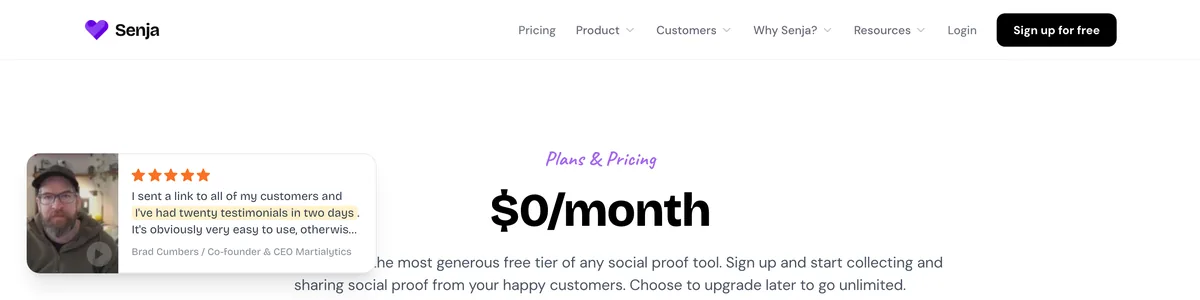
Senja‘s free plan promises to collect and display testimonials indefinitely, no credit card required. After weeks of running it on a live solopreneur site, I can confirm that promise holds up. It’s a real testimonial tool, free and functional, not a time-limited trial dressed up as one. But it has a visible ceiling, and knowing exactly where that ceiling sits matters more than the feature list.
The 15-testimonial cap is the first limit you’ll hit. It’s not arbitrary. That number is enough to build real initial trust with visitors, but once you’re past it, every new review forces a decision. SD video export is another factor to weigh if your testimonials lean video-heavy, since the quality drop from the HD upgrade is noticeable, and while the manual alternative of screenshot galleries costs nothing forever, it doesn’t update itself.
I answer one question plainly: is the free plan enough for a one-person business? I’ll walk through what the free tier actually delivers day to day, where the cap starts costing you sales, when Starter pays for itself, and how Senja stacks up against testimonial.to. I tested it on Framer and WordPress, and I’ll be honest about what impressed me and what didn’t.
On this page
- What Senja Does and Who It’s Actually For
- Senja’s Free Plan: What You Really Get and What You Don’t
- Collecting Testimonials Without Bugging Your Clients
- Embedding Widgets on a Real Site: A Hands-On Test
- When 15 Testimonials Aren’t Enough: The Upgrade Math
- The Free-Forever Manual Alternative: Screenshots and a Static Page
- How Senja Stacks Up Against Testimonial.to and Other Options
- Senja Review Bottom Line: Is the Free Tool Enough for Your Solo Business?
What Senja Does and Who It’s Actually For
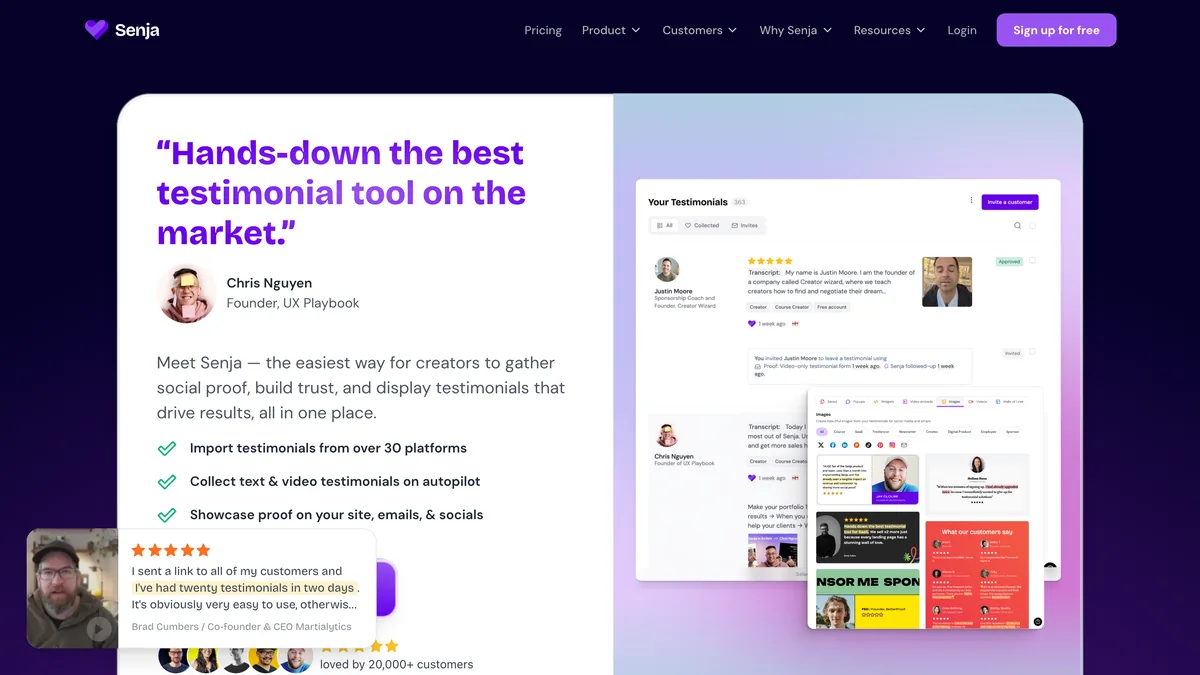
Senja is a testimonial management platform built for businesses that want to collect, manage, and embed customer feedback without touching a line of code. At its core, it replaces the messy, manual process of gathering reviews with a system that handles the whole lifecycle: collection, organization, and display.
Two main groups get the most out of it. Solopreneurs, first, who need a budget-friendly way to build social proof. Small teams are the second group, and they benefit from a workflow that makes review collection more manageable so feedback doesn’t get lost between a shared inbox and a spreadsheet.
For a one-person business, the value is immediate. Senja eliminates the need to chase clients for quotes or hand-build a gallery page from screenshots. Instead of emailing customers individually and hoping they respond with something usable, you send a collection form once and the testimonials come to you. That alone is worth the setup time, because the alternative is a constant, low-grade administrative drain that most solo operators don’t have room for.
Senja also auto-generates what it calls Walls of Love: curated testimonial pages that can be shared publicly. You get a polished, linkable page of customer praise without designing anything yourself, and because it supports both video and text testimonials, visitors see a richer trust signal than a paragraph of text alone can provide. A customer explaining their results on camera carries weight that a written quote rarely matches.
The integrations are a quiet strength. Senja pulls existing social praise from 18 platforms, including Twitter, LinkedIn, and Google, so you can import the kind words people have already posted about you in minutes. That’s a much faster starting point than collecting everything from scratch.
What separates Senja from the typical review plugin is its focus on modern, embeddable widgets. Rather than a clunky sidebar block that looks bolted on, the widgets are designed to match your site’s aesthetic. That matters more than most people expect. A testimonial that looks native to your design reads as credible. One that clearly came from a third-party plugin reads like an ad.
If you’re a solopreneur who gets most of your leads from your website, investing in social proof can directly impact conversion rates. Visitors arrive on your page with skepticism baked in, and a well-placed, authentic testimonial is often the difference between a bounce and a click on your pricing page.
Senja’s Free Plan: What You Really Get and What You Don’t
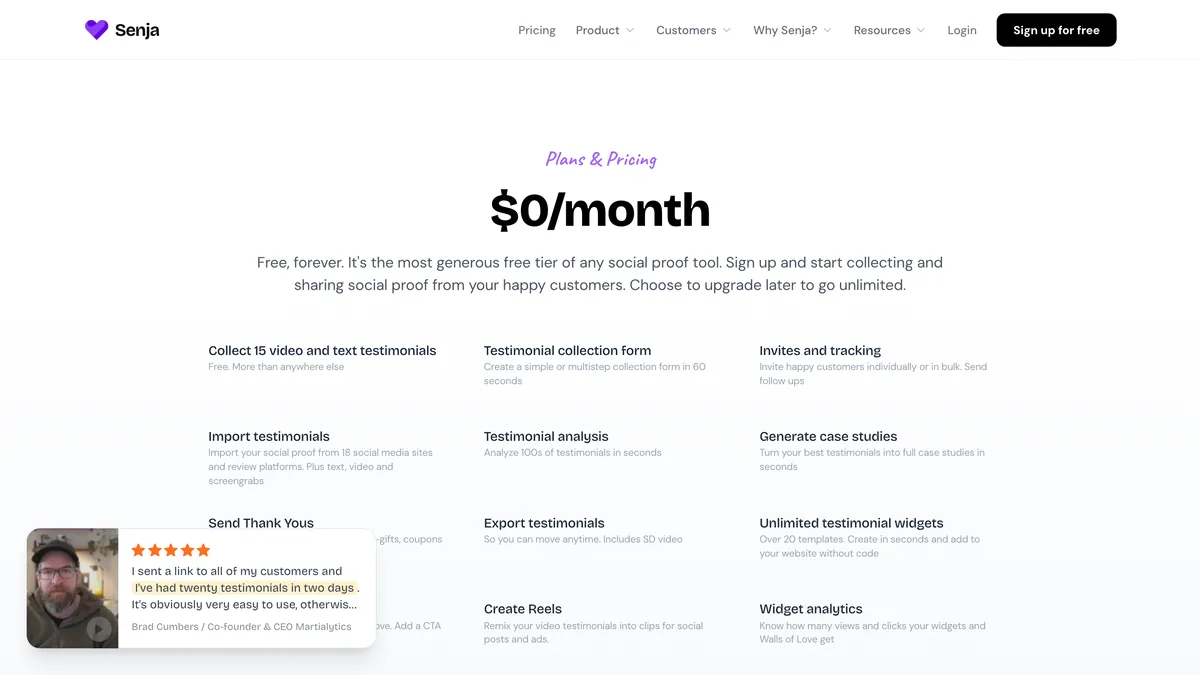
After running Senja’s free tier on a live site, I can tell you the “free” label is honest. There’s no time limit, no credit card gate, and no quiet downgrade after a trial window. But the boundaries are real, and they’re worth mapping out before you commit your workflow to them.
Here’s everything the free plan includes:
15 testimonials total, and you can mix video and text in any ratio that fits your business.
Unlimited widgets drawn from a library of 20+ templates, with colors, fonts, and layouts you can customize to match your brand.
Fully functional collection forms, so you can send branded request pages to clients instead of plain-text emails.
Imports from 18 social platforms, including LinkedIn recommendations and Twitter mentions, which speeds up your initial setup considerably.
A Wall of Love page that gathers all your best feedback into one shareable, linkable showcase.
And here’s what sits just beyond that line:
Video exports are capped at SD quality (480p), which looks dated on high-resolution screens.
No custom domains, so your Wall of Love lives on a senja.io subdomain that can feel less polished than your own site.
No Zapier or API access, which rules out automation workflows and direct CRM connections.
That last gap is the one that stings most for a solo operator who’s used to stringing tools together. The free plan is a closed loop: everything happens inside Senja, and getting data out requires manual effort. For a one-person business just starting to collect testimonials, that’s a fair trade. But it’s worth knowing the ceiling before you build a habit around the tool.
Collecting Testimonials Without Bugging Your Clients
Senja’s real strength as a social proof tool for small business owners is that it removes the awkwardness from the ask. Instead of drafting a polite email that begs for a quote, you send a link and let the tool handle the follow-up. Here’s how the collection side actually works:
You can build a branded form with a custom message and a direct link to send to clients, so the request looks like part of your business rather than a generic survey.
Email invites request video or text testimonials with a few clicks, and Senja handles the reminders, so you never have to chase anyone twice.
The import tool scans your connected social accounts and pulls eligible posts in minutes, supporting LinkedIn, Twitter, Facebook, Google, and 14 other platforms.
For video testimonials, clients record directly through the link you send, no uploads or editing software required on their end.
That last point is the one that impressed me most. Most clients won’t record a video testimonial if it means wrestling with file formats or finding a quiet room to film on their own schedule. Opening a link and hitting record removes every excuse. The barrier to entry is so low that I’d bet the video completion rate is higher than with tools that force uploads.
The collection process isn’t friction-free, though, and I found three honest limitations worth flagging.
First, the 15-testimonial cap forces you to curate your imports. When the scan pulls eligible posts from your social accounts, you can’t just accept everything and sort it out later. You have to decide which ones make the cut, and that often means leaving good feedback behind because you’re saving slots for something better.
Second, every testimonial requires manual approval before it goes live. That’s a small but necessary step, and it does protect your site from spam or off-brand submissions. But it also means the tool won’t fully run itself, which is worth knowing if you expected a completely hands-off system.
Third, there’s no one-click archive feature on the free tier. If you hit 15 testimonials and want to keep collecting, your only options are deleting older ones or upgrading. You can’t park a testimonial in a holding area and swap it back in later, which makes the cap feel tighter than the number alone suggests.
Embedding Widgets on a Real Site: A Hands-On Test

The actual embedding process turned out to be the least intimidating part of the whole Senja experience. Adding a widget to any site boils down to copying a single line of embed code from your Senja dashboard and pasting it where you want the testimonials to appear. No plugin, no configuration file, no developer hand-off.
On WordPress, I pasted that line into a Custom HTML block and dropped it into the page where I wanted social proof to sit. It rendered immediately, no plugins required. The Framer side worked the same way. The embed code slots into a custom code embed layer, and since Senja’s styling inherits your site’s CSS, the widget picks up your existing typography and color scheme without any manual matching. I tested both the Carousel and Grid widgets, and both loaded quickly and looked clean out of the box. They didn’t feel bolted on, which is the failure mode most testimonial embeds fall into.
The responsive behavior deserves its own mention. Both widgets resize smoothly on mobile by default, so a testimonial grid that looks right on a desktop viewport doesn’t collapse into a jumbled mess on a phone. Given how much of my traffic comes from mobile browsing, that’s not a nice-to-have. It’s the difference between a usable page and a broken one.
There are two caveats worth knowing before you commit. On the free plan, you can’t add custom CSS to tweak fine details, so you’re stuck with the template’s baseline styling. That’s fine if you picked a template close to your brand, but it means no nudging padding or adjusting spacing without upgrading, and if your site builder doesn’t support raw code embeds, Senja offers no plugin alternatives. That’s rare in practice, but worth confirming before you build a workflow around the tool.
A full step-by-step Framer integration guide is beyond this review’s scope. The core process is identical to any code embed. Copy, paste, done. If you can add a Google Analytics snippet or a tracking pixel to your site, you already know how to install Senja.
When 15 Testimonials Aren’t Enough: The Upgrade Math
The 15-testimonial ceiling stops being an abstract limit the moment you have more than 15 happy clients whose feedback could be converting visitors. Early on, 15 spots feel like plenty, and you’ll likely be curating imports just to keep the wall tidy. But there comes a specific week where a new client’s glowing words arrive and you realize you have to decide which older testimonial gets deleted to make room. That’s the moment the free plan starts working against you.
The real damage is quieter than the cap itself. When you start deleting older testimonials to fit new ones, you’re trading away variety and recency, and both are trust signals. A wall that shows one rave review from 18 months ago and nothing else reads differently than a wall showing feedback from the last quarter. Visitors don’t consciously calculate that gap, but they feel it. Stale social proof quietly erodes the exact credibility you built the wall to create.
This is where the Senja starter plan starts making sense. It removes the cap entirely, so you stop playing the delete-and-replace game and keep every piece of feedback that helps your case. The HD video export upgrade matters too, especially if video testimonials are central to your pitch. A 480p recording on a modern laptop screen looks dated, and dated undercuts authentic, and a custom domain for your Wall of Love, something like testimonials.yourdomain.com, adds a layer of brand credibility that a senja.io subdomain can’t match. It’s a small polish, but it’s the kind of detail visitors register without naming it.
The automation angle is the one I’d weigh most carefully. Zapier and API access mean you can pipe new reviews straight into your CRM or email list without touching a dashboard. If you’re already running automations elsewhere in your business, the free plan’s closed loop starts to feel like a manual chore you’re paying for in time rather than dollars.
So when does Starter actually pay for itself? The math is straightforward: it’s worth it roughly when the monthly subscription costs less than the value of one extra client won by a recent, glowing testimonial. For a solopreneur charging $500 or more per project, that bar clears fast. One conversion lost because your social proof looked stale or thin covers several months of the upgrade. You don’t need a complicated ROI model to justify it. You need one honest look at what a single closed deal is worth to you.
The Free-Forever Manual Alternative: Screenshots and a Static Page
Before paying for anything, it’s worth remembering that Senja’s entire value proposition competes against a method that costs exactly nothing: screenshots. You can capture client feedback straight from emails, social DMs, or review sites and display those images on your site. Build a dedicated Testimonials page with captions and thumbnails, host it on Carrd, Notion, or a static HTML page, and your monthly spend stays at zero forever.
For the right kind of business, that’s not a compromise. It’s the smarter choice. If you’re getting fewer than 10 testimonials a year and rarely updating them, a screenshot gallery gives you everything Senja’s free plan does without the platform dependency. You maintain full control. No third-party branding, no testimonial caps, no risk of waking up one morning to find the free tier you rely on has quietly changed.
The downsides are real, though, and they’re not subtle. Manual updating is the kind of task that slips. When the only thing forcing you to add a new testimonial is your own discipline, the page goes stale fast. A Testimonials page from two years ago with no recent additions reads as neglect, and neglect erodes trust faster than not having the page at all. Senja’s collection forms at least nudge the process along. Screenshots demand you remember to take them, crop them, and upload them.
Video is where the manual approach falls apart. A video testimonial requires self-hosting or a YouTube upload and an embed, which adds friction at every step. You’re now managing file hosting, privacy settings, and playback behavior yourself. If your clients are willing to record video, Senja’s free plan handles that entire pipeline for you. That alone justifies the tool for video-heavy businesses.
So here’s where I land. If your website is a static business card that doesn’t rely on social proof to convert visitors, skip Senja entirely. Screenshots and a page section cost nothing but time, and you keep every ounce of control. But if your site is a lead generator, if testimonials are a deciding factor in whether a visitor reaches out, then the manual method’s procrastination problem becomes a sales problem. Senja pricing only becomes worth discussing once your testimonials are actually doing revenue work, and not a moment before.
How Senja Stacks Up Against Testimonial.to and Other Options
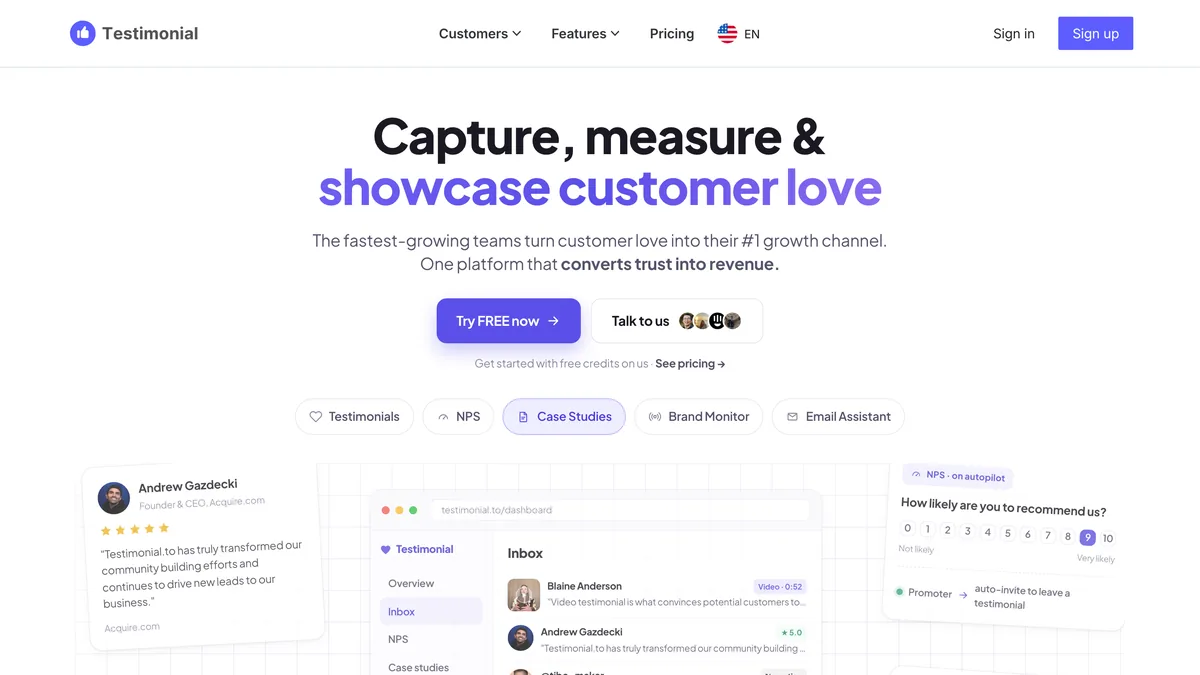
Testimonial.to is the name that comes up most often when people compare Senja, and it’s a fair comparison on paper. Both tools collect, manage, and display customer feedback for small businesses. But once you dig into what each one gives you without paying, the two look very different. Here’s how they stack up side by side.
| Senja (Free) | Testimonial.to (Free) | |
|---|---|---|
| Free tier | 15 testimonials, free with no time limit | Limited. Widgets and branding removal typically require a subscription |
| Widgets & embedding | Full widget access with 20+ templates, unlimited embeds | Widgets exist, but full functionality sits behind the paid tier |
| Video export quality | SD (480p) on the free plan | Mobile recording is smoother, but free-tier video features are constrained |
| Custom domain & branding | No custom domain on free; Wall of Love lives on a senja.io subdomain | Branding removal requires the paid plan |
| Ease of use | Slightly more complex due to more features | Praised for its simpler, more minimal interface |
| Pricing & upgrade path | Free plan is a real product; Starter adds unlimited testimonials, HD export, custom domains, and automation | To get similar functionality to Senja’s free plan, you’d need at least their paid tier |
The gap in the free tier is the whole story here. To get functionality on testimonial.to that matches what Senja gives you for nothing, you’d need to pay for at least their entry-level subscription. For a solopreneur who hasn’t proven that testimonials drive revenue yet, that changes the calculus completely. Senja’s free plan is a complete product you can run indefinitely. Testimonial.to’s free tier is a taste.
Testimonial.to’s simpler interface is a real strength. Senja’s extra features mean a slightly steeper learning curve, and if you want the absolute fastest path from signup to a working widget, testimonial.to feels lighter. Its video review recording is also smoother on mobile than Senja’s free-tier SD export, which can feel choppy in comparison. Those are real differences, and they matter if video is your primary format.
Beyond these two, the alternatives don’t even enter the conversation for a bootstrapping solo operator. Trustmary and Boast.io both lack a true forever-free tier, so they’re not viable unless you’re ready to pay from day one. Senja’s Starter plan remains competitively priced against those options too, though if you need advanced analytics or multi-language support sooner than later, testimonial.to’s higher tiers may bundle those capabilities differently.
Here’s my verdict. The best testimonial tool for a one-person business is the one you’ll actually use, and Senja’s free plan removes cost as a barrier in a way no direct competitor does. You can collect, manage, and display testimonials for free, indefinitely, and upgrade only when the numbers justify it. That adoption edge is the deciding factor for anyone still figuring out whether social proof is worth paying for at all.
Senja Review Bottom Line: Is the Free Tool Enough for Your Solo Business?
After all the testing, the cap counting, and the widget embedding, here’s my honest verdict: Senja’s free plan is not a trial mask. It’s a functional, long-term tool for the right user, and you can realistically run a consulting or freelance site on it for six months to a year before the limits start to bite. That’s not a small window. That’s a full season of building your first credible wall of social proof without spending a dollar.
The moment the free plan stops being free is the moment you start losing leads because a recent five-star review isn’t on your site. That’s the real cost, and it’s invisible on a spreadsheet. When a prospect reads a testimonial from eight months ago and wonders if you still deliver, the cap has quietly become a tax on your credibility. That’s when Starter stops being an upgrade and starts being the obvious move.
The weakest link is SD video export. If your business showcases client videos, the 480p output will undermine the professionalism you’re working to project. A grainy testimonial reads as dated, and dated reads as neglectful. Starter’s custom domain and HD export close those two biggest perception gaps, and for a business pulling in $3k or more per month, they’re table stakes, not luxuries.
The manual screenshot alternative deserves one final fair hearing. It costs nothing forever, and for a business that doesn’t lean on social proof, it’s enough. But it demands a consistency most solo operators won’t sustain. You’ll take the screenshots for three weeks, then forget, and six months later you’ll have a stale page that hurts more than it helps.
On reliability, I found no significant bugs or downtime during my testing. Senja is technically solid even on the free tier, which matters more than any single feature. A tool that occasionally breaks is worse than one with a cap you can plan around.
So here’s the practical takeaway. If social proof isn’t a core part of your sales process, skip Senja entirely. A screenshot page or nothing at all will serve you fine. But if testimonials help close deals, start with the free plan, run it until the cap costs you real money, and upgrade only when that moment arrives. That’s the whole strategy, and it’s a good one.

Leave a Reply