YITH has been around the WooCommerce world since the early 2010s and is known as a go-to vendor for WordPress store owners. The catalog centers on WooCommerce plugins that improve product pages, checkout flows, and marketing, including reviews and affiliate tools. They also sell a smaller set of eCommerce-focused themes. Store owners get features tailored to WooCommerce without custom code.
The typical YITH customer runs a small or mid-sized shop and needs advanced features like dynamic pricing or subscriptions but doesn’t want to hire developers. YITH keeps a tight focus on WooCommerce compatibility and offers a consistent admin experience across extensions. This reduces hassle with mismatched plugin interfaces and prevents conflicts between tools.
Licensing follows an annual model per plugin or through memberships. Plans cover updates and support for one year and are tied to individual site activations.
The choice often comes down to paying for maintained, integrated features or stitching together several free plugins with uncertain updates and mixed compatibility. For founders who want reliable commerce upgrades without extra development work, YITH delivers a practical middle ground.
On this page
- What YITH Builds for WooCommerce and Why Founders Consider It
- YITH pricing plans explained with annual licensing and bundles
- Key YITH WooCommerce plugins and the features they add
- When YITH premium makes sense and when free plugins are enough
- What reviews say about the YIThemes brand and support quality
- Updates, changelogs, and support expectations after you buy
- YITH WooCommerce Advanced Reviews features, setup, and feedback
What YITH Builds for WooCommerce and Why Founders Consider It
YITH sells plugins on yearly licenses. A purchase includes one year of updates and ticket-based support. After the year, the plugin still works, but updates and official support stop unless renewed.
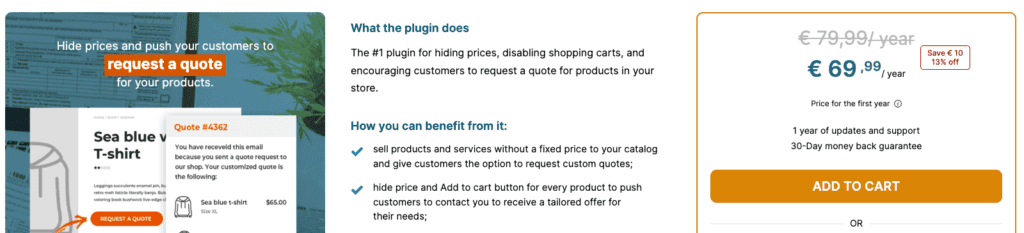
- Single-plugin licenses come in tiers tied to site count, with options for 1 site, 6 sites, or up to 30 sites for agencies. Pricing depends on the plugin, typically $79 to $129 per license.
- Bundles, often called memberships or clubs, give access to a broad set of WooCommerce plugins for one annual fee. They’re good value when a store relies on three or more premium tools.
- Renewal discounts appear at times, usually trimming 20% to 30% off the standard price. Check the checkout page for any active promo before paying.
- Licenses transfer between domains. Deactivate a key on one site, then activate it on another. This is useful for moving between staging and live.
- Cost snapshot: buying three separate premium plugins might land between $237 and about $400 per year. A bundle might cost roughly $20 to $40 per month, billed yearly, and often saves money for stores that run several add-ons.
YITH pricing plans explained with annual licensing and bundles
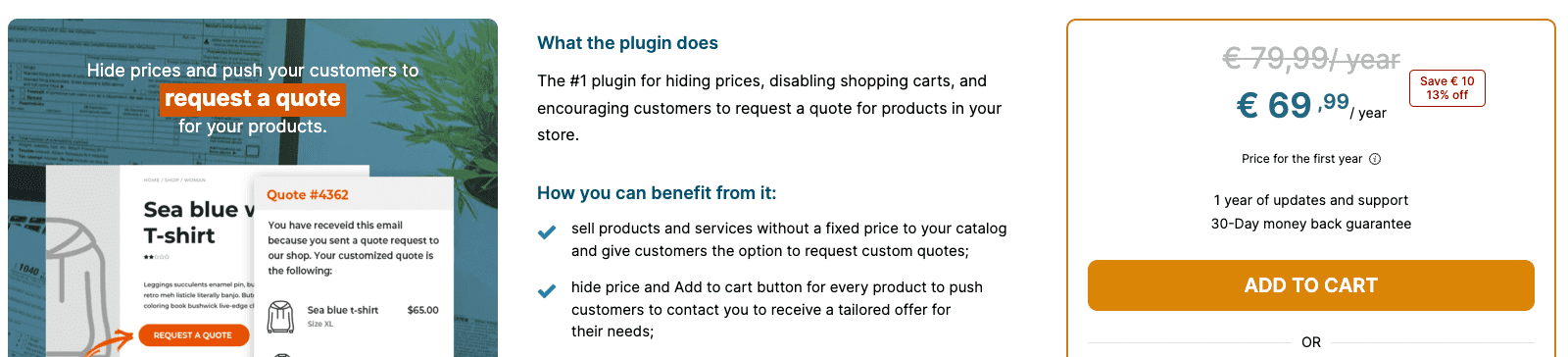
YITH WooCommerce plugins cover almost every part of an online store. Wishlist tools boost engagement, and Dynamic Pricing & Discounts help run smart promotions. Product Add-ons & Options let shops customize items, Gift Cards add flexible payment choices, Booking & Appointments handle scheduling for service businesses, and Subscriptions tools streamline recurring payments. Affiliates drive new traffic, Reviews add social proof, Ajax Search speeds up product discovery, PDF Invoices organize billing, and Request a Quote supports buyers who want custom prices.
Many plugins ship with templates plus Gutenberg blocks or shortcodes, so store owners can add features to product pages or cart steps without custom code. Setup stays quick, and the shop still looks polished even without a developer on hand.
Another strong point is cross-plugin compatibility. A public compatibility matrix shows what works together, like Discounts with Gift Cards or Subscriptions features. Careful integration reduces hook conflicts and makes complex builds with multiple YITH tools less risky.
Performance depends on WooCommerce hooks and standard options. Features such as dynamic pricing rules or live search add queries, which increases load under traffic. Documentation includes caching and indexing tips to keep response times in check.
International stores get translation-ready products with included .pot files. Many common languages already have partial translations from the community or YITH.
Theme support targets Storefront first, and popular builders like Elementor and the block editor work fine. Custom themes might need a few CSS tweaks to keep styling consistent across all plugin components.
Key YITH WooCommerce plugins and the features they add
Many WooCommerce stores start with free plugins because they cover the basics well enough. Simple wishlists, plain review tools, and basic coupon tweaks often cost nothing and get a small shop moving fast. However, free tools rarely include deeper features. Detailed pricing rules, automated workflows, and tight integration across features usually aren’t there.
Paid YITH plugins fit when a store needs more power. They add tiered pricing by user role, discounts that trigger on cart conditions, and catalog exclusions to target promos. The interface walks users through multi-step setups without confusion. Their tools work together instead of clashing, which keeps the stack stable.
Look at return on investment. Paying for YITH often replaces dozens of hours of custom code and fixes. Value developer time at $75 an hour, and skipping one development round can cover a single license.
Mixing several free plugins from different authors raises the risk of breakage after WooCommerce updates. A single vendor keeps compatibility tighter and support more consistent, which cuts maintenance stress.
Start with free versions to prove an idea, then upgrade to premium. Read migration notes before switching so data and settings stay intact.
- Advanced rules and automation enable smarter store management beyond simple freebies
- Premium saves serious development and testing hours, which equals real dollar savings
- Single-vendor suites reduce conflicts common with a pile of free plugins
- Clear upgrade paths exist, and verifying migration steps protects existing configurations
- Free makes sense for tiny catalogs, minimal discounts, one-language shops, or strict performance budgets

The paid tiers add up quickly across several plugins, so check whether a YITH coupon code is live before buying them one at a time.
When YITH premium makes sense and when free plugins are enough
YITH has a strong presence in the WooCommerce space, especially when checking its free plugins on WordPress.org. Several tools show hundreds of thousands of active installs, a sign of steady trust from store owners who use them every day. Figures change over time, so checking live stats before deciding makes sense.
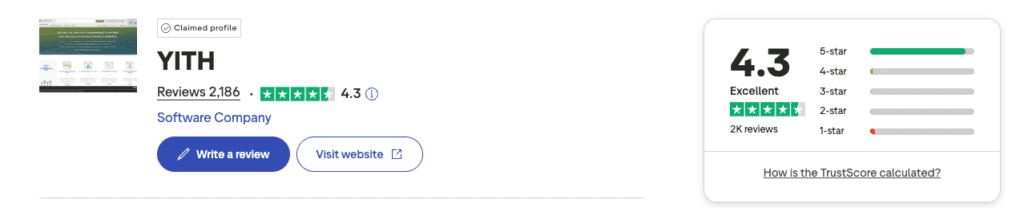
Ratings usually land between 4.1 and 4.7 stars out of 5 across WordPress.org, Trustpilot, and G2. Most users see good value, though results vary by plugin and setup. Looking at feedback across flagship tools shows a clear theme: customers like the rich features and fast support, with paid users often highlighting priority help.
More than a decade in, YITH keeps pace with major WooCommerce updates and ships regular improvements. Longevity like this signals ongoing investment. Many users also note that multiple YITH extensions work well together in the admin, which creates a consistent workflow instead of jumping between clashing interfaces.
No product nails every scenario. Some reviewers report slowdowns on very large catalogs or conflicts with heavily customized themes or page builders. Complex stores might need extra tuning. The settings depth can also feel steep at first because each plugin packs lots of options.
Review scores often skew to extremes – either glowing praise or sharp critiques – so looking deeper gives a fuller view. Reddit’s r/woocommerce and WordPress.org support threads offer uncensored experiences that balance vendor claims and surface practical details on day‑to‑day reliability.
What reviews say about the YIThemes brand and support quality
YITH syncs plugin updates closely with WooCommerce releases and security patches. Most tools get refreshed every month or two, which keeps stores compatible and up to date on fixes. Changelogs show a steady flow of tweaks, from compatibility bumps for new WordPress or PHP versions to small bug fixes and occasional features. For example: “Fixed cart discount calculation error on WooCommerce 7.5; improved Elementor widget styling.” This transparency helps store owners see what changed before updating.
Support runs through a ticket system for licensed users, with replies in about one to two business days for standard questions or issues. Security concerns trigger faster responses to patch vulnerabilities. The documentation is thorough, with step-by-step setup guides and screenshots that walk users through configuration. Known issues pages flag common hiccups after major WooCommerce upgrades, and integration notes cover popular page builders like Elementor and Gutenberg blocks to avoid conflicts.
Some store owners report plugin clashes after big WooCommerce updates, often due to caching quirks or permalink glitches rather than bugs in YITH code. Best practice is to test changes on a staging site first, clear caches thoroughly afterward, and regenerate permalinks if odd behavior appears after activation.
On performance, guidance favors enabling object caching and avoiding overlapping plugins that handle the same tasks, like multiple pricing or review add-ons. Query monitor tools help spot slow hooks introduced by new modules so admins can fix bottlenecks early.
- Updates arrive monthly or bi-monthly, aligned with WooCommerce releases and security needs.
- Changelogs list fixes, compatibility updates (e.g., WooCommerce 7.x support), and minor features, with entries noting specific bug resolutions.
- Licensed users get ticket-based support with replies in 1 – 2 business days; urgent patches receive faster attention.
- Documentation offers detailed setup guides with visuals, known issue lists, and builder integration tips.
- Common post-update issues involve cache clearing and permalink regeneration; staging tests are strongly advised.
- Performance guidance recommends turning on object caching and avoiding redundant plugins that cover the same functions.
Updates, changelogs, and support expectations after you buy
This plugin upgrades WooCommerce’s plain reviews with tools that make buyer feedback clearer and more useful. Shoppers see an aggregate star rating at a glance, plus simple pros and cons to weigh a purchase. Voting pushes helpful comments to the top, and filters cut through long lists fast. Photos and video add proof. Strong moderation features give store owners tighter control over what shows up.
Setup flow:
- Install the plugin via WordPress dashboard > Plugins > Add New
- Activate license under YITH Plugins menu > License Activation
- Choose your preferred review template at YITH Plugins > Advanced Reviews Settings > Template
- Enable rich snippets by toggling on schema.org Product/Review markup in Settings > SEO Options
- Configure spam controls found under Settings > Spam Protection (adjust CAPTCHA or blacklist rules)
It drops into standard WooCommerce product pages with no extra work. Shortcodes and Gutenberg blocks place reviews on landing pages, blog posts, or custom layouts. Page builders like Elementor work fine too. Watch aggressive caching, since it can break live elements like voting or filters. Test after each cache change.
SEO gets a lift from structured data. Star ratings and review counts may appear in Google, which helps clicks. Keep one source of review schema per page to avoid duplicate markup.
Store owners report higher conversion thanks to visible social proof and quick scanning through votes and filters. Large catalogs with heavy review volume might see more database queries, which nudges load time. Pagination keeps pages fast.
Free review add-ons often skip media uploads and voting. This paid option goes deeper for WooCommerce stores. Third‑party SaaS tools look slick but add ongoing fees and store data offsite. Keeping reviews in the site’s own database gives teams tighter privacy and control.
YITH WooCommerce Advanced Reviews features, setup, and feedback
YITH WooCommerce Affiliates gives store owners a straightforward way to launch an affiliate program without custom development. It includes affiliate signups with approval, cookie-based referral tracking, and commission rules that adjust by product or category. Payout exports, manual payouts, and PayPal support cover day-to-day tasks. Reports are easy to read and respect GDPR requirements.
Match the feature set to the store’s goals first. Tiered commissions and refund rules matter for some catalogs, not all. Bundling with other YITH tools may lower long-term costs, though it depends on how many add-ons the store actually uses. Test on a staging site, mirror a core funnel, and run real traffic for a full week to watch load times and admin overhead.
Those checks make the choice clearer against simpler or free options. Start with a small plan to limit risk while learning what works, then scale the program once the numbers look good.

Leave a Reply