
I think SuperbThemes gives founders a fast, low-cost path to a credible WordPress site without hiring a designer. Solo operators, small agencies, info product folks, and local businesses get a clean landing page or simple brochure site live in a few hours. If you crave full creative control and deep design freedom, it starts to feel tight.
I’ll walk through setting up a first site with SuperbThemes, where customization hits limits, how it works with popular plugins, and whether the pricing holds up against other options.
On this page
- Fast verdict for 2026 founders who need a site this weekend
- What SuperbThemes is and how it fits a lean WordPress workflow
- Speed and SEO you can achieve with sensible hosting and assets
- Templates you can launch now for landing pages, blogs, and business sites
- Customization without a page builder and when to add one
- A weekend launch plan for budget‑minded founders
- Pricing and value compared to builders and custom design
Fast verdict for 2026 founders who need a site this weekend
SuperbThemes packs 100+ WordPress themes and child variations, all built for Gutenberg. It’s made for quick setup with clean, ready-made templates for blogs, portfolios, and landing pages. Install WordPress, add a SuperbThemes theme, import a demo with menus and widgets, set colors and fonts, hook up forms or analytics, and publish. Fast, tidy, and not overly complicated.
It isn’t a replacement for heavy visual builders like Elementor or Divi. It’s a curated theme system that keeps things simple and polished. Drag-and-drop freedom stays limited, and customization happens within set boundaries.
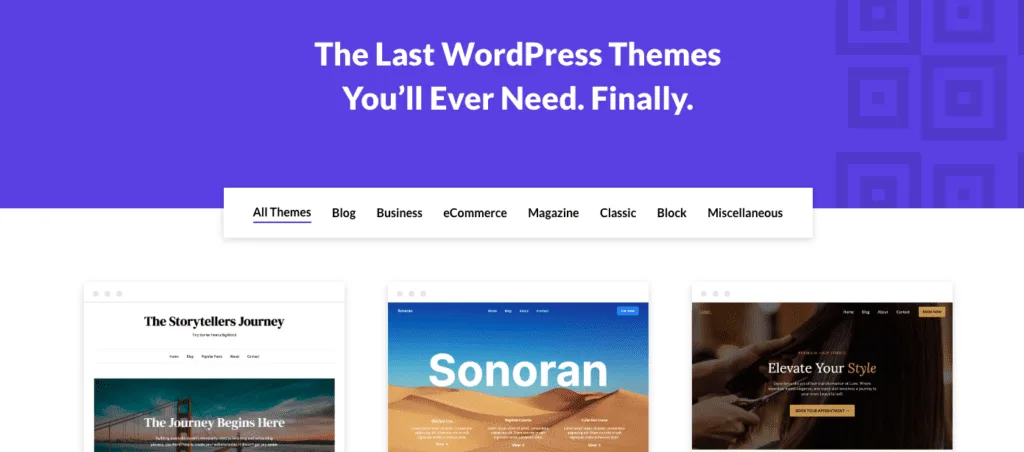
The content model sticks to standard Gutenberg blocks instead of shortcodes or custom builder parts. That keeps content portable and avoids lock-in if a theme change happens later. Demo imports include sample sections mapped to menus and widgets, so pages look complete from the start.
Updates arrive regularly to match new WordPress versions and improve security. Read the changelog before major WordPress upgrades. In short, SuperbThemes stays close to core WordPress features and offers a wide set of stylish starting points while keeping the setup process straightforward.
What SuperbThemes is and how it fits a lean WordPress workflow
Speed affects SEO. Slow WordPress sites drop in rankings and annoy visitors. SuperbThemes keeps page weight low out of the box, which helps hit Core Web Vitals targets. LCP should stay under 2.5 seconds, and CLS below 0.1 on mobile. The themes ship lean. Results hold only when images are compressed – WebP works well – and font choices stay limited.
A homepage built with SuperbThemes, a hero, some feature blocks, and a clear call to action often ends up around 400 to 800 KB after swapping demo media for optimized files. That’s light. Many sites push multiple megabytes and stall. Fonts matter a lot too. Stick with system fonts or a small set of reliable web fonts to keep load times fast without losing a clean look.
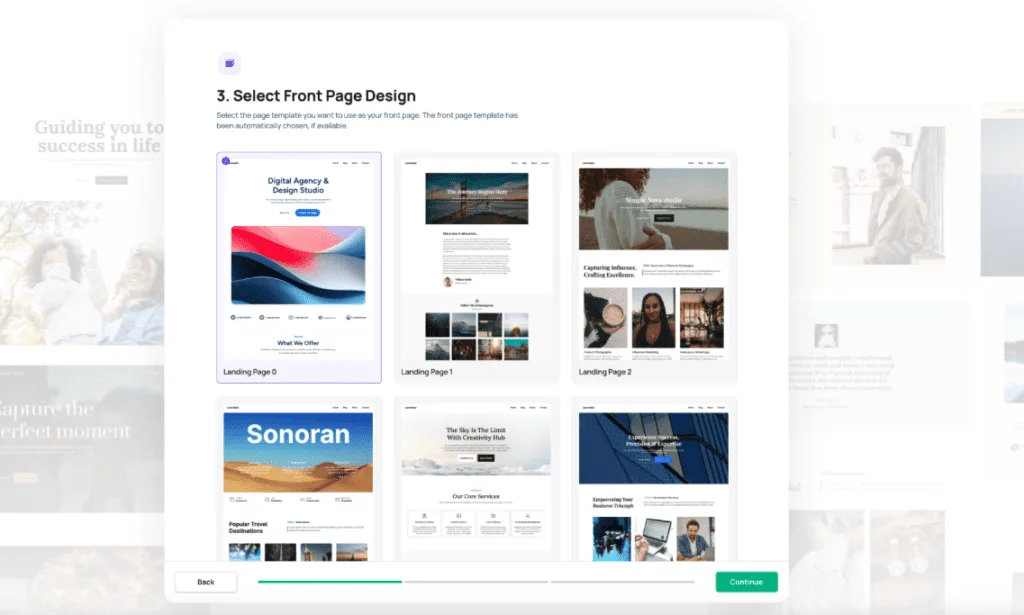
Hosting choices change everything. Put SuperbThemes on LiteSpeed or NGINX with server-level caching, and shave real time off the first render. Add an image optimizer like ShortPixel or Optimole for compression and lazy loading. The combo tightens performance without extra work during publishing.
Watch script bloat from sliders, pop-ups, and chat widgets. Each one often adds 200 to 500 KB and delays interactivity. A lightweight theme won’t save a page weighed down by extras. SuperbThemes stays clean until heavier plugins enter the stack.
SEO benefits show up in the markup. These themes output tidy HTML that makes crawling easier. Pair with Yoast or RankMath to add schema markup and keep headings accessible. Strong structure helps bots and people find what they need.
After importing a demo, run PageSpeed Insights on mobile before launch. Replace placeholder media with compressed images right away. The speed metrics jump in the right direction almost at once.
Speed and SEO you can achieve with sensible hosting and assets
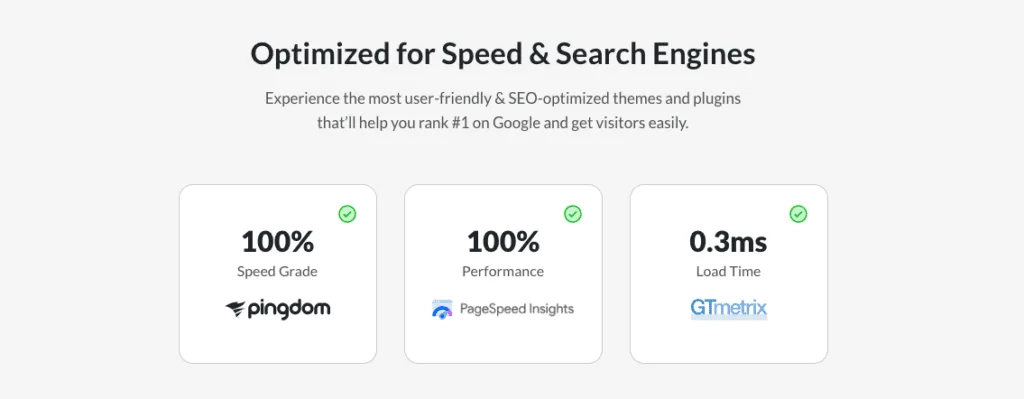
A huge library of WordPress themes and templates makes it easy to match a site’s goal, from online stores and magazines to personal blogs, agencies, and local services. It cuts down the time spent hunting through random designs that don’t fit.
Some templates stand out:
- Creatively: Good for portfolios or agency sites that need to show work clearly.
- Gutenshop: Suited for small shops that want to sell fast with a simple flow.
- MinimalistBlogger: Puts writing first with clean post layouts.
- Publishable Mag: Built for magazine-style publishing.
- Landing Pagency: Focused on lead generation with bold hero sections and forms.
Pick a template based on the job. Lead capture needs strong hero sections, short forms, and clear calls to action. Content marketers should look for clean blog indexes and readable typography. Simple brochure sites benefit from layouts with service sections, testimonials, and contact details ready to fill in.
Demo import is quick with a one-click setup that loads menus, starter pages, and widgets. Expect about 10 to 30 minutes after import to swap copy, set brand voice, and replace images.
Design stays consistent across the library thanks to shared spacing and typography presets. Mix elements from different templates and the site still feels unified, not stitched together.
Branding updates move fast as well. Change colors and fonts globally with the Customizer or Global Styles to make any theme match a brand without touching CSS.
Templates you can launch now for landing pages, blogs, and business sites
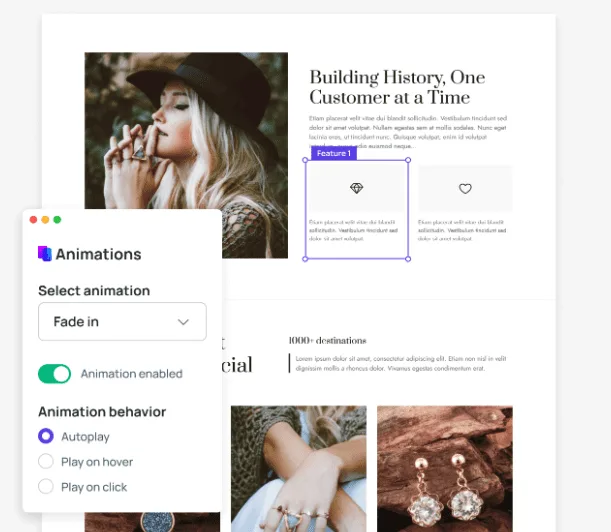
Gutenberg’s block editor sits at the center here. Most sections arrive as movable blocks, so shifting layouts feels natural and doesn’t need code. Global styles cover colors, fonts, and spacing for the whole site, so one change updates everything at once. The CSS follows a mobile‑first approach. It looks good on phones, then scales up. I’d still check tricky spots around 768px and 1024px after adding long headlines or complex grids to prevent odd wrapping or jumps.
Blocks hit limits with flashy hero animations or advanced grids. That’s where a block addon or a builder like Elementor steps in with more options, though it adds weight and complexity. I’ve seen that tradeoff pay off on some projects and feel wasteful on others.
Compatibility plays well with common plugins such as Fluent Forms, Contact Form 7, Yoast, and Rank Math. Watch for subtle layout quirks after turning on caching tools, since they sometimes conflict with theme styles and need small fixes.
For minor polish, the Additional CSS box is the safe place for a quick button radius or a soft shadow. Add custom rules there, not in core files. I keep a simple change log so nothing gets lost during theme updates.
Here’s my performance nudge. Stacking heavy builders adds 300 – 700 KB fast, which drags page loads. Prefer lean block addons that load assets only when needed instead of dumping everything on every page.
Customization without a page builder and when to add one
A weekend is enough to get a WordPress site live if the plan is tight. Start early on Day 1 with hosting. Pick a reliable, fast provider and turn on SSL right away. Install WordPress through your host’s one‑click tool. It takes a few minutes and saves hassle.
Jump into SuperbThemes in the afternoon. Choose a theme that matches the site’s style and import the demo content to get a full layout right away. It saves hours compared to building each page from zero. Tweak colors and fonts in the evening to line up with brand guidelines. Set up the main menu and any secondary menus so visitors don’t get stuck.
Day 2 is all about content and launch prep. The homepage needs a sharp hero section with a clear value statement and a single call‑to‑action button. Add an about page with a short story and purpose. Include services or pricing if it fits. Set up a blog index, contact details, and a contact form with spam protection so the inbox doesn’t fill with junk. Add legal basics like a privacy policy.
Gather assets before writing or swapping images. Put logo files in SVG or PNG for crisp edges on any screen. Pick three to five brand colors that work together. Use two fonts, a system font plus one Google font, for a clean look and quick loads. Prepare six to twelve WebP images at up to 1600 pixels wide, so pages stay light while images stay sharp.
Sort compliance and analytics next. Add a cookie notice where laws require it. Connect Google Analytics or Matomo so data starts coming in right after launch. Verify the site in Search Console and submit the sitemap from your SEO plugin to speed up crawling.
Do prelaunch checks before you go live. Test mobile navigation on a few phones. Send test messages through the contact form and confirm they land in the inbox. Set a friendly 404 page that guides people home. Add a favicon so the site looks polished in tabs. Create social share images for Open Graph and Twitter Cards so links look good when shared.
Wrap up with a single operations document on one page. List hosting and WordPress admin login URLs, the SuperbThemes version in use, active plugins, and the backup schedule. Anyone who takes over later will have what they need in one place.
A weekend launch plan for budget‑minded founders
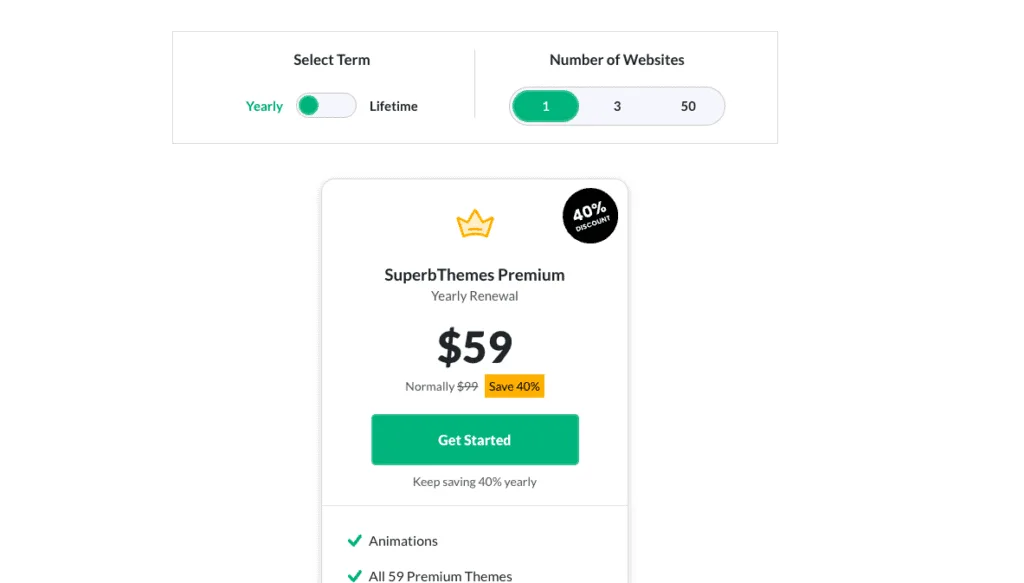
I’ve watched pricing plans shift enough to know people should check the site before they buy. SuperbThemes has tiers for single sites and for folks who want more templates and child themes across several installs. Pick the plan that matches where the site is headed, not just where it is today.
Value matters more than sticker price. Year one costs include a theme license, hosting, and a few must-have plugins. Stack that next to builder bundles like Elementor or Divi, which tack on higher yearly fees, or a developer quote that often starts around $2,000 to $5,000 for a simple build. The math usually favors SuperbThemes in that first year and beyond.
Here’s how the money usually shakes out:
- Theme license, budget hosting, and a small set of paid plugins launch a site for a few hundred dollars upfront.
- Page builders layer on recurring subscriptions that climb fast with multiple sites.
- Custom builds take a big upfront hit and bring steady maintenance bills.
Renewals deserve a clear look. Annual payments keep support active and updates flowing so themes stay in step with WordPress changes and security fixes. Lifetime deals pop up, but I’d weigh long-term support quality before chasing a one-time price.
Extras add up if they’re not tracked. Payment gateways take transaction fees, email services bill on their own plans, and premium block packs or add-ons nudge the total higher. Plan for them early and the budget won’t wobble.
All of this points to a clear path: get online fast, spend responsibly, and leave room to upgrade as the site grows. SuperbThemes fits that plan well.
Pricing and value compared to builders and custom design
Support and reliability matter most when there isn’t a full team behind a site. SuperbThemes does well here. Replies during business hours arrive fast over tickets or email, and higher tiers move you to the front of the line with more tailored help. The docs go deep in a good way. Setup guides cover the basics step by step, changelogs explain what changed and why, and troubleshooting pages solve common problems so you’re not stuck waiting on an answer.
Update cadence matches WordPress core and current PHP versions, so new features and security fixes don’t catch sites off guard. Monthly releases with recommended backups form a simple safety net that lowers the risk of downtime. Start lean with one of the lighter themes. Add WooCommerce for a store or PMPro for memberships when it’s time to expand. Growth feels incremental instead of forcing a full rebuild.
Some projects need heavy custom layouts on every page from day one. In that case, a builder-first setup or a custom theme from a developer may fit better over time. Test before you settle. Create a staging site, import a demo, swap in real copy and images, then run mobile speed tests. Real content exposes real issues. The trial run shows whether SuperbThemes fits today and leaves room for tomorrow, or whether another route serves the project better.
If you would rather begin from a classic lightweight theme than a template pack, the same budget buys a different trade-off — we put the two best-known options against each other in Kadence vs GeneratePress.
If the project is a product launch rather than a general site, the shortlist narrows again to the best WordPress SaaS landing page themes.
Leave a Reply