Spending hundreds a month on SEO software stings. $300, sometimes $700, just to keep rankings moving. It starts to feel like a tax, not a smart spend. Ahrefs, SEMrush, Surfer, a crawler, a rank tracker – subscriptions stacked on subscriptions. Tools don’t sync, data overlaps, and workflows break. For a founder running product and marketing, it’s not only pricey, it drains energy.
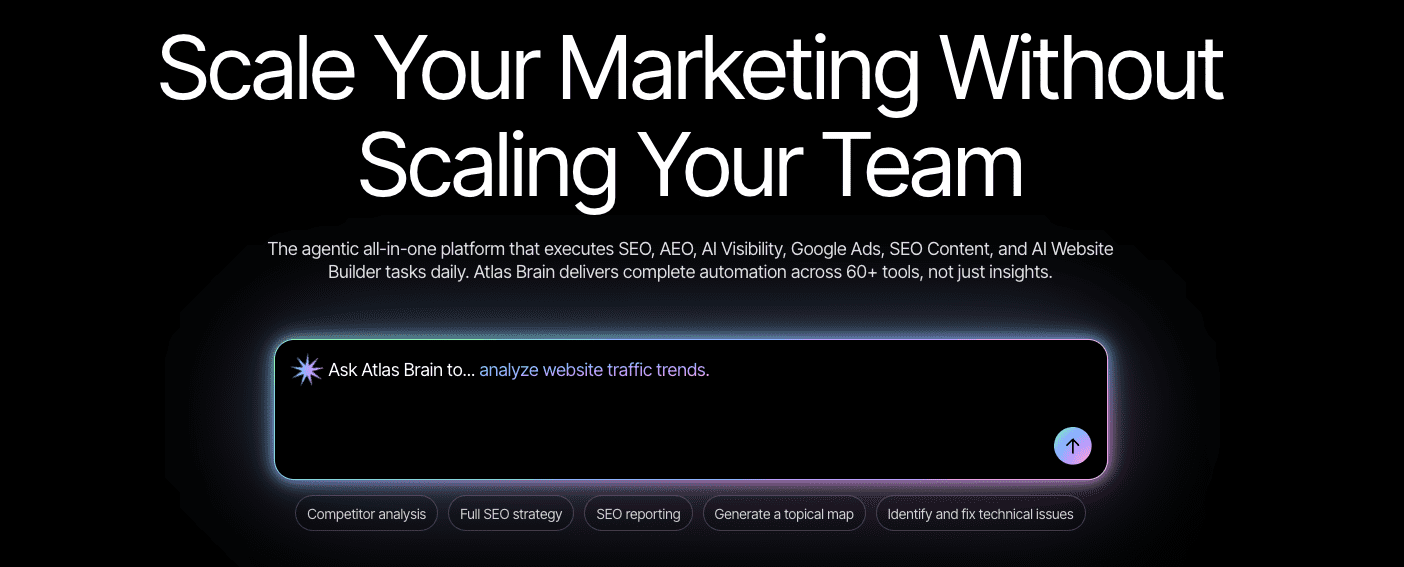
Search Atlas pitches a simpler setup. One platform for keyword research, content optimization, technical audits, and backlinks. About $99 a month. No promise of push-button SEO. Work still needs doing. The question I care about: does it cut costs without cutting what matters?
I’m looking at Search Atlas with a clear head and no pom-poms. I want to see if it can stand in for multiple tools for a small team or a solo operator. Practicality, trade-offs, ownership. What it gives, what it misses, and whether it earns its keep when every dollar has a job.
On this page
- What the Search Atlas platform includes and how Atlas Brain connects the parts
- Pricing and plans for startups and small teams in 2026
- Keyword research and clustering that can stand in for separate tools
- Content optimization with briefs and drafts that keep humans in control
- Site audits and Core Web Vitals where automation helps and where it falls short
- Backlinks, local SEO, and rank tracking without paying for extra subscriptions
- Atlas Brain automation in real use, time saved, and the oversight you still need
- When not to use Search Atlas and a practical checklist to decide
What the Search Atlas platform includes and how Atlas Brain connects the parts
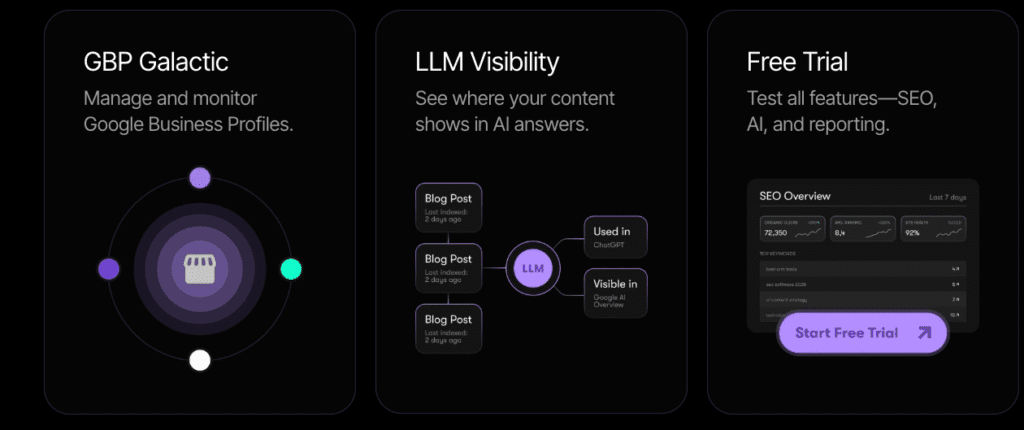
Search Atlas puts core SEO tools in one place so teams don’t bounce between logins. Keyword Research looks at search volume and difficulty from Google Keyword Planner and its own models. It groups keywords by topic, which makes spotting real opportunities much easier.
The Content Optimizer turns ideas into workable drafts. It suggests headings and entities tied to the target keywords and points out on-page gaps before publish. It steers content toward what search engines reward without forcing a rigid template.
Site Audit covers technical issues with real rendering of JavaScript, so results match what people see in a browser. Core Web Vitals pull straight from the PageSpeed API for real user data. It also manages sitemaps and crawl rules, while surfacing duplicate and thin content that hurts rankings.
Backlink Explorer shows the link profile with a smaller index than Ahrefs or SEMrush. It still tracks referring domains, new and lost links over time, spam scores to avoid risky domains, and anchor text distribution to see how other sites reference the brand.
Local SEO tools focus on location targeting for businesses that rely on foot traffic. Ads integrations bring paid data next to organic performance for a single view of marketing.
Rank Tracking watches keyword positions across devices and locations. Reporting turns the stream of metrics into summaries so progress stays clear.
I like how Atlas Brain (OTTO) strings work into a guided flow while keeping control in human hands. Drop in a topic, get clustered keywords, then a brief with suggested headings and terms. Draft content with those prompts, fix flagged SEO gaps inside the editor, and line up internal links before publish. Every step connects, and each one waits for approval.
Data mixes modeled volumes with live API pulls for fresh inputs, though the refresh cadence isn’t spelled out. Beyond audits, automation rules help keep guardrails in place. No auto-publish without approval, brand style checks, max word counts, and target reading levels keep quality steady even when work moves fast.
Pricing and plans for startups and small teams in 2026
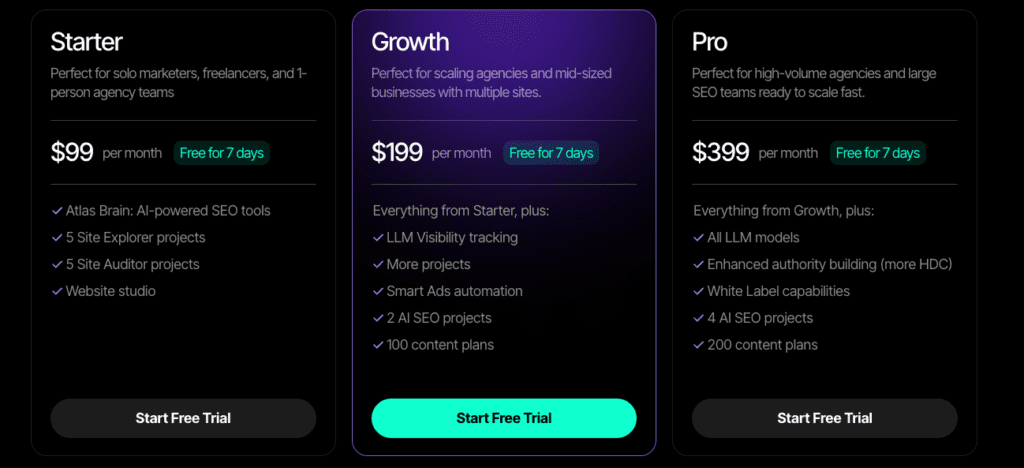
I think the entry plan at about $99 a month hits most needs for startups and small teams. It covers up to three projects or sites, 50,000 crawl credits, 100,000 AI-generated words, 10,000 keyword lookups, and audits for as many as 5,000 pages. Two user seats come standard, so sharing access doesn’t add more cost.
For a small site with 200 to 1,000 URLs, those crawl credits usually handle monthly audits and routine checks without stress. The AI word limit lines up with a steady blog schedule or content refreshes. Growth changes the math. Once a site reaches 5,000 to 20,000 URLs, crawl credits go faster and the AI word pool runs out sooner during ongoing optimization.
I’ve compared piecemeal SEO stacks and the totals climb fast. Ahrefs runs $99 to $199 per month, Surfer adds $89, Sitebulb is about $19, and many rank trackers sit near $29 monthly. That’s roughly $236 to $336 each month, while this bundles the core tools for far less.
Extras still affect the bill. Go past AI token limits and you pay per batch of words. Crawl more than the monthly credits and fees kick in. Add users or modules like local citations or ads integrations and costs rise.
Annual billing lowers the rate by about 15% to 20%, which helps if the team plans to stick with it for a year. Trials help test fit before moving over from an existing setup.
Role-based access depends on tier. Lower plans skip client reporting and white-label options, which matters for agencies. Solo operators often don’t need those features and won’t miss them.
Expense isn’t only the subscription. Onboarding takes real time – expect ten to twenty hours to migrate workflows and settings. Editors still need to refine AI drafts. Some teams add a separate backlink checker for deeper analysis since the index here isn’t as large as the biggest tools.
What’s included in entry-level (~$99/month):
- Up to 3 projects/sites
- Crawl credits: 50K per month
- AI-generated words: 100K monthly limit
- Keyword lookups capped at 10K queries
- Audits cover up to 5K pages each cycle
- Two user seats included
Keyword research and clustering that can stand in for separate tools
Search Atlas approaches keyword research like a single, focused toolkit instead of a stack of separate apps. It expands seed keywords, pulls related terms, and spots long-tail phrases that usually slip past manual lists. Difficulty scores blend its own models with Google Keyword Planner data, so ranking toughness feels grounded, not vague. It also tags search intent – buy, learn, or browse – to guide content choices without guesswork.
Keyword clustering stands out. It groups terms by cosine similarity and shared SERP overlap, which catches both semantic closeness and real-world result patterns. The system forms topic hubs on its own, but editors stay in control. Merge clusters when two themes blur together, or split one when a topic needs tighter focus.
I’ve compared volumes and difficulty against Ahrefs and SEMrush across roughly 50 sample terms. Volumes tend to run a bit higher, while difficulty lines up closely. Tools vary, so small gaps don’t matter for finding real opportunities. What matters is direction and confidence, not single-point precision.
SERP insights go past basic metrics. Top pages get reviewed for authority, content length, entity coverage, and featured snippet presence. That context helps briefs cover the essentials competitors hit, and shows angles they miss.
Exports are straightforward. Pull bulk keyword data to CSV with intent tags and SERP feature flags for offline work or API workflows. Plan tiers cap exports, but limits feel reasonable for small teams.
The time savings on topic planning are real. A 20-page hub often takes 30 to 60 minutes instead of hours of manual cross-checks. More time goes to writing and editing instead of spreadsheet busywork.
Specialized SEO suites still dig deeper into backlink gaps or niche signals. Atlas prioritizes fast, reliable planning, while expert judgment fills the tougher edges.
Content optimization with briefs and drafts that keep humans in control
Briefs come first. Search Atlas pulls target keywords, related entities, common questions, and headings from top-ranking SERPs. Word count and reading level are adjustable to match brand voice. It keeps output consistent without requiring constant oversight.
Drafting moves fast with AI-generated outlines and first drafts. Expect around 3,000 tokens per 1,500 words on average, which is a rough limit before caps kick in. Brand guidelines or style sheets drop in so tone stays on track and doesn’t drift into generic copy.
The on-page optimizer scores the draft on a few core areas:
- Coverage of relevant entities tied to the keywords
- Suggestions for internal links that strengthen site architecture
- Prompts for multimedia elements like images, tables, or schema markup
Version control helps teams track edits, comments, and approvals. Direct export to CMS plugins such as WordPress preserves metadata like titles and slugs. No extra cleanup needed after import.
I’ve seen E-E-A-T get stronger when prompts guide author boxes, citations, and external links. References and fact-check flags store right in the workspace so accuracy checks happen before publishing. Credibility stays visible, not buried.
AI copy still needs editors. Errors slip in. Brand voice drifts. Weak sections creep up when oversight falls off. Keep humans in charge to protect quality while keeping the workflow fast.
Site audits and Core Web Vitals where automation helps and where it falls short
I’ve seen site audits in Search Atlas surface the small technical issues that quietly pull rankings down. Broken links show up fast, along with server errors like 3xx, 4xx, and 5xx that confuse users and crawlers. Canonical conflicts get flagged, so duplicate URLs stop sending mixed signals about the primary page. Duplicate titles, missing alt text, and orphan pages appear in the same sweep. It also checks hreflang for international targeting, plus robots.txt and indexing status to keep important pages from getting hidden.
Real-world Core Web Vitals data replaces guesswork. Results come from field users, not just lab tests, so performance reflects what visitors actually feel on LCP, CLS, and INP. The platform points to the templates or page types that slow things down most. It goes deeper to asset-level changes – resized images, preload hints, trimmed critical CSS – that speed up rendering where it matters.
I’ve found JavaScript-heavy sites don’t trip it up. The crawler renders full HTML, so reported content matches what visitors see. Infinite scroll works without wasting crawl budget. Crawl rate controls help dial back requests if servers heat up. That balance keeps audits complete while staying easy on hosting.
Issues don’t arrive as a firehose. They’re ranked by impact and effort, so teams grab quick wins first. Fixing a batch of duplicate H1 tags, for example, often improves indexation quickly. Tougher problems move down the queue until resources open up.
Automation helps at the handoff. Audit findings create tickets with suggested fixes and copy-paste code snippets, which cuts the hunt for solutions. Integrations with Jira and Trello push these tasks into existing workflows instead of clogging inboxes. Each ticket lists the URL, issue type, severity, and a recommended correction, so details don’t slip through cracks.
I like how trend tracking proves progress. After each audit, new and resolved issues get compared by category. Match that with ranking shifts or traffic trends to see if the technical work moves the needle. It’s a clean ROI check for busy teams.
Some work still needs human expertise. Complex architectures with edge caches or tricky React hydration bugs usually call for a developer and focused lab tools like Lighthouse CI. Automated checks set the stage, then specialists chase down the deeper performance quirks.
Backlinks, local SEO, and rank tracking without paying for extra subscriptions
I’ve found Search Atlas tracks about 75 – 85% of referring domains compared to the big backlink tools. On a mid-sized e-commerce test, it caught most important links, but missed a few niche or very fresh ones those premium indexes picked up. It’s solid for day-to-day checks, but it may overlook subtle risks or small wins in complex campaigns.
Filters help focus prospecting fast. Domain rating, traffic estimates, and relevance scores are all there. Email discovery ties in with ready-to-send templates, and campaigns log opens and replies. Daily send limits keep deliverability stable. Large-scale outreach slows down, though small teams move fine without extra software.
Spam detection looks for suspicious link neighborhoods, odd anchor patterns, language mismatches, and sudden spikes. Disavow exports slot into the same workflow, so cleanup feels tidy and contained.
Local SEO tools cover directory citations, scheduled Google Business Profile posts, and review monitoring to spot fresh feedback fast. Hyperlocal heatmaps show performance by neighborhood or ZIP code, useful for brands chasing foot traffic across several areas. Pricing is per location for multiple listings, still competitive with standalone local platforms.
Rank tracking breaks down by device and location with tight granularity. It auto-detects SERP features like FAQs, snippets, and map packs. Alerts trigger when positions move past chosen thresholds, so shifts are hard to miss.
Costs stack up fast with separate tools. Replacing a backlink prospector ($49 – $99), a local SEO platform ($29 – $99), and a rank tracker ($15 – $99) adds up to over $150 a month saved for multi-location SMBs running all three.
For high-stakes digital PR or forensic link audits, depth still falls short. Dedicated backlink indexes remain stronger at surfacing every hidden risk or overlooked opportunity in a messy link profile.
Outbound email is the one workflow this consolidation does not cover, so it still needs a tool of its own, and our Instantly.ai review looks at what that costs.
Social listening for lead generation is a different job again, and our ReplyGuy review covers what that workflow actually costs to run.
Atlas Brain automation in real use, time saved, and the oversight you still need
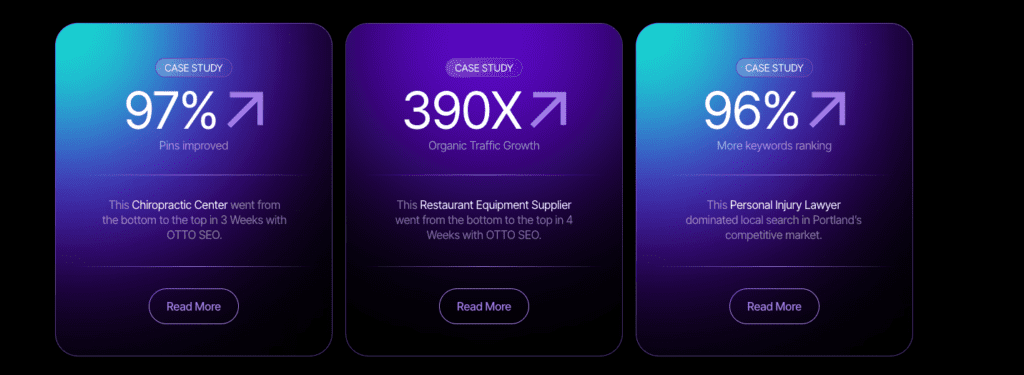
OTTO, or Atlas Brain, runs a practical, automated workflow that takes content from keyword research through rank tracking without a lot of back-and-forth. It clusters keywords by topic, then generates a detailed brief with target terms and questions. Next, AI drafts the first version from that brief. Internal links get suggested to tighten site structure, a publish checklist confirms SEO tasks, and approved pieces move into rank tracking to monitor performance.
Marketing hype says automation wipes out years of work. I don’t buy that. The gains are still strong though. Ten articles that used to take 40 – 50 hours drop to about 15 – 20 when editors refine AI drafts instead of writing from scratch. It cuts repetitive tasks so writers focus on polish and strategy.
OTTO rates its own suggestions with confidence scores, which helps separate solid prompts from risky ones. Every change is tracked by user and time with easy rollbacks if something breaks. Teams can test in a sandbox to avoid touching live pages until everything passes review.
Brand guardrails stay tight: locked style guides prevent tone drift, allowed external link domains keep outbound references clean, minimum citations per 1,000 words lift credibility, and human quality checks block shaky drafts from going live.
- Locked style guide
- Restricted external link domains
- Minimum citations per 1K words
- Human QA steps prior to publishing
Integrations land where teams already work. CMS plugins push drafts into WordPress and similar platforms. Google Drive and Docs keep collaboration familiar. Slack alerts keep the flow moving without app hopping. Task tools like Jira or Trello pull audit findings straight into existing workflows so issues get fixed fast.
Results show up in a few clear KPIs: publish velocity for new posts, average on-page SEO scores after optimization, time-to-index in search, and ranking lifts within targeted keyword clusters over one to two months.
One hard rule: sensitive topics like medical guidance or legal language need subject-matter experts on every word to meet E-E-A-T and avoid costly mistakes.
When not to use Search Atlas and a practical checklist to decide
Search Atlas makes sense for founders, marketers, and solo operators who run a small set of sites and want to cut costs without slowing down or losing key features. For one to five projects with a steady weekly publishing pace and a budget under $150 a month, it pulls the core SEO tasks into one place. The goal isn’t to replace every single niche tool, but to cover the essentials so less time goes into flipping between apps and more goes into creating and optimizing.
I’ve seen it fall short on huge enterprise sites with millions of URLs or teams that need deep log-file analysis. Digital PR teams chasing the largest backlink indexes still get more from specialist tools. If content quality is the real blocker – thin briefs or weak editing – another platform won’t fix it. Better strategy and stronger editorial hands move the needle.
For very low publishing volume – less than two posts per month – the savings from consolidation are small. Free or basic tools may be enough until output grows. Keep the stack lean, then level up when volume justifies it.
Here’s a quick checklist to decide if Search Atlas fits:
- Is your monthly SEO software budget around $150 or less?
- Do you manage 10 or fewer websites or projects?
- Are you publishing about once a week or more?
- Would automated keyword clustering, briefs, and AI draft support save real time?
- Are you fine with moderate variance in backlink depth versus premium tools?
Start with one site for 30 days as a pilot. Track hours for keyword research, drafting, audits, and reporting before and after. Set a target: cut production time by 30 to 50% while keeping rankings and traffic steady across three to five core keyword clusters. If the numbers hold up, roll it out to replace multiple subscriptions. If backlink coverage or another area lags, keep Search Atlas for content workflows and pair it with one specialist tool to cover the gap.
This staged rollout lowers risk and gives proof of value before committing the full budget. Smart move when every dollar counts.


Leave a Reply