
Picking between Coda and Notion isn’t about finding a perfect tool. It’s about matching the work a solo operator repeats every week. The key jobs stay the same for most: deliver projects, document and share knowledge, track people or deals with a light CRM, and automate repetitive tasks that waste time.
Coda works like a builder’s workshop. It lets people craft structured apps with tables, logic, and actions. Useful when workflows go beyond notes and simple pages. Notion feels like an open canvas for flexible content with lightweight databases. Each fits a different style and pace.
Skip the feature comparisons. Focus on trade-offs from real use. How steep is the learning curve when getting serious work done? What happens to speed and structure when the workspace grows? Which automations are possible under the hood, and how much friction shows up? What costs add up across one to three years of solo work?
The aim is simple: cut tool hopping. Pick the platform that maps to actual needs, not shiny promises.
Projects and tasks, Coda for systems and dependencies, Notion for clarity and momentum
Projects get messy fast when dependencies shift and resources move. Coda handles that chaos with structure and control. Its tables act like systems, where buttons run actions, formulas connect data across sheets, and views change by role or stage. Teams can automate actions and filter data in real time, so workflows match how work actually happens. Bottlenecks stand out, and plans adjust quickly.
Notion delivers when speed and clarity matter most. Solo contributors moving through daily tasks or capturing ideas benefit from its simple databases and inline checklists. Creating pages takes almost no effort. Notes land fast, progress gets tracked, and the app stays out of the way so focus stays sharp.
Heavy data exposes limits in Notion. Massive task lists with rollups and relations lead to lag, even for routine clicks. Coda holds up better at scale. Computed columns and cross-table formulas stay predictable as data grows. Large docs still need care, so break content into sections and pause automatic recalculations to keep performance steady.
A mixed setup works well. Use Notion for daily planning and quick status notes that keep momentum. Shift to Coda each week for the master backlog, dependency tracking, and sprint boards that generate from formulas. This cadence keeps work moving fast without losing the rigor needed for complex projects.
Documentation and knowledge, Notion’s content-first flow vs Coda’s structured references
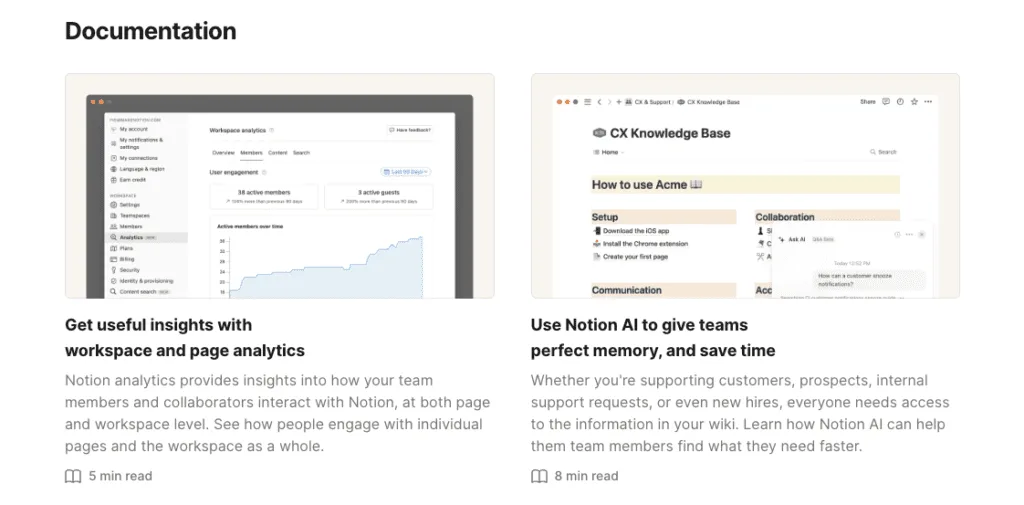
Notion works like a friendly space for words and ideas. The block editor makes drafts and internal docs feel quick to spin up. Pages can nest as deep as needed, links back to earlier notes happen in a moment, and content moves around without fuss. This ease keeps team docs active instead of sitting stale in a forgotten folder.
Search feels natural too. Global search sweeps across pages and databases to surface what matters fast, even without strict structure. Meeting notes tie to project plans or tasks in a few clicks. No heavy setup. Casual contributors can still build real knowledge hubs without wrestling with complex schemas.
Coda takes a more exact approach with live links across docs. Tables sit inside specs, and checklists update as work moves forward. A button pressed on one page can trigger changes on another. The doc isn’t static. It runs alongside the workflow, which keeps product requirements and SOPs in sync with what’s actually happening.
Coda expects upfront design around how pieces relate. Typed references want intent, not freeform linking. The reward shows up later when these links power dynamic views and actions across a workspace. Setup takes patience, but the system pays off once it’s humming.
Templates and community support lean toward Notion. The marketplace has loads of wikis, handbooks, and knowledge bases built by folks who’ve solved similar problems. Grab a close match and tweak it fast.
Coda’s library skews toward operations. Fewer narrative templates, more automated trackers and interactive dashboards. It’s a strong fit when docs double as active tools that drive daily work, not just places to read.
CRMs and internal tools, Coda’s app-like logic vs Notion’s simple tracking
Coda works like a mini app builder inside a doc. Buttons trigger actions, and rows can kick off tasks. A sales pipeline doesn’t sit still. When a deal moves to negotiation, it pings Slack or books a follow-up without leaving the page. Conditional logic runs deep. Solo founders set lead routing and service-level rules in one place. Typed columns and formulas keep data clean, so pipelines don’t drift. Each field has a clear type, so entries land where they belong. Linked tables connect activities, products, and more, then roll up metrics like annual recurring revenue in real time.
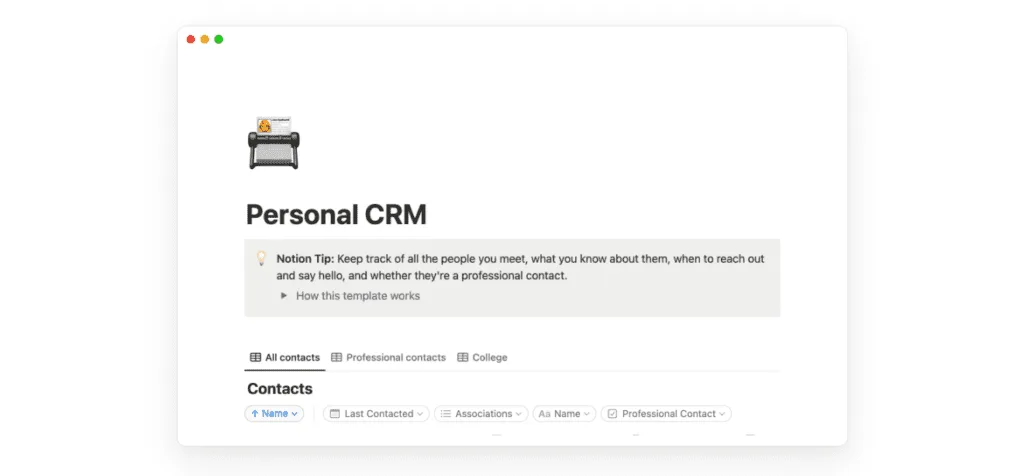
Notion goes lighter. It suits teams that want simple relationship tracking without wrestling with setup. Contacts, companies, and notes sit in basic databases with quick relations. It favors context over strict pipeline rules. Founders who think in notes rather than rigid CRM stages often prefer this approach.
Integrations tell a similar story. Coda’s Packs plug into Gmail, HubSpot, and other tools, so data moves in and out as part of the doc’s automations. Notion mostly leans on Zapier or Make for external syncs. It works, though multi-step flows add cost and extra moving parts.
What it feels like after 3, 12, and 24 months, a practical framework to pick and test your tool
Three months in, most solopreneurs breeze through Notion. It covers about 80% of core needs – quick notes, simple boards, basic content hubs. Once work grows and tighter controls or automations matter, that early ease starts to strain. Coda asks for more patience upfront. Tables, schemas, and formulas take effort, but pay off when workflows stabilize.
Automation becomes the major differentiator after a year. Coda’s buttons and native actions trim extra tools for reminders and status updates. Fewer moving parts means fewer misses. Many Notion users lean on Zapier or Make to bridge gaps. It works, though it adds cost and complexity as systems expand.
Pricing shifts over two years, and depth of need drives the math. Both free tiers suit early solo projects. As data grows or automations expand, Coda may cut spend by replacing outside services with packs and logic inside docs. If the work stays content-first with light task tracking, Notion keeps costs in check without heavy add‑ons.
Tool selection for founders comes down to operator type now and direction next. Content-rich pages and straightforward boards with minimal extras favor Notion as a quick launchpad that won’t slow early momentum. Building small internal apps – approvals that move cleanly across teams or multi-step operations that run on their own – favors starting in Coda for a sturdier base.
Best path forward: test both before a long commitment. Take one meaningful daily workflow and rebuild it in each tool over seven days. Time the setup. Log friction and errors. Notice which environment feels more like working with a partner than wrestling software.
A short pilot cuts through the hype and supports a confident 90‑day commitment, matched to today’s work and tomorrow’s goals.
Run that same pilot against a local-first option if owning the data matters to you, and our Anytype review explains where it does and does not replace Notion.



Leave a Reply