

Opening WordPress with Superb Addons and CoBlocks feels like walking into two very different workrooms. Superb Addons hands over a big set of blocks with deep styling controls right inside Gutenberg. Colors, spacing, typography, layout – dial it all in without touching CSS. It’s a little design studio baked into the editor. CoBlocks goes in the opposite direction. Smaller set, tighter focus, and it tracks close to core blocks so building pages feels fast and tidy.
I tested on WordPress 6.5+ with Twenty Twenty-Four. No page builders, no extra plugins. Server caching stayed off during trials to get clean data on performance and editing. Same content on both setups to keep it fair.
Superb Addons targets marketers, landing pages, and teams who want visual control inside Gutenberg. More knobs to turn, more layout variety, and fewer trips to custom code. CoBlocks favors speed and a lighter touch. It’s a toolbox that keeps sites snappy and workflows quick on content-heavy builds.
Here’s the scope I focused on: block count, depth of design controls, site speed impact, day-to-day usability, and how each addon changes the editing flow in real projects. No fluff, just what showed up during hands-on builds.
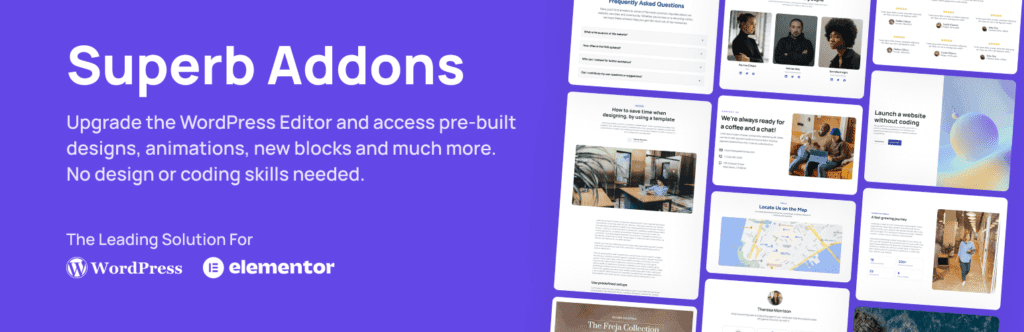
What changes in Gutenberg when you install each plugin
Powerful blocks speed up your workflow. Superb Addons ships with a wide variety of blocks built for marketers who need detailed sections without installing extra plugins. It brings advanced grids and columns with precise gap control, testimonials with avatar and star rating options, pricing tables that toggle between monthly and yearly plans, and tabs or accordions with icon support. Post grids include query filters for dynamic content pulls. Callout and hero blocks add overlay controls for eye-catching visuals.
CoBlocks stays lean, which suits many landing pages. It offers rows and columns, a simple accordion, alerts and notices, a basic pricing table, media cards for clean image layouts, hero sections, feature lists for quick benefit highlights, lead forms, and shape dividers for subtle breaks. Each block stays close to WordPress core defaults with fewer sidebar toggles.
- Superb Addons key blocks: Advanced grid and columns with gap controls, testimonials with avatar and rating variants, pricing tables with monthly and annual toggle, tabs and accordions with icon support, query‑filtered post grids, callout and hero blocks with overlays
- CoBlocks key blocks: Rows and columns layout, accordion, alert or notice, simpler pricing table, media card, hero, features list, form, shape divider
I like how Superb Addons groups related pieces, like cards with image boxes or icon lists. It speeds up picking the right block. Per‑block visibility settings help too. Choose what shows on desktop, tablet, or mobile right inside Gutenberg. CoBlocks leans on global theme styles for responsiveness, so it skips device‑specific toggles.
Dynamic content differs as well. Superb Addons includes a query‑powered post grid to pull filtered posts inside its own block, which reduces the need to switch plugins during setup. CoBlocks doesn’t replace the core Query Loop, so stick with WordPress’s native tools for lists of posts or custom types.
These differences affect daily work. Go deep on styling control with Superb Addons, or keep things light with CoBlocks.
Block coverage and depth that matter in day‑to‑day builds
Typography sets the rhythm for a design, and Superb Addons gives real control over it. I like how each block lets me switch font family, weight, line height, and letter spacing. Desktop, tablet, mobile – each gets its own settings. No custom CSS needed, just direct tweaks. CoBlocks sticks to size and weight sliders and leans on your theme’s fonts and scales from theme.json. It’s clean, but I miss the finer controls when I want to fine‑tune type.
Spacing and layout feel tighter in Superb Addons. I set padding and margin per side on any block. Gaps between rows and columns use fluid units like clamp or rem, which scale well across screens. I also cap container widths so text doesn’t stretch on big monitors, which keeps reading comfortable. CoBlocks uses straightforward sliders tied to each block. It’s faster for quick tweaks, though it’s less detailed.
Presets save time. Superb Addons ships many variants per block. Pricing cards flip from outlined to filled styles. Testimonials swap from horizontal to stacked layouts. I save these as reusable patterns in Gutenberg and move on. CoBlocks offers fewer defaults and nudges toward WordPress core Patterns for consistency. That works, but I find the built‑in variety in Superb Addons speeds up layout experiments.
Colors and effects show the gap most. Superb Addons adds gradients, hover states on buttons, corner‑by‑corner radius controls, and ready‑made box shadows. Depth and polish take a few clicks. CoBlocks keeps to flat colors and light shadow options. Safer for brand control, sure, but it limits one‑off flourishes when a design needs an extra lift.
Design control without custom CSS for typography and spacing
I wanted to see real numbers, not hunches, so I built the same landing section with each plugin and tested them with WebPageTest and Lighthouse. I checked added HTML, CSS/JS bytes, and request counts.
Key takeaways:
- HTML size barely changed since the content matched.
- CoBlocks shipped fewer kilobytes overall because it includes fewer features.
- Superb Addons used conditional loading, but when several advanced blocks were active, it still pushed more styles.
Both plugins only load CSS on pages where their blocks appear. Superb Addons generates block-specific styles on the fly. Use lots of style variants or presets and CSS grows fast. CoBlocks keeps smaller base styles per block. Pages stay lighter unless a site stacks heavy styling from Superb Addons.
Editing in Gutenberg felt different. On low-power machines or long posts, Superb Addons’ busy sidebars slowed panel rendering. Sliders and toggles lagged a bit. CoBlocks felt quicker with a simpler UI and less clutter during long sessions.
Theme support looked solid with modern theme.json setups. CoBlocks integrates cleanly and avoids fighting core styles. Superb Addons supports these themes too, but it sometimes applies preset spacing that overrides global values. Builders should review spacing after activation to prevent layout shifts.
Performance and footprint with real‑world requests and CSS
I look at this choice through two lenses: what kind of site needs to ship, and how much design control makes sense without custom code. Marketing sites, sales pages, and small business homepages repeat the same sections a lot – pricing tables, testimonials, FAQs, feature grids. Superb Addons fits that pattern. It trims extra CSS, reduces pattern wrangling, and speeds delivery with rich layouts and style presets.
Content-first blogs or documentation sites benefit from a calmer setup. CoBlocks keeps the editor tidy and the front end light. Fewer toggles mean contributors edit text and media without wrecking styles. It’s a safer bet for teams that want clean layouts and predictable updates.
Here’s who gets the most from each plugin:
- Superb Addons: Strong pick for marketers and agencies shipping visually heavy landing pages. Reusable patterns and detailed style presets save time.
- CoBlocks: Solid for blogs or docs where fast loads and minimal fuss matter. Lower risk of style breakage during edits.
- Team workflow tip: For small agencies on Superb Addons, define a design system first. Lock in tokens and presets so editors stay consistent while still having flexible controls.
To figure out what fits your workflow, spin up a staging site. Rebuild one key page twice, once with Superb Addons blocks and once with CoBlocks. Track build time, note final page size in kilobytes, then edit copy and images to judge the interface. Pick the one that hits the mark on layout flexibility, performance, and ease.
Leave a Reply