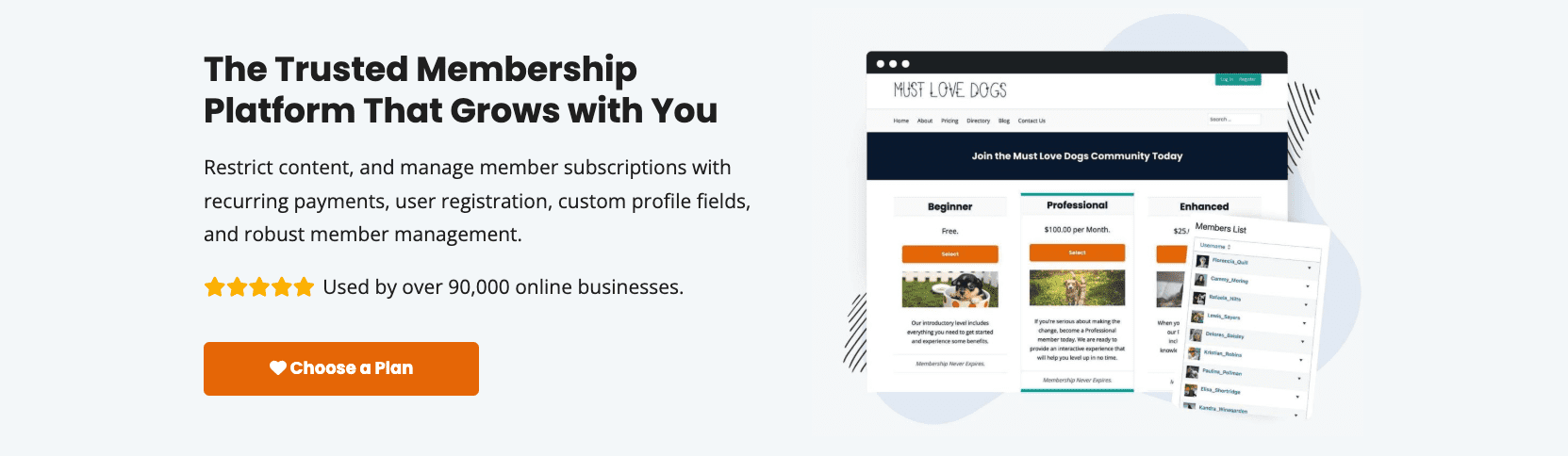
Paid Memberships Pro (PMPro) is a WordPress plugin for membership access, billing, and member management on a site the owner controls. This review covers setup experience, real costs, standout features, and where it falls short. It’s geared toward course sites, communities, coaching programs, associations, corporate training, and donation-backed projects needing flexible subscriptions on WordPress.
The evaluation pulls from direct testing, official docs and changelogs, public ratings on Trustpilot and G2, and notes from established bloggers and agencies. PMPro runs on a self-hosted WordPress install (version 5.8 or newer is typical) with compatible PHP/MySQL. It works with block and classic editors, and uses shortcodes or blocks for theme integration.
PMPro keeps data and checkout on the site owner’s server. Hosting and payment gateway fees are the main costs. SaaS tools host everything offsite and charge platform fees, which changes the math. Anyone who wants a hosted, all-in-one service or native mobile apps without add-ons will likely find a different option more suitable.
On this page
- Pricing and plans, with real costs beyond the license
- Features overview of PMPro, from paywalls to content dripping
- How to set up PMPro fast and keep the workflow simple
- Key integrations for payments, LMS, email, ecommerce, and community
- Member management and monetization controls that grow revenue
- What users and experts say about PMPro, with balanced takeaways
- Pros and cons of PMPro and how to decide for your site
- Verdict and next steps to validate PMPro on your WordPress site
Pricing and plans, with real costs beyond the license
Pricing for Paid Memberships Pro comes in a few clear tiers. It starts with a Free version suited for simple sites or testing. The Free tier works on unlimited sites, but it only includes basics, no premium Add Ons, and no official support beyond the community forum.
The Standard plan (often listed as Plus) is about $297 per year for one site. It includes all core premium Add Ons, priority ticket support, and updates. There’s also an Unlimited option near $597 per year. It covers unlimited sites and adds extras like onboarding help and advanced integrations.
Quick breakdown:
- Free: $0, basic features, no premium Add Ons, community support only.
- Standard/Plus (~$297/year): One site, all premium Add Ons, priority email support.
- Unlimited (~$597/year): Unlimited sites, onboarding assistance, highest support level and updates.
Payment gateways differ by plan. Free supports Stripe and PayPal, but Authorize.Net requires a paid plan. Paid tiers also open tax tools for VAT/GST. The plugin doesn’t take a cut of transactions. Usual processor fees apply, often about 2.9% + $0.30 in the U.S., set by the gateway.
Budget planning matters beyond the license. Managed WordPress hosting that handles recurring billing often runs $15 to $40 per month. Email marketing for member messages starts around $20 to $50+ per month as the list grows. Optional paid Add Ons or custom work raise costs further.
Refunds are simple. New purchases usually have a 30‑day money‑back window. Renewals aren’t typically refundable after they process.
Switching tiers mid‑term is allowed. Proration credits apply, so the account balance carries over when moving up or down.
Many SaaS membership tools charge $39 to $199+ each month. An annual PMPro license plus hosting often evens out after a few dozen active members. For teams comfortable with WordPress, it offers strong value without platform fees.
Features overview of PMPro, from paywalls to content dripping
Paid Memberships Pro lets site owners set up membership levels that fit most use cases. They can create unlimited tiers, mix free, paid, and trial plans, and choose one-time or monthly and yearly billing. Each level controls what members see, so premium content stays behind the right plan.
Access control goes beyond posts and pages. It works with categories, custom post types, and taxonomies. Shortcodes and blocks reveal only parts of a page when needed, which helps tease content without hiding everything. Custom templates shape how locked areas look to match the site’s design.
Checkout happens on the site. The form feels like Stripe Elements and supports Apple Pay and Google Pay when enabled in the payment gateway. Mobile users move through payment quickly. Signup fields are flexible, so site owners gather only what’s required.
Content dripping schedules access after signup. Site owners choose delays by days or set fixed dates for launches and courses. Levels can expire on their own. A yearly plan ends after 12 months unless renewed.
Discount codes support percentage and flat amounts, with limits for promotions and options for startup fees separate from regular billing. Free trials are available as full free periods or discounted first bills.
Reports show revenue by date range and compare active to canceled memberships. Paired with add-ons, this highlights churn trends. CSV exports move the data into other tools for deeper analysis.
Emails throughout the member journey are editable, from confirmations and renewals to failed payment notices. WordPress user roles tie into membership status, so permissions stay in sync for both the site front end and the admin.
Security covers the basics and more. The plugin requires HTTPS for secure connections. Payment gateways handle PCI compliance and store sensitive card details offsite. SCA via 3D Secure supports regions that need extra verification steps. Taxes such as VAT or GST are handled through add-ons or supported gateways, based on business location.
How to set up PMPro fast and keep the workflow simple
Start by installing the free core plugin from WordPress.org. After activation, an onboarding wizard sets up key pages for Membership Levels, Checkout, Account, Confirmation, and Cancel. The flow keeps things simple and helps people get the basics in place fast.
A single-level site with Stripe goes live fast for someone who knows WordPress, usually in 60 to 90 minutes. Newer users may need two to four hours to test, tweak settings, and feel confident.
Settings are organized into clear categories: Membership Levels to manage plans, Payment Settings for gateways, Advanced for fine-tuning, and Pages to tie core screens together. With a license, premium Add Ons show up in the admin so they’re easy to browse and install without leaving WordPress.
It works well with most block themes and classic themes. Templates, blocks, and shortcodes fit cleanly into layouts. Locked content and checkout forms keep the site’s look intact.
Testing is simple with sandbox modes for Stripe and PayPal. Use test cards and follow the webhook checklist to verify renewals and dunning notices.
Localization includes translation files and major currencies. Right-to-left layout depends on the theme, while plugin strings are fully translatable.
A large library of code recipes lets non-developers adjust behavior by copying snippets, like limiting concurrent logins or prorating upgrades, without heavy coding.
A common snag is stuffing checkout with too many fields. Keep the form lean to reduce friction and lift conversions:
- Ask only for what’s required
- Skip optional extras unless they’re critical
Key integrations for payments, LMS, email, ecommerce, and community
Most major payment gateways work out of the box, including Stripe and PayPal with Standard, Express, and Checkout. Authorize.Net is supported too, but it needs a paid plan. Regional options show up through community add‑ons or third‑party plugins, so international sites get decent coverage.
Course platforms tie in well. LearnDash, LifterLMS, and TutorLMS integrations let site owners gate full courses or bundles by membership level. Set up tiers, give premium lessons to higher levels, and keep everything inside WordPress.
WooCommerce support helps sell products to the right people. Discounts sync to a member’s level, and products hide from non‑members when needed. One system, fewer moving parts.
Email tools plug in through add‑ons for Mailchimp, ConvertKit, and ActiveCampaign. Subscribers get tagged by membership level automatically. Targeted campaigns go to the right audience without manual lists.
Community features work with BuddyBoss/BuddyPress and bbPress. Lock down groups, forums, and profiles so only paying members – or specific tiers – join private spaces and conversations.
Analytics and CRM integrations cover the business side. Google Analytics, including GA4 ecommerce events, tracks performance. Bridges to HubSpot and Zoho push contacts and lifecycle data where it’s needed. Make and Zapier connectors move signups, cancellations, and payments to other apps in custom workflows.
Developers get REST endpoints and webhooks for deeper automation. No‑code tools like Zapier still fit fine for cross‑app syncing.
Taxes are handled through Stripe Tax or WooCommerce Tax, based on how the store runs. PDF invoice add‑ons let members download receipts right from their account pages.
Member management and monetization controls that grow revenue
Admins manage members and subscriptions with simple tools in the dashboard. Lists show members, orders, and active subscriptions with quick filters by level or status to find specific records fast. CSV exports put clean data in one place for billing cycles and deeper analysis.
Level changes are straightforward. Upgrades and downgrades honor proration so users pay a fair amount for partial periods. Trials behave predictably during switches to prevent surprises. When allowed, members change tiers from their account page in one click, which reduces support requests and speeds up access updates.
Renewals run through Stripe, PayPal, and other gateways for secure processing. Webhooks push real-time updates to WordPress for failed payments, cancellations, and renewals so admins see accurate status without manual checks.
Missed payments are handled with automated dunning emails at set intervals. Sites pause access until billing issues are resolved, which helps recover revenue and reduces churn.
Content access is flexible. Drip rules release content over time to avoid overwhelming new members and maintain engagement. Member-only archives keep premium material organized. Teaser blocks preview parts of locked content for visitors, which supports SEO while holding back the full value.
Marketing tools include coupon codes with expiration dates or limited redemptions for time-sensitive campaigns and exclusive deals. Redemption tracking feeds acquisition cost calculations and supports smarter promotion planning.
Group access is available through add-ons that provide parent-child accounts. A primary account holder manages multiple seats with individual controls, making it a good fit for teams, schools, and associations.
Reports summarize order history and subscription metrics like monthly recurring revenue views. Exports move data into spreadsheets or BI tools for cohort analysis and trend reviews.
What users and experts say about PMPro, with balanced takeaways
Reviews across major platforms paint a consistent picture. Trustpilot hovers near 4 stars from hundreds of users. People often praise quick, helpful support and an easy setup for simple sites. Complexity comes up when advanced features enter the mix. Over on WordPress.org, the plugin holds more than 1,000 ratings averaging close to 4.5 stars. Recent feedback skews five-star, with roughly 70% in the past six months.
Chris Lema nails the tradeoff: “The number of available add ons for PMPro is staggering and amazing, all at once.” The huge add-on library gives deep control and lets site owners shape memberships to fit almost anything, but it can also overwhelm newcomers who don’t have a developer on hand.
Membership Geeks highlights unique capabilities that aren’t easy to find elsewhere. Advanced access rules and an open-source codebase offer transparency and flexibility, appealing to teams that want control instead of a locked-in SaaS model.
WPBeginner gives a confident endorsement after weighing features, pricing, and support. It’s a strong fit for course creators, associations, and communities that are comfortable with WordPress plugins and want rich membership controls without platform fees.
From an agency point of view, Carolina Web Design calls it one of the most well-supported options. Predictable updates and extensive hooks make it reliable and easy to extend, which matters when client projects need custom workflows.
User Sammy Taylor sums up the payoff: “PMPro has become an automated income earner,” pointing to steady recurring billing once everything is set up right. Automation turns memberships into dependable revenue.
There’s balance in the feedback. Some users report a learning curve with advanced rules. Others mention the effort involved when multiple add-ons are required for a specific setup, which may add compatibility checks and extra costs beyond the core.
Taken together, the sentiment is clear. Powerful customization stands out, but reaching that level often calls for patience and technical know-how.
Founders who would rather not spend that patience usually end up weighing it against the more bundled alternative, which we cover in our MemberPress review.
Pros and cons of PMPro and how to decide for your site
Site owners get full control with an open-source core, and no platform transaction fees eating into revenue. Data stays in their hands, so no surprises or lock-in. A deep add-on library and developer hooks make it easy to shape memberships to fit precise needs. Access rules cover simple paywalls and complex role-based gating, so it suits teams that like to tweak and customize.
Complex sites sometimes feel tangled. Stacking multiple add-ons to cover edge cases creates plugin sprawl, more updates, and extra compatibility checks. The system relies on hosting cron jobs and payment gateway webhooks. When those fail, renewals or cancellations may fall out of sync.
This approach suits publishers who want content control, course creators building WordPress learning hubs, communities with nuanced member roles, and associations with layered subscriptions. Teams comfortable with plugins and customization avoid monthly platform fees and keep control over the stack.
It’s a weaker fit for anyone who wants a hosted, all-in-one package with built-in email funnels or a native mobile app. People expecting plug-and-play simplicity often spend time wiring up integrations.
Keep performance steady. Pick managed hosting with object caching. Turn on webhook retries in settings to smooth over brief outages. Run a lean setup and skip nonessential add-ons to cut conflicts and improve load times.
Treat security as essential. Use HTTPS everywhere so checkout stays encrypted. Lock down API keys for gateways. Add reCAPTCHA or similar anti-spam on forms. Back up the site on a schedule. Test renewals each month to catch issues before members notice.
Moving existing members over? Stripe imports go smoother than PayPal thanks to stronger webhook behavior. Expect some scripting work for recurring subscriptions when migrating from other platforms.
Before moving ahead:
- Confirm required features match what the plugin offers
- Budget for 12 months, including hosting and add-ons
- Check payment gateway availability in the target country
- Verify support for needed third-party integrations
- Assess internal development resources for customization
Verdict and next steps to validate PMPro on your WordPress site
WordPress site owners who want serious flexibility without surprise platform fees get a lot from Paid Memberships Pro. It suits teams ready to tweak settings, test payment flows, and tailor memberships with add-ons. Pricing is predictable, and transaction revenue stays in their accounts.
Install the free core plugin in a staging site from the WordPress dashboard. Turn on Stripe test mode and add a paid level for $1. Run end-to-end trials without real charges or disruption to live traffic.
Set up a small drip sequence on two posts to confirm access rules before scaling. Time the full checkout with minimal fields, then again with extra fields. Keep signup under 60 seconds on desktop and mobile.
Map essential workflows before choosing a license tier. Coupons, group seats, LMS links, and invoices often top the list. Match needs to premium add-ons to avoid overspending.
Churn control matters. Trigger failed renewals with test cards to confirm dunning emails send and access locks until payment clears. Revenue stays steady when these guardrails work.
Estimate total cost of ownership for 12 months. Add license fees, hosting, email tools, and development hours for custom work. Compare to SaaS platform fees at the projected member count to reveal real value.
If the numbers and features align, plan a tight launch. Lead with one core membership and an upsell coupon. Build a clear member dashboard with direct links to the content library, billing, and support. Fast paths reduce confusion and frustration.
These steps, all inside WordPress with no external signups, give site owners a grounded way to test the product and shape a membership experience that fits their goals.


Leave a Reply