
Proton Drive wants to be more than another cloud folder. It’s aiming to replace Google Drive and Dropbox for everyday file work. This review skips hype and checks how it performs for personal users and solo entrepreneurs who need fast, secure, dependable access. The questions are simple: does it protect files without errors? How fast does it sync across devices? Is sharing smooth for clients and teammates? What’s the real cost?
Testing covered a wide mix of devices and networks. macOS 14 on an M3 Mac and Windows 11 with current patches. iOS 18 and Android 15 on phones. US-East and EU-West regions. Fiber connections, then slower LTE hotspots to mirror real conditions. The test set held over 50 GB of data, including RAW photos, high‑res video, code repos, and office docs. Complex folder trees and metadata-heavy files were included to push limits.
Scoring followed clear rules. Reliability, sharing and sync, speed, security and privacy, app quality with ease of use, and price versus value each got a weighted score from one to ten. Pass/fail checkpoints included keeping sync conflicts under 0.5% on large batches. For context, results were compared with Google Workspace Individual’s Google Drive, Dropbox Plus, iCloud Drive with large storage, Sync.com for privacy, and Tresorit for end-to-end encryption.
This approach gives you a clear baseline before you evaluate whether Proton Drive is a strong Google Drive and Dropbox replacement or if gaps show up in real use.
On this page
How Proton Drive handles file sharing, syncing, and the interface
Selective sync and one-way backup take center stage in Proton Drive. Users pick folders to keep on a desktop, so local storage doesn’t fill up with the entire cloud library. There’s no LAN sync, so even devices on the same network send data through Proton’s servers. On Windows and macOS, Proton Drive mounts as a virtual drive with filesystem integration. Files show up right away without full downloads. External drives work, but quirks appear if a drive is unplugged mid-sync or devices get swapped often because Proton expects stable paths.
A 50 GB upload on a 1 Gbps fiber line delivered solid throughput, around 70 – 80 MB/s on average. Peaks pushed closer to the limit before gentle throttling. After any interruption, resume triggers rehashing and re-encryption, which adds short delays. It’s not slow, just something visible if progress bars are under close watch.
Conflict resolution creates separate conflict copies when edits happen at the same time instead of locking files. Both versions remain, with clear conflict labels. This avoids stalls during work but may clutter shared folders when many people edit at once.
Sharing tools feel well thought out:
- Links support passwords and auto-expiration for stronger security.
- Per-link download limits cap how many times a file gets fetched.
- Folder sharing works best when everyone uses Proton accounts. Public links allow access without an account, but recipients need to download. Direct previews require sign-in.
Browsing large libraries on web or mobile stays quick. Search races through 5,000+ Items with near-instant results. Previews cover PDFs, images, and H.264 videos inside the interface. End-to-end encryption limits some previews. Complex file types often need a full download first because inline decryption isn’t supported yet.
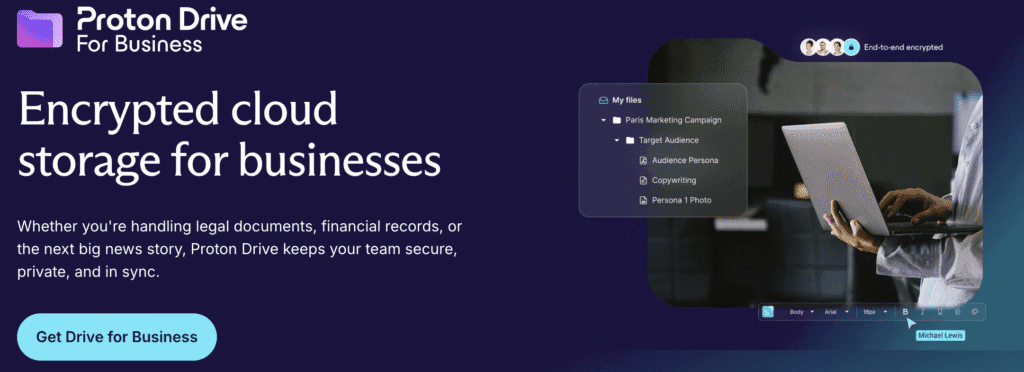
Overall Proton Drive file sharing and syncing feel steady and predictable. Navigation is straightforward, which boosts Proton Drive ease of use and user interface appeal for daily work.
Proton Drive security and privacy review
Files stay protected by end-to-end, client-side encryption. Data gets scrambled on the device before upload. The user’s password derives the keys that lock each file, and metadata gets a separate protection layer. The system leans on proven standards: AES-GCM for data, Curve25519 for key exchange, and Argon2 to harden passwords. Open-source components make the design auditable.
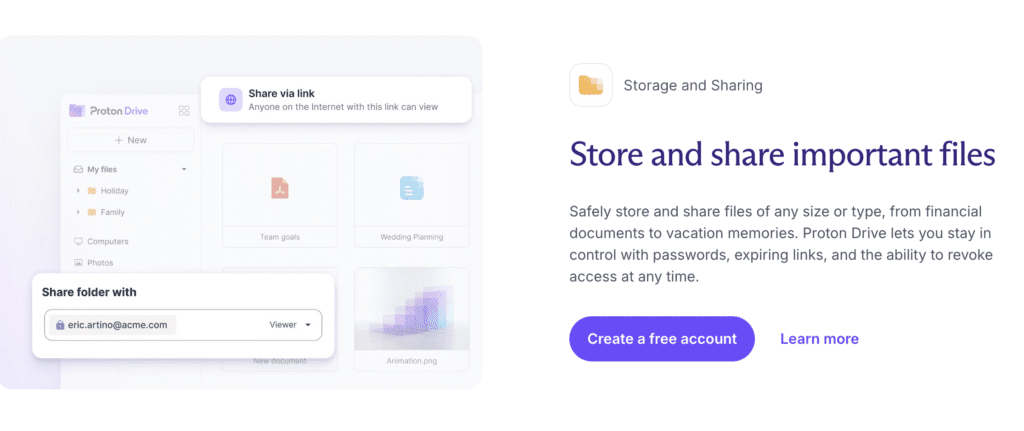
Proton’s zero-access model means servers never see decrypted files or keys. Servers store ciphertext, nothing more. Shared links carry an encrypted token that grants access only with the right permission, and a link password adds another barrier. Even under legal pressure or after a breach, the provider can’t disclose decrypted content because they don’t hold it.
Weak points live on the user’s side. A lost password or malware on a device breaks security outside Proton’s scope. Operations run from Switzerland, where strict privacy law applies. Government requests route through MLAT processes, not informal back channels. Data centers sit in Switzerland and parts of the EU. Transparency reports show low request volumes, and a warrant canary signals whether secret orders might exist.
Account security gets extra layers: TOTP codes, FIDO2 hardware keys, session controls, and activity logs. Shared links expire on a schedule and support passwords. Some defenses don’t fit the model. Ransomware scanning server-side would require breaking encryption. Cross-user deduplication would reveal patterns, so it’s off the table by design.
Encryption affects features. Full-text search in the cloud isn’t available because the service would need to read file contents. Local devices fetch files and search them there. Real-time co-editing isn’t as fluid as Google Docs because every change encrypts before sync. Proton Docs supports collaboration with privacy intact, though latency can slow fast-paced work.
How Proton Drive’s desktop and mobile apps handle versioning
Proton Drive’s desktop app stays light even during big sync jobs, like moving 50 GB. CPU use remains moderate, and memory usually stays under 500 MB. It runs alongside other apps without slowing the system. It supports proxies for strict networks and offers bandwidth limits for tight data plans or remote work. Ignore rules let users skip specific files or folders, which keeps clutter out of the cloud. Right‑click menu actions on Windows and macOS add quick sharing and file actions without opening the full app. After sleep, sync picks up cleanly. Very long file paths may cause issues, so staying within normal OS limits helps.
Mobile apps include a lot in a small package. Automatic camera uploads back up photos on iOS and Android soon after capture, whether on cellular or Wi‑Fi. Offline access keeps key documents available without internet. Media casting streams Drive videos to smart TVs or compatible devices. Document scanning saves PDFs straight to the drive. Local encryption protects files stored on the phone. Biometric locks require a fingerprint or face ID before opening the app.
Proton Drive file versioning and recovery come built in. By default, it keeps up to 10 versions of each file for about 30 days. That helps undo mistakes without wasting space. Restoring a file is simple in the web app or mobile apps. Pick a version and restore it. Folder restores work too and take longer for big sets. Deleted files go to a trash bin for roughly 30 days before removal. All versions count toward storage, so cleanups free space.
Proton Drive integration with Proton ecosystem is tight. One account covers Mail, Calendar, Pass, VPN, and Drive under the same subscription. Large Proton Mail attachments turn into secure Drive links, reducing downloads while keeping end‑to‑end encryption. Collaboration with Proton Docs works directly on Drive files for encrypted editing without leaving the privacy model.
Migration tools smooth the move from Google Drive or Dropbox, with a few limits. Official importers handle bulk copies but apply rate limits on very large moves. WebDAV gives command‑line control for advanced users, with speeds that depend on the network. Single‑file size caps block extremely large uploads beyond set limits, usually several gigabytes. These options suit most people, while bigger, enterprise‑scale shifts need extra time and planning to avoid throttling.
Proton Drive desktop and mobile apps deliver a steady mix of performance, privacy, and practical features without getting in the way.
Proton Drive vs Google Drive vs Dropbox
The differences that decide this are not storage sizes, they are who holds the keys and what you give up for that. Proton Drive is the only one of the three that encrypts every file end-to-end by default; the other two encrypt in transit and at rest while keeping the keys themselves, which is what lets them read file contents when a legal request arrives. What you trade for that is collaboration maturity.
| Feature | Proton Drive | Google Drive | Dropbox |
|---|---|---|---|
| End-to-end encryption by default | Yes, on every file | No | No — only on the Advanced business tier |
| Who holds the decryption keys | You. Proton stores ciphertext it cannot read | Dropbox | |
| Free storage | 5 GB | 15 GB, shared with Gmail and Photos | 2 GB |
| File version history | Up to 10 years on paid plans | 30 days for non-Google files | 30 days on Plus, up to 1 year on Advanced |
| Real-time co-editing | Proton Docs and Sheets, still maturing | Docs, Sheets and Slides — the most complete | Dropbox Paper, plus Google and Microsoft integration |
| Third-party app integrations | Limited | Extensive | Extensive |
| Jurisdiction | Switzerland | United States | United States |
Read across a row rather than down a column. If the answer to “who else can read this?” has to be nobody, the encryption row settles it and the integration row is the price. If several people edit the same document at once every day, Google still wins that row outright and no amount of encryption compensates.
Anyone leaving Google’s storage usually has the calendar to move as well, and our Proton Calendar review covers how that side compares.
Pricing and pros and cons: is Proton Drive the best?
Proton Drive pricing and storage plans cover common needs without overcomplicating things. Plans start at 200 GB, then move to 1 TB and 3 TB for people who need more space, like solo entrepreneurs or families. Business tiers cost more and include extra controls. Compared with Google One, Dropbox, Sync.com, and Tresorit, the price per terabyte lands mid-range. Not the cheapest, but fair given strong encryption and Swiss privacy laws.
On features versus price, Proton Drive brings end-to-end encryption on every file and private link sharing that many services still don’t match. The tradeoff is limited third-party app connections and no real-time co-editing like Google Docs. Solo founders who value privacy over integrations will likely prefer this setup. Families get strong protection without a steep learning curve. Teams that need live editing should wait until co-authoring matures.
Who benefits most today? Privacy-first users such as journalists or consultants working with sensitive client data under compliance rules. Workflows that prioritize strict security fit well here. Groups that depend on group editing or plug-ins across apps may be better served by waiting for more collaboration tools.
A smooth day-one setup matters:
- Turn on two-factor authentication, ideally with a FIDO2 hardware key.
- Add a biometric or PIN lock to the mobile app.
- Enable camera uploads to back up photos.
- Pick folders carefully for sync so local storage stays under control.
- Set default shared link expirations and passwords for safer sharing.
- Restore an old version of a test file to confirm recovery works.
Migrate a small batch first – 5 to 10 GB of photos and PDFs – And run it for two weeks as a trial. Watch sync stability and aim for very few conflicts. Share links with a few outside contacts to check permissions and ease of access. Practice rolling back versions so routine recovery feels normal.
This hands-on trial answers the key questions behind Proton Drive pricing and storage plans, Proton Drive features and pros and cons, and Is Proton Drive the best encrypted cloud storage. It shows the service as a private, encrypted space for everyday files without extra noise.
Frequently asked questions
Is Proton Drive good?
Proton Drive suits privacy-first users and works less well for teams who need live editing. Every file gets end-to-end encryption plus private link sharing that many services still don’t match. The tradeoff is limited third-party app connections and no real-time co-editing like Google Docs.
Is Proton Drive safe?
Proton Drive protects files with end-to-end, client-side encryption, so data is scrambled on the device before upload. Its zero-access model means servers store ciphertext and never see decrypted files or keys. Weak points sit on the user’s side, where a lost password or malware breaks security outside Proton’s scope.
Leave a Reply