Even a one-second delay in page load time cuts conversions by about 7%. That statistic alone shows why image optimization gets so much attention. Unoptimized images slow down pages, and slower pages hurt both user experience and search rankings.
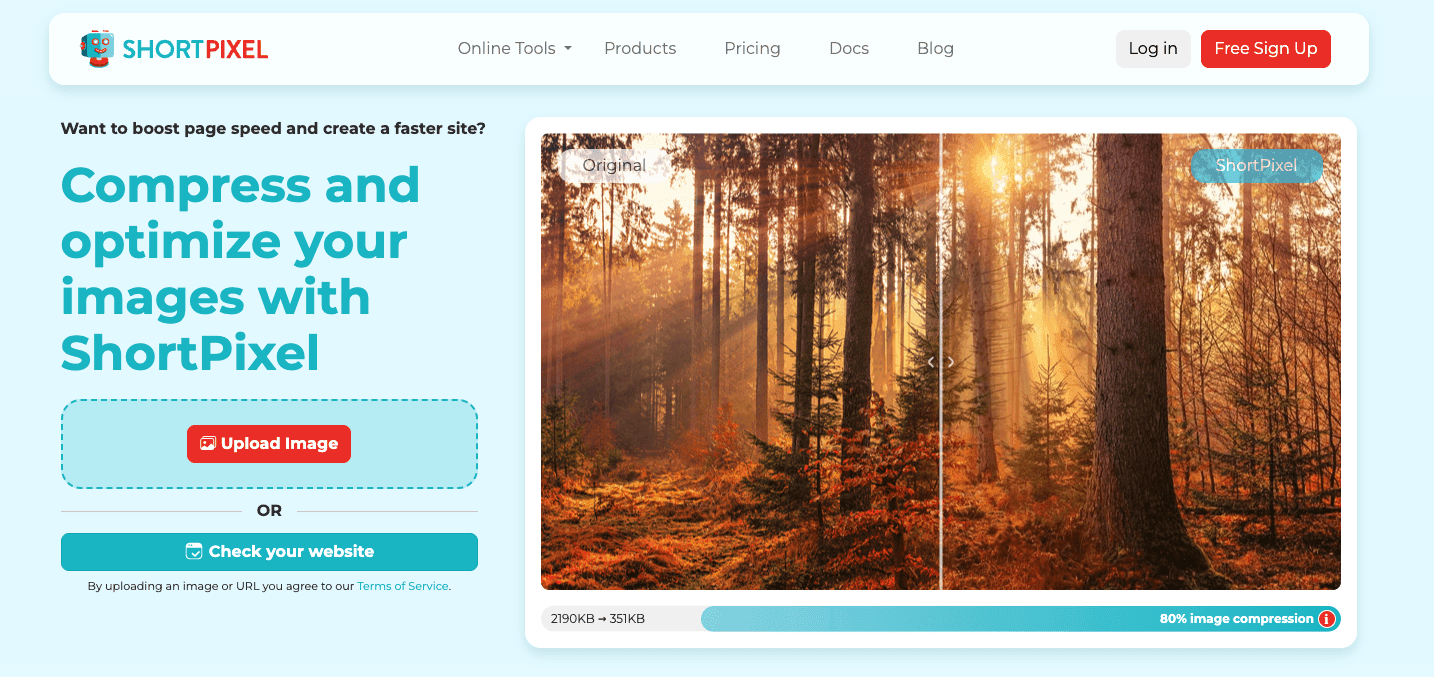
ShortPixel is known as a leading image compression plugin for WordPress. It comes with advanced features beyond simple compression: adaptive resizing, WebP conversion, PNG-to-JPEG fallbacks, and CDN integration. Many site owners turn to it to get the smallest possible file sizes from their media libraries.
Still, a common sentiment among users is that ShortPixel delivers real quality but costs more than most alternatives.
I ran the plugin through several real WordPress setups to find out if the results justify the cost. This article covers exactly what ShortPixel offers, how the pricing works, what the refund policy includes, and which alternatives might make more sense depending on a site’s budget and scale.
Key Features That Set ShortPixel Apart
Most free plugins stop at simple file size reduction, but ShortPixel offers several capabilities that handle image optimization from start to finish.
Its three compression types give site owners control. Lossy, the default, removes non-visible data for a good balance of quality and file size. Glossy applies lossless compression optimized for visual quality, making it the right choice for photographers and designers. Lossless preserves every bit of data but produces larger files. Each image can be compressed with any of the three, depending on the tradeoff a site owner wants.
Bulk optimization scans the entire media library and optimizes every image – including all thumbnails – with a single click. A progress indicator shows how many images remain. For sites with thousands of existing images, this alone saves hours of manual work.
Automatic next-gen format conversion turns images into WebP and AVIF for supported browsers. Older browsers receive the original format as a fallback, so nothing breaks. The conversion happens during compression and needs no extra setup.

The built-in CDN, ShortPixel Adaptive Images, resizes and compresses images on the fly based on the visitor’s device. A phone user gets a smaller image than a desktop user, cutting payload without the site owner managing multiple versions. The CDN handles delivery, so the origin server isn’t bogged down.
A backup and restore feature stores original images on ShortPixel’s servers for 30 days. That gives the site owner room to revert or recompress with different settings if the first attempt wasn’t ideal. It’s a safety net that makes experimentation low risk.
These features cover the full lifecycle of image handling – from initial compression through delivery and recovery. Whether that range of capability justifies the cost depends on how much of it a site actually uses.
Three Compression Types for Every Need
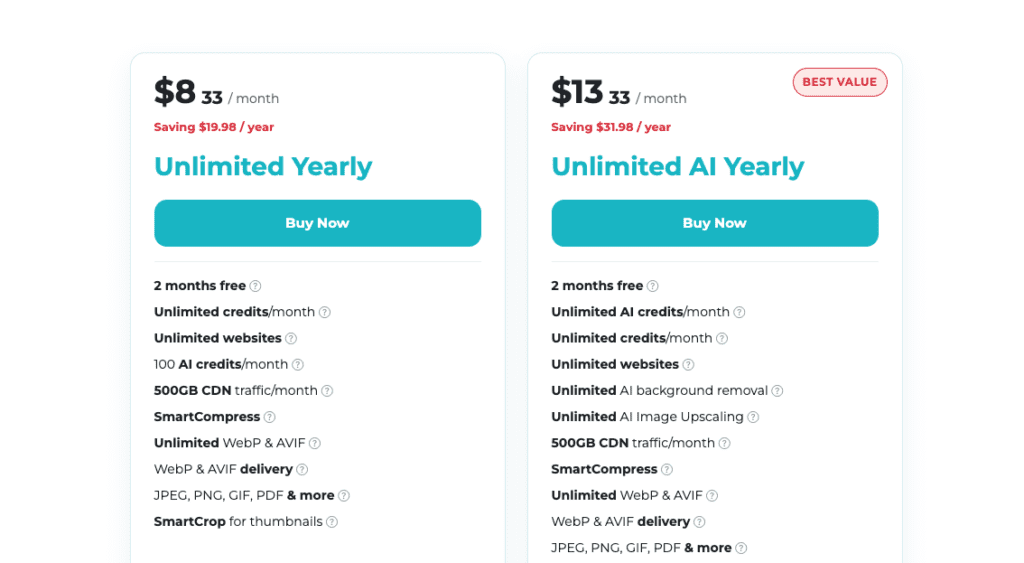
ShortPixel’s pricing runs on a credit system, which makes direct comparisons with flat-rate competitors less straightforward. Each image optimization uses credits, with the total depending on file size and the number of thumbnails WordPress generates. Understanding this system is key to picking the right plan.
The free plan gives 100 image credits per month with all core features included. It’s suitable for small sites or testing the plugin before buying.
One-time credit packs are available: 5,000 credits for $4.99 with no recurring billing. This is useful for a one-off optimization pass on an existing site.
Monthly subscriptions start at 7,000 credits per month for $9.99 a month. Unused credits roll over on some plans.
Annual billing costs $99.99 per year for the same 7,000 credits per month, which works out to about $8.33 per month. The full amount is billed upfront, not month-by-month. The annual commitment saves around $20 compared to paying monthly, though the upfront cost might be a hurdle for tighter budgets.
The credit system is straightforward: one credit per 100 KB of the original image file, plus one credit per thumbnail. A large original with many thumbnails will consume more credits than a small image with few thumbnails. Unused credits roll over on monthly and annual subscriptions but not on one-time credit packs.
ShortPixel offers a 30-day money-back guarantee. If the plugin doesn’t meet expectations, refunds are processed within seven days. There’s one catch: after requesting a refund, usage is capped at 100 credits. That prevents someone from optimizing thousands of images and then asking for a full refund. For genuine testing, the free plan already includes 100 credits per month, so the restriction doesn’t penalize honest evaluation.
Bulk Optimization and Automatic Format Conversion
Not every site needs ShortPixel, and for some, the alternatives deliver comparable results at a lower cost or with fewer restrictions. The best image optimization tools for WordPress each have their own take on pricing, compression, and delivery. Here’s how the main contenders stack up.
EWWW Image Optimizer takes a fundamentally different approach. It’s self-hosted, processing images on the site’s own server rather than sending them out to an external API. There are no file-size limits, making it a strong fit for sites with large images or high-resolution photography. Privacy-conscious users often prefer it because the images never leave the server. It also includes a CDN option for adaptive delivery. Pricing starts at $7 per month, with a free version for basic compression.
Smush is one of the most widely used free image optimization plugins. The free version optimizes an unlimited number of images with no credit system. The Pro version adds bulk smushing up to 200 images at a time, plus a built-in CDN. Paid plans start at $7.50 per month. The unlimited free tier makes Smush an obvious starting point for sites on tight budgets that still need reliable compression.

Imagify runs on a credit system similar to ShortPixel’s. It supports WebP and AVIF conversion and offers three compression levels. The entry-level plan costs $5.99 per month for 20,000 credits, which is more credits per dollar than ShortPixel’s base plan. However, its bulk optimization options are more limited than what ShortPixel or EWWW provide.
A comparison table covering compression ratios, supported formats, bulk optimization limits, CDN availability, and price per credit is available for a side-by-side look at all four tools.
The ShortPixel vs EWWW Image Optimizer comparison really comes down to architecture. EWWW wins for sites processing very large images or needing to keep data on the server. ShortPixel wins for sites wanting the CDN and adaptive delivery built into the same workflow. Smush is the practical choice when the budget is near zero and the site just needs basic optimization without limits. Imagify makes sense for site owners who like the credit model but want a lower entry price and don’t need aggressive bulk processing. Each tool has a specific strength, and the right choice depends on the site’s scale, privacy requirements, and monthly image volume.
Built-In CDN and Backup Options
The compression ratios are high without introducing visible artifacts, and the automated WebP and AVIF conversion delivers next-gen formats without any manual work. Bulk optimization handles the entire media library in one pass, and the built-in CDN serves resized images tailored to the visitor’s device. For sites where both image quality and page speed matter, these features form a cohesive system, not a set of bolt-on extras.
The cost really comes down to volume and need. ShortPixel is more expensive per image than Smush or EWWW Image Optimizer. But for sites with big image libraries or a need for advanced features like on-the-fly adaptive images, the value shifts. A solopreneur with a photography portfolio, an ecommerce store with hundreds of product shots, or a content site with large featured images will likely find that the credit system pays off with faster page loads and improved Core Web Vitals scores. For a smaller blog that only optimizes a handful of images each month, that premium pricing is harder to justify.
For solopreneurs, the decision depends on a few factors. If the budget allows and image-heavy content is central to the business, ShortPixel is a wise investment. The time saved through automation and bulk processing offsets the upfront cost by cutting down manual work. If the budget is tight or the site handles fewer than a few hundred images each month, Smush or EWWW Image Optimizer are credible alternatives that handle basic compression well without the credit-based pricing model.
Ease of use and support matter because they affect the total cost of ownership. Installation is straightforward, and the setup wizard guides users through configuration choices in plain language. Beginners don’t need to know compression algorithms to get good results. Support is responsive, with most inquiries answered within a few hours during business hours. That responsiveness reduces the time cost of implementation. There’s no prolonged trial and error.
The reviewer’s experience confirms that ShortPixel consistently delivers significant speed improvements. Images come out smaller, pages load faster, and the plugin handles the complexity of format conversion and adaptive delivery without needing ongoing attention. Whether ShortPixel is worth it depends entirely on the specific needs and financial constraints of the business. For the right site, the premium price is a fair trade for the performance gain. For others, the free or lower-cost alternatives will do the job just as well.



Leave a Reply