
Solopreneurs sorting out WordPress in 2026 face a pile of Gutenberg block plugins. This review narrows it to four worth serious attention: Superb Addons, Spectra (WP Spectra), Otter Blocks, and CoBlocks. Each serves solo builders with different priorities around design, speed, and cost.
The scope stays practical. How many blocks ship ready to go, and which ones feel standout. How much styling control exists, plus responsive options that don’t fight the layout. What performance overhead appears on real pages, since load time affects conversions. How quick someone ramps up without a long tutorial slog. Pricing, with fair limits and clear upgrade paths.
Tests run on a clean WordPress 6.x site with a default block theme like Twenty Twenty-Four. No extra page builders. Object caching stays off, front-end page caching stays on. PHP version 8.2. Lighthouse runs in Chrome Incognito to avoid extensions and cached noise.
These four made the cut due to active development and strong adoption, yet they target different use cases. Superb Addons leans into value and breadth. CoBlocks keeps things lean for speed-first builds. Spectra and Otter land in the middle with balanced sets and smart quality-of-life features. The aim isn’t a single winner. It’s matching a plugin to the job.
Readers get a recommendation matrix by use case plus examples that show where each plugin excels or trips up. Clear, bias-free guidance, minus the feature sprawl and hype.
How we tested WordPress block editor plugins and what matters
Counting blocks wasn’t just about totals. The team dug through editor inserter lists and plugin docs to spot core block replacements and one-off specialty blocks. Composite blocks, like tabs with nested items, counted as a single parent block. No padding the numbers. The goal was a fair snapshot of what each plugin actually ships.
Design flexibility got a close look. Reviews checked for layout tools, container controls, and responsive breakpoints tuned for desktop, tablet, and mobile. Spacing scales needed to be consistent, not random. Typography controls went deeper than font pickers, with weight options and clamp settings to keep text readable across screens. Color tokens kept palettes steady, and per‑block CSS class fields left room for custom styling when needed.
Performance testing measured the extra load each plugin adds to a simple page built only with its blocks. Front‑end payloads were split into gzipped CSS and JavaScript to spot bloat or lean code. HTTP request counts showed how many server calls a plugin triggers, which slows pages when it’s too high. Assets loading conditionally mattered a lot, since loading code only when a block appears avoids waste.
Ease of use was judged from first run to first publish. Installation flow, setup wizards, and onboarding hints all affected the learning curve. Settings had to be clear, so solo builders didn’t wade through jargon or messy menus. Plain‑language block names made the right tool easy to find without trial and error. Inline help like tooltips guided decisions, and smart defaults cut the time to a solid result.
Pricing shaped the final call. Reviews checked free‑tier limits that feel fair and upgrade paths that read plainly. Transparent plans matter for solo builders on tight budgets, with no hidden fees or traps.
Superb Addons review with real features and value for founders
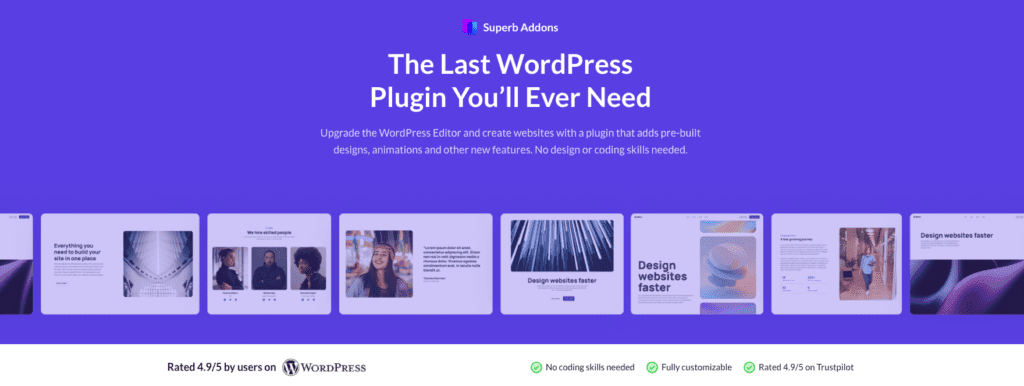
Superb Addons packs the core blocks most business sites need. Pricing tables, testimonials, accordions, tabs, sliders, and counters are ready to go. Solopreneurs avoid extra plugins for basic features. It feels like a toolbox with everything in one place.
Design controls go deep. Each block lets users adjust spacing, borders, shadows, and typography. Responsive toggles keep styles consistent on desktop and mobile. It also respects Global Styles, so site-wide colors and fonts match without extra tweaks. Prebuilt patterns and templates speed up landing page builds. No need to set up every section from zero.
Performance holds up because the plugin loads assets on demand. If a page uses six Superb blocks, only the CSS and JavaScript for those blocks load. On shared hosting with caching, page weight stays in check and avoids slowdowns.
The free tier covers a lot for marketing pages without hard upsells. The premium license adds advanced blocks and effects at a fair price, which suits founders who want range without stacking niche addons.
Picture a quick landing page built from a Superb Addons template. A testimonial slider here, an accordion there, and styles match across blocks by default. The workflow feels smooth, which helps solo builders who have a lot on their plate.
WP Spectra review focused on performance and scalability

Spectra (WP Spectra) puts speed first. Conditional asset loading only pulls the CSS and JavaScript needed for the blocks on a page, so pages stay light. In tests with simple layouts – containers, rows, headings, buttons – the extra gzipped weight adds just a few kilobytes, and HTTP requests remain low compared to heavier block libraries. The CSS stays slim, and the HTML output is tidy.
Scalability matters once a site grows past a few pages with complex content libraries. Spectra works well with modern block themes and the Site Editor, so global controls and presets keep spacing and typography consistent across large sites. Uniform settings prevent small inefficiencies from turning into sitewide bloat as traffic grows.
The plugin focuses on the core blocks people actually use. Container, Row, and Columns handle structure. Advanced Heading controls give solid typographic control, and Buttons respond fast. Info Boxes add visual highlights. Tabs and Accordions keep sections organized. Forms collect leads without extra weight. Post and Grid blocks replace bulky builder widgets while keeping Time To First Byte low and Cumulative Layout Shift stable.
Picture a post with several Containers, each with multiple Headings and scattered call-to-action Buttons. Spectra only loads styles for those elements, so the page gains minimal extra weight. SEO-focused blogs chasing strong Lighthouse scores benefit from the clean markup, and teams moving off heavy page builders get speed without losing key features.
Otter Blocks review with pros, cons, and who should use it
Otter Blocks feels easy right away and welcomes new WordPress users. The block inserter uses clear names, so each piece makes sense at a glance. Smart defaults give pages a decent look from the start. Settings stay minimal with simple panels and no maze of options. A hero section or an FAQ list comes together in minutes, without guesswork.
The plugin covers core needs for marketing sites: layout sections to organize content, advanced headings for clear titles, button groups for calls to action, testimonials to build trust, tabs and accordions for compact info, pricing tables that show plans cleanly, countdown timers to nudge action, and Lottie animations for a small bit of motion. The set stays lean, which helps build landing pages or straightforward sites without clutter.
Design controls focus on spacing, typography, and responsive visibility, so layouts hold up on phones, tablets, and desktops. Fancy tweaks stay out of the way – no piles of sliders or hidden menus. Power users who want complex layouts or dynamic content might feel boxed in.
Solo founders who value speed over deep customization will click with it. A beginner could set a pricing row next to testimonials and buttons in under 10 minutes, no hunting through tricky settings. That speed helps ship pages fast and avoid frustration.
CoBlocks for lightweight setups and a quick decision guide

CoBlocks keeps things light. It offers a focused set of blocks that work with WordPress core instead of trying to replace it. Essentials like Accordion, Tabs, Alerts, Buttons, Forms, and a reliable Row and Columns system cover most needs without clutter. Minimalist themes benefit most, since there’s no extra baggage slowing pages down.
Performance stays strong on lean hosts. The plugin loads assets only when a block is on the page, so CSS stays small and overhead low. It doesn’t take over design. Theme styles drive the look, which keeps layouts consistent. Anyone chasing advanced effects or heavy visual control will likely need custom CSS for spacing, typography, and polish.
Choosing the right fit depends on goals. Superb Addons suits users who want a packed toolkit with strong value. Spectra fits teams focused on speed and scale. Otter works for quick setup without fuss. CoBlocks belongs in lightweight builds where minimalism matters most.
Test before deciding. Spin up a staging site. Turn on each plugin one at a time with your theme and caching in place. Record page weight and Lighthouse scores in conditions that match production. Pick the option that meets your targets, then publish with confidence.


Leave a Reply