Client projects pile up fast, and the wrong Gutenberg blocks plugin slows everything down. I spun up a clean WordPress 6.x site with the Twenty Twenty-Four theme to match what freelancers and founders run in the wild. No extra page builders – just core blocks shaping Home, About, Services, Contact, plus a focused landing page with a hero, feature grid, testimonials, pricing table, FAQs, and CTAs.
I looked at Stackable and Superb Addons as the main options. Both cover the usual small business layouts, but they differ in block variety, design control, front-end speed, editor ease, workflow efficiency, and price versus value. I wanted real numbers, so I turned off caching and measured impact with Lighthouse and WebPageTest. I also watched database queries and payload sizes.
My goal was clear: finish polished pages faster without hurting quality or slowing visitors. I’m not pushing affiliate links or hype. This is based on building those core pages from scratch with each plugin active on its own.
On this page
What matters for business builds and how we tested
I build a lot of business sites, and speed comes from strong blocks and straightforward design controls. Custom CSS slows work and adds risk. Plugins with versatile blocks and deep styling keep projects moving fast.
Block Inventory
Stackable includes about 25 blocks that cover the basics: cards, feature grids, pricing tables, testimonials, accordions, tabs, sliders, counters, forms, headers, and hero sections. Superb Addons lands near 22 blocks and throws in sticky headers and advanced sliders. Both cover small-business needs well, but Superb skips a dedicated pricing table block, and Stackable doesn’t offer a sticky header block.
- Stackable: ~25 unique blocks including pricing tables
- Superb Addons: ~22 unique blocks with sticky headers & advanced sliders
- Overlapping essentials: testimonials, accordions, tabs
- Missing from Superb: pricing tables, missing from Stackable: sticky header block
Pattern Libraries
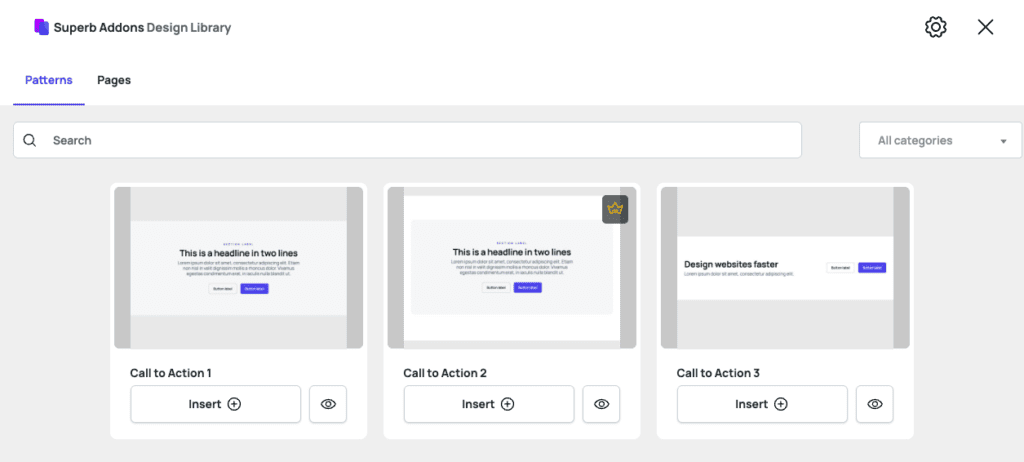
Both ship with page and section patterns grouped by use case: homepages, services, SaaS landing pages, and agency portfolios. Stackable’s library sits around 40 patterns. Superb offers roughly 30. They respect theme styles, so they fit into Twenty Twenty-Four without forcing new fonts or colors.
- Stackable: ~40 patterns grouped by use case (home/services/SaaS/agency)
- Superb Addons: ~30 similar groupings
- Patterns maintain theme style consistency without heavy overrides
Design Controls Depth
Stackable goes deep on per-block controls. Spacing units work in rems or pixels. Typography scales fluidly. Gradients, shadows, border radius tweaks, and hover states are all there. Blocks can hide or show by device. CSS output stays clean, avoiding inline bloat. Superb Addons matches much of this and adds container queries for stronger responsive behavior. It leans on inline styles, which makes markup heavier.
- Stackable:
- Spacing units (rem/px), fluid typography scaling
- Gradients & shadows customization
- Border radii & hover state options
- Responsive visibility toggles per block
- Clean CSS output avoiding inline bloat
- Superb Addons:
- Similar styling features plus container query support for responsiveness
- Inline styles used extensively leading to heavier markup
Global Design Systems
Stackable ties into WordPress Global Styles. Global color palettes and typography scales sync site-wide. Spacing tokens keep margins and paddings consistent across blocks. Superb Addons uses its own presets and doesn’t fully connect to Global Styles yet, so theme tweaks need some manual syncing. It does include advanced layout tools: grid controls, masonry, flexbox alignment, and sticky/scroll effects. These reduce reliance on extra CSS compared to Stackable’s simpler column layouts.

Can you ship a polished site without custom CSS?
Speed affects visitors, but it also decides how fast changes ship without friction. Slow blocks and bloated markup drain momentum.
Stackable trims assets by loading CSS and JS per block. Minified files land near 150 KB for an 8 – 10 block page. Only the needed bits reach the browser, so less waste. Superb Addons ships a larger bundle, around 220 KB, and relies on inline styles that bump payload size. Scripts don’t defer much by default on either plugin, so a few manual tweaks still help render times.
In front-end tests, Stackable tends to score mid‑80s in Lighthouse Performance. Total Blocking Time hovers around 120 ms. First Contentful Paint sits near 1.4 s, and layout shifts stay low with CLS under 0.01. Superb Addons usually drops into the high‑70s. TBT trends closer to 180 ms, tied to heavier DOM and inline style overhead that slows paint.
DOM depth matters. A typical features grid from Stackable outputs about 900 nodes. Responsive, still polished. A similar grid from Superb pushes past 1,200 nodes. Extra wrappers and div layers from container queries and sticky effects inflate structure.
Editing feels faster in Stackable. Keystrokes land right away even with multiple nested blocks. Panels open promptly. Column resizing flows without jitter. Superb Addons shows mild slowdown as pages grow complex. Drag‑resize stutters sometimes, and side panels open a hair late.
Both work with WP Rocket and LiteSpeed Cache. Care is needed when extracting critical CSS or deferring JS, since late scripts or stripped styles break interactions. Stackable’s cleaner markup usually survives these changes with fewer fixes, while Superb’s inline‑heavy setup needs more tuning.
I think the choice comes down to tradeoffs. Leaner code and a quicker editor, or extra visual effects with more weight.
Performance in the editor and on the front end
Smooth workflows save hours and reduce stress during client work. Less time wasted on busywork means more time for design choices that matter, whether solo or with a team.
Learning Curve:
Getting started with Stackable feels direct. Add a hero section in about five clicks from insert to a polished result. No deep tweaks needed. Superb Addons takes closer to eight clicks because defaults need more cleanup to avoid a generic look.
- Stackable: Quick setup, sensible default styles
- Superb Addons: More steps, defaults less refined
Inspector Organization:
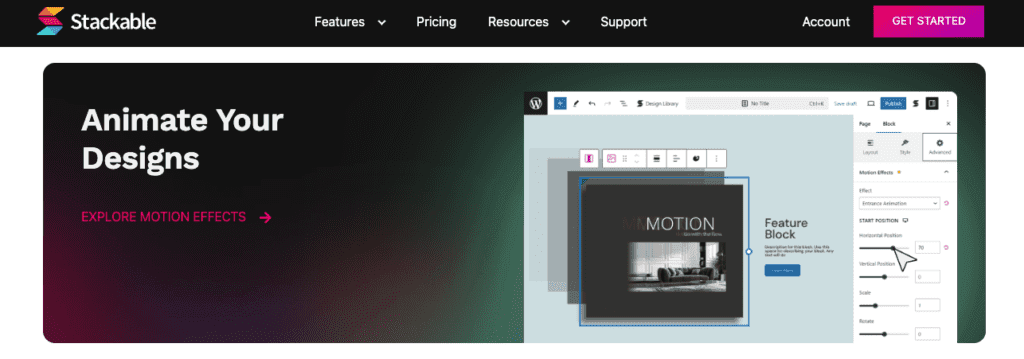
Stackable’s panel splits into Content, Style, and Advanced tabs. Tooltips show up where they help without clutter. Inline presets for colors and typography stay visible, so picking solid options feels fast.
Superb Addons separates content and style too, but some key toggles sit deeper in nested menus. Tooltips vary in quality and sometimes lack context until hovering longer.
- Stackable:
- Clear tab structure (Content / Style / Advanced)
- Helpful tooltips on hover
- Visible inline presets for quick styling
- Superb Addons:
- Nested menus hide some controls
- Inconsistent tooltip support
- Presets less obvious in UI layout
Reusable Parts:
Stackable stands out with block-level presets users save and apply across pages. Copy and paste styles move cleanly between blocks, which trims repeat edits during multi-page builds. Pattern saving feels intuitive. Save once, drop into new pages with little effort.
Superb Addons supports reusable patterns, but style sync needs manual updates since it lacks global style integration like Stackable’s token system.
- Stackable:
- Block-level preset saving and applying across site
- Smooth copy/paste of styles between blocks
- Easy pattern saving and loading workflow
- Superb Addons:
- Reusable patterns available but limited style syncing automation
Accessibility Helpers:
Both plugins add ARIA labels to interactive elements so screen readers get the right cues. Keyboard focus order stays logical inside blocks for smooth navigation without a mouse. Nav blocks in both include skip links by default, a solid win for accessibility.
Stackable adds color contrast warnings in the editor, which helps catch issues early instead of fixing after launch. Superb Addons doesn’t include this yet.
- Shared features:
- ARIA labels on buttons and controls
- Logical keyboard focus flow
- Skip links in nav components
- Stackable only:
- Editor color contrast warnings before publishing
Error Recovery:
Undo and redo feel stable with Stackable, even after many edits or plugin updates. No crashes or lost changes in test cycles. Compatibility checks showed no conflicts with common SEO tools, form builders, or multilingual plugins used on client sites.
Superb Addons’ undo stack sometimes hiccups under heavy editing, which makes extra saves mid-session a safe habit. Overall it plays nice, but post-update glitches did show up and needed cache clears to fix conflicts with some caching plugins.
- Stackable:
- Stable undo/redo behavior
- Smooth compatibility with major third-party plugins
- Superb Addons:
- Occasional undo instability under load
- Minor update-related quirks needing manual fixes
Ease of use and workflow efficiency for client work
Superb Addons pricing makes sense for tight budgets that still need a solid set of blocks. A single site runs about $39, which lands far below Stackable’s $89. Both include updates and support during the license term. The lower price makes Superb Addons easier to justify for small projects or a spread of client sites.
Stackable’s pricing speaks to freelancers and agencies. Multi-site licenses and agency tiers fit service teams that need white labeling or client transfer options. These extras help when many builds are underway simultaneously. Updates ship on a steady rhythm, and support replies come fast during crunch time.
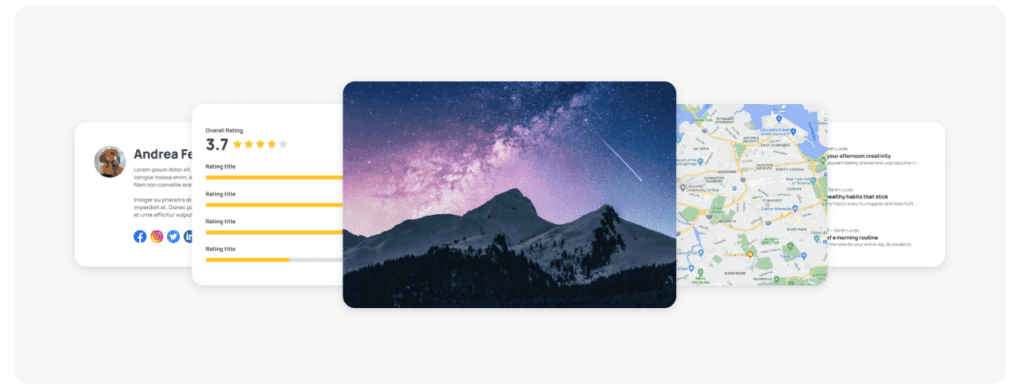
Feature coverage for business sites lines up well. Both include hero sections, testimonials, tabs and accordions, forms, and sliders. Superb Addons edges ahead on block variety and advanced layout tools, and it does so at a lower cost. Stackable counters with cleaner code output and tight global styles integration, which keeps design consistent without extra plugins crowding a build.
Ease of use tilts toward Stackable for beginners. The inspector panels feel clear, tooltips guide choices, and reusable style presets shave off repeat work across pages. The smoother learning curve often justifies the higher price when time is money.
The Stackable WordPress plugin review points to a product focused on stability and long-term usability over sheer feature count or bargain pricing.
Here’s a quick rundown:
- Budget-focused small businesses wanting broad block coverage should go with Superb Addons. It delivers plenty without stretching budgets.
- Teams that value long-term support, polished design controls, and tight theme integration will appreciate Stackable despite the higher cost.
- If it’s unclear which fits best, set both up on a staging site with identical page briefs, run Lighthouse tests to compare performance, then track total build time.
Test these plugins hands-on. Real projects expose workflow quirks and reveal speed impacts. Pick based on results, not spec sheets. This leads to a choice that fits the next build, not just the brochure.


Leave a Reply