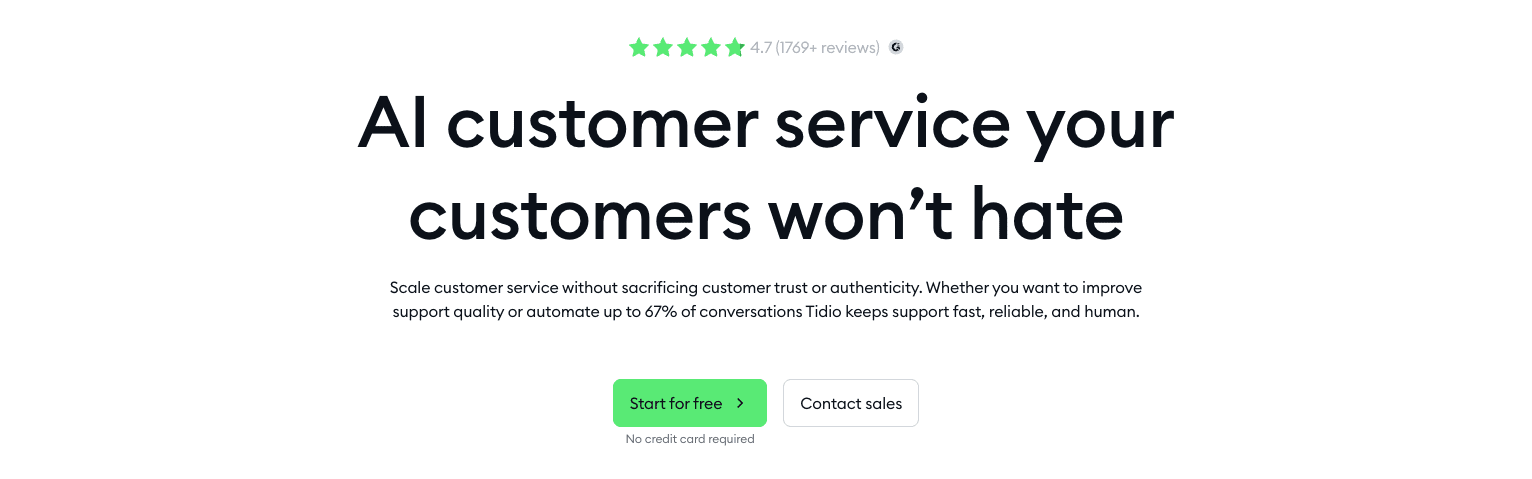
Tidio gives a quick, honest look at what small and mid-size teams get for customer chat. It blends live chat with AI bots, a simple helpdesk, and basic email. The setup stays light, and it works.
Ecommerce stores on Shopify or WooCommerce lean on it to cut first-response times to under a minute. That speed helps convert shoppers and reduces abandoned carts. The tool isn’t a full Zendesk-style ticketing system or an analytics suite. It focuses on fast setup and smart automation for support-light teams that want results without extra tools.
This review covers pricing by chat volume and team size, stacks Tidio against LiveChat and Gorgias, and points readers to the right plan for a solo operator or a small group of agents.
On this page
- What Tidio offers for small businesses with live chat and a helpdesk
- How Tidio chatbots handle quick replies and context-aware answers
- How triggers, actions, and analytics work in Tidio
- How to build a helpdesk and live chat system without heavy setup
- How Tidio email marketing works with your chatbots
- Tidio pricing with plan limits and real costs
- Which Tidio plan is right for your business
- Tidio vs Zendesk, LiveChat, and Gorgias
- Pros, cons, and next steps to choose Tidio with confidence
- Frequently asked questions
What Tidio offers for small businesses with live chat and a helpdesk
Tidio focuses on straightforward customer chat for small businesses. The core is a website live chat widget, so visitors can message in real time. It also includes two AI chatbots – Lyro and a Flow builder – to automate common questions and reply when no one’s available.
The helpdesk keeps things simple. A unified inbox pulls in messages from email, Facebook Messenger, Instagram DMs, and the website chat, with basic ticketing to track each thread. WhatsApp connects too, though it needs a paid add-on.
Setup is quick on Shopify and WordPress through their apps and plugins, often under 15 minutes. Other sites add a JavaScript snippet or connect by API.
Agents respond from the web app or iOS and Android mobile apps. Push notifications alert them when new messages arrive, even away from a desk.
Customization covers widget colors, on-screen placement, and language. Pre-chat forms and GDPR consent toggles help with privacy. Business hours show when support is available.
Teams get canned replies, routing rules for assigning chats, tags to organize contacts, and profiles with conversation history. It’s useful, but not as comprehensive as enterprise platforms.
Security runs over HTTPS with role-based permissions for team access. During signup, accounts choose EU or US data residency, with clear GDPR details.
Ecommerce stores, especially on Shopify or WooCommerce, get extras like cart previews in chats and in-thread product recommendations. Order status updates can send through chat automatically.
How Tidio chatbots handle quick replies and context-aware answers
Tidio offers two chatbot styles to match different needs. Lyro uses AI trained on a company’s own materials – site URLs, uploaded PDFs or docs, and FAQs, and it answers with context from those sources. Flow-based bots work through a drag-and-drop builder with rules, buttons, forms, and conditions – no code required.
Answers aren’t guessed. The system uses confidence scores to judge response quality and routes to a human when needed. When confusion or frustration shows up, the chat passes to an agent with full context so customers don’t have to repeat details.
Language support is flexible. The platform detects multiple languages automatically, and teams set a primary language. Flow-based bots get direct translations, so one setup covers a wide audience without separate builds.
Online stores get ready-made skills like order lookups and shipping answers with templates such as “Where is my order?” and “How do I get a refund?” These cut repetitive tickets by about 20 – 40% and give agents time for harder problems.
Data controls sit underneath. Only approved sources feed Lyro. Exported transcripts redact personal data, and retention windows limit how long records stay. Teams test in a sandbox and review confusion reports, then adjust flows and content to sharpen responses over time.
How triggers, actions, and analytics work in Tidio
Automation starts with triggers that watch visitor behavior on the site. If someone lingers on a product page or moves the mouse toward the close button, an exit-intent prompt can invite a chat at the right moment to save a sale. Triggers also include cart values, returning visitor status, and UTM parameters from campaigns. These cues set up timely interactions without waiting.
After a trigger fires, the system can send messages, show forms to collect details, tag contacts for follow-up, assign chats to agents, create support tickets, send emails, or call webhooks for custom flows. Teams tailor responses to fit the situation, from nudging hesitant shoppers to routing complex questions straight to specialists.
Segmentation adds focus by grouping visitors by behavior, attributes like country or device, and events such as purchases or abandoned carts. Messages get precise. Mobile users see different offers than desktop users. First-time visitors see something different than loyal customers.
Testing is built in with A/B experiments on bot scripts and widget prompts. Teams measure click-throughs, conversation starts, and conversions to learn which version wins more interest and more sales.
An analytics dashboard shows trends in chat volume, first response speed, resolution time, and how often bots handle questions on their own. Stores on Shopify or WooCommerce also see revenue influenced by chats. Coupon codes used in conversations tie back to orders, so marketers know what drives results.
Quality controls keep ops steady. Office hours rules switch to email collection when staff is offline. SLA alerts flag slow response times. Export options pull raw data as CSVs for chats, contacts, and bot stats. A REST API can push conversation insights into business intelligence tools.
Everything connects, from noticing when someone needs help to measuring how each interaction affects revenue. Automation feels less robotic and more like smart teamwork.
How to build a helpdesk and live chat system without heavy setup
Live chat and ticketing work in one place here, without a long setup. When a chat gets too complex for quick answers, it turns into a ticket with all context preserved across email and other channels. Agents see the full thread, no matter where a customer writes from.
Chat routing stays simple. Teams assign by round-robin or set rules with tags, language, or channel. It skips advanced skills routing found in big enterprise tools, but it fits most small business workflows.
Canned replies speed up responses and still feel personal. Variables pull in names, order IDs, or links, so an agent drops in a refund policy tailored to the exact order instead of retyping it.
Well-timed nudges appear on pages like pricing and checkout to catch hesitant visitors. Bots or humans can send these prompts. A/B tests in Tidio show conversion lifts in the 5% to 15% range.
The built-in knowledge base stays basic. Many teams link to Notion, HelpDocs, or Confluence rather than write long articles inside Tidio.
SLAs define working hours and response targets so customers know when support is open and how fast to expect replies. Multi-tier SLA reporting isn’t included, so teams often send data to external dashboards for deeper tracking. A common setup flags tickets that miss a two-hour first response during business hours.
Collaboration is practical. Internal notes hold thoughts customers never see. @mentions loop in teammates. Tags keep tickets organized. Collision detection stops duplicate replies during rushes.
Escalations run through tags or queues and can fire webhooks to tools like Jira or Linear for technical follow-up beyond frontline support. Spot a bug mid-chat, open a developer task right away, and stay inside Tidio while doing it.
How Tidio email marketing works with your chatbots
Email ties neatly into Tidio’s chatbots, so verified addresses get captured right inside conversations or pre-chat forms. Visitors check a consent box, and permission gets saved with source details like UTM tags. Each profile gains useful context without extra steps.
Campaign types cover the basics: one-off broadcasts for announcements, simple drip sequences over time, and follow-ups after a chat ends. A visual builder speeds up template creation – no design fuss.
When a bot finds a lead mid-chat, it adds the contact to a list and triggers a welcome series or a discount code. Momentum continues without waiting on manual work.
Deliverability improves with SPF and DKIM set up in the background. Shared IPs run by default, but authentication helps avoid spam folders. Bounce rates and spam complaints show up in clear reports.
Personalization is straightforward. Variables insert names, and with ecommerce connected, they can even pull the last product viewed. Messages feel specific instead of generic.
It’s not a replacement for heavyweight email platforms. Predictive lifetime value or similar advanced segments aren’t included. Exporting contacts to Mailchimp or Klaviyo covers that gap when teams need more scale.
Privacy-focused teams in Europe get double opt-in for GDPR compliance, with consent timestamps and form sources stored for audits.
Results live in one place. Opens, clicks, and orders tied to emails sit next to chat-driven sales, so teams can compare impact side by side on the same dashboards.
Tidio pricing with plan limits and real costs
Pricing stays flexible and fits different team sizes without flooding buyers with choices. The Free plan suits very small teams or anyone testing live chat. It includes basic chat, limited monthly conversations, and support for only a couple of operators. Bot limits sit low, which makes sense for light traffic or short trials.
Next up, the Starter plan removes branding and raises monthly chat limits. It adds a few core automation tools. Entry-level costs stay reasonable, so small businesses get room to grow without stretching budgets.
Teams that need stronger features move to the Communicator plan. Pricing is per agent seat. It adds real-time typing previews, detailed visitor lists, and smarter assignment rules that keep conversations routed to the right person.
Heavy automation needs often call for the Chatbots add-on, priced by monthly interactions. It fits companies that want meaningful deflection and scaled automated replies beyond the built-in features.
Tidio+ sits at the high end for growing teams. It includes a dedicated success manager, higher limits, and custom contracts for unique requirements.
A common setup looks like three agents with moderate bot use, landing in the low to mid hundreds of dollars per month when seats and chatbot costs are combined. The value holds up when compared to the range of features.
Annual billing trims prices by roughly 10 – 20%, which helps over a full year. Startups and nonprofits often qualify for special rates after a quick conversation with sales, so it’s worth asking.
Which Tidio plan is right for your business
Solo founders with under 500 chats a month do well on Free or Starter. Low risk, quick setup. When FAQ volume grows and automation becomes necessary, add Chatbots to reduce repetitive work without raising costs too much.
Small ecommerce teams with two to five agents often land on Communicator plus Chatbots. Human agents handle tricky questions fast, while automation answers routine stuff and nudges shoppers at checkout. Cart and checkout triggers help recover hesitant buyers and lift conversions.
Support-heavy SaaS teams with 1,000 to 3,000 monthly chats usually stack several Communicator seats with mid-tier Chatbots. Once volumes exceed that range or support needs get more specific, Tidio+ raises interaction limits and adds dedicated success management for smoother growth.
Retailers with seasonal peaks benefit from flexible billing. Keep agent seats on annual plans for stable pricing. Scale bot interactions month to month to cover surges without long contracts.
Companies that drive revenue through email should capture leads in Tidio, then sync to Klaviyo or Mailchimp when segmentation gets complex. This keeps emails personal and still scales cleanly.
Teams with strict SLAs or advanced ticketing use Tidio for frontline chat, then route deeper workflows into Zendesk or Help Scout via connectors. Simple chat on the surface, enterprise control underneath.
International teams need full multi-language coverage, including separate chatbot content per language. Build in time to translate flows carefully so customers get clear answers in their own language.
Security-focused organizations choose EU or US data residency at signup based on legal needs. Document consent settings and retention policies for audits to protect trust and stay compliant.
Tidio vs Zendesk, LiveChat, and Gorgias
Zendesk delivers a powerful ticketing system with detailed SLAs and enterprise-level reporting. Large teams use it for precise control and complex workflows. The tradeoff is clear: rollouts take time, and pricing climbs fast. Tidio takes a chat-first route that launches fast and feels simple to run, which suits smaller teams that want speed over heavy setup.
LiveChat nails live chat polish but sells key tools as separate add-ons like ChatBot and HelpDesk. Costs add up when everything is purchased piecemeal. Tidio includes those core pieces at a lower total price, with solid automation and support features in one bundle.
Gorgias focuses on ecommerce service with deep Shopify actions, including macros plus direct order edits and refunds inside chats. The per-seat price matches the specialization. Tidio stays lighter and wider, supporting more platforms beyond Shopify while still offering helpful ecommerce triggers.
Crisp packages a shared inbox, a wide feature set, and a generous free tier that small teams like. Tidio stands out with smarter AI bots built for ecommerce stores, especially where Shopify integrations lift sales conversations.
HelpCrunch builds a strong knowledge base and folds in email marketing. Teams often find Tidio’s marketplace apps and ecommerce triggers faster to set up, which speeds launch without wrestling complicated configs.
tawk.to draws attention with a free live chat plan but relies on ads and upsells. It also lacks the native AI found in Tidio’s bots and the analytics that reveal performance beyond chat volume.
Olark offers a clean, simple live chat tool. It falls short on automation and ready-to-use bot templates. Teams that need more than basic messaging get smarter replies and extra layers in Tidio without extra fuss.
Switching systems goes smoother with contact and transcript imports via CSVs or APIs across major platforms, including Tidio’s rivals. Running both systems in parallel for a week or two exposes gaps early and helps keep customer satisfaction steady during the swap.
Pros, cons, and next steps to choose Tidio with confidence
Best suited for small to mid-size ecommerce or SaaS teams that get lots of repeat questions and want quick automation without heavy setup. Fast setup, a clean chat widget, and smart AI bots cover common FAQs. Useful ecommerce tools give stores a lift. Mobile apps keep agents responsive on the go, and pricing stays fair for growth.
Teams that need enterprise-grade ticketing with strict, multi-tier SLAs or advanced email marketing may find gaps. Reporting is improving, though it still isn’t as deep as BI-first tools.
Use this checklist during a trial to confirm fit:
- Connect the store platform, like Shopify or WooCommerce
- Import 3 – 5 key FAQs or URLs into the AI bot
- Add triggers on critical pages such as checkout or product details
- Track containment rate, the share of chats bots resolve, plus first-response time
A working bot usually goes live in a day. Expect fewer repetitive tickets in the first week when core FAQs are prepared ahead of time.
A free tier makes it easy to test with live traffic before paying. Annual plans discount the price. Startup and nonprofit offers pop up as well, so ask.
Want to test it in a real workflow? Review the current plans, start a free trial, list top customer questions, run a two-week A/B test, then pick the plan that fits based on results.
Frequently asked questions
Does Tidio include proactive chat triggers that automatically engage visitors?
Yes. Tidio’s triggers watch visitor behavior on the site, so an exit-intent prompt can invite a chat when someone lingers on a product page or moves the mouse toward the close button. Triggers also cover cart values, returning visitor status, and UTM parameters from campaigns.
Is Tidio suitable for small ecommerce businesses that want an affordable live chat and chatbot solution?
Yes. Tidio suits small to mid-size ecommerce teams that get lots of repeat questions and want quick automation without heavy setup. Two to five agents usually land on Communicator plus Chatbots, and the free tier allows testing against live traffic before paying. Annual billing discounts the price.

Leave a Reply