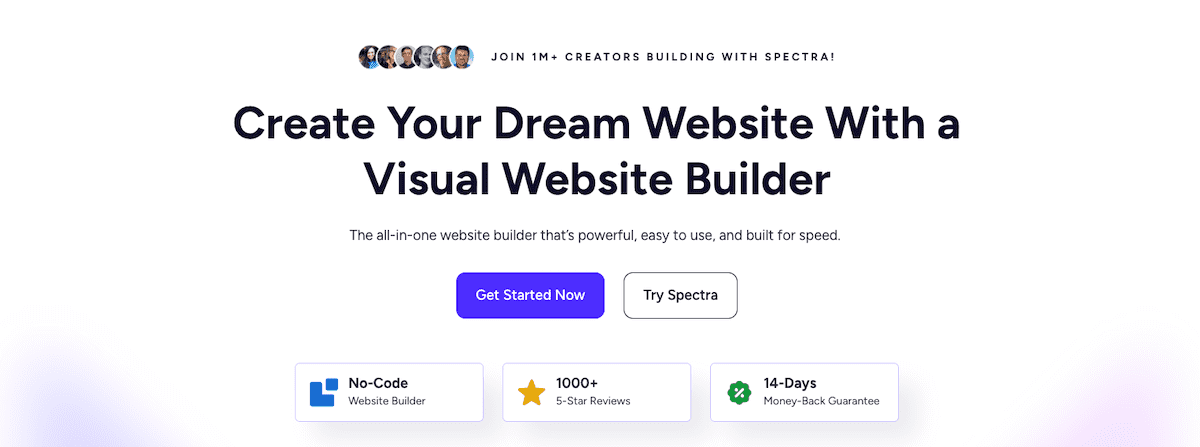
Spectra on a fresh WordPress site feels like a quiet upgrade to the block editor everyone already knows. After activation, it’s clear the plugin skips flashy drag-and-drop tricks or lock-in and enhances Gutenberg with custom blocks and smarter design controls from Brainstorm Force, the team behind Astra and Starter Templates.
Open the editor and the new blocks blend into the interface. Nothing feels crowded. It’s lightweight, and extra scripts don’t weigh down the front end. Asset optimization only loads what’s needed when it’s needed. Performance matters as Google pushes metrics like Largest Contentful Paint (LCP), Cumulative Layout Shift (CLS), and Interaction to Next Paint (INP).
Spectra doesn’t try to replace a page builder. It boosts native WordPress editing while keeping content portable. Disable the plugin and most blocks fall back to simple HTML instead of leaving a mess. That helps teams chasing faster load times without losing design flexibility.
This review looks at how Spectra balances speed with style, where it fits among today’s tools, and what footprint it leaves on a site. Expect a clear view of strengths and places that still need work.
On this page
Core Spectra blocks and tools for the block editor
Spectra packs a useful set of blocks that fit cleanly into the WordPress block editor, from layout basics to marketing pieces. Layout blocks like Container and Grid shape pages with flexible structures. Content blocks such as Heading, Advanced Text, and Image bring strong typography and media controls right where they’re needed. Buttons and Forms drive conversions with clear calls to action. Testimonials and Reviews add social proof with a polished look. Tabs and Accordions make long pages easier to scan and help organize details.
Each block includes focused design controls:
- Spacing: margin and padding use multiple units for precise layouts.
- Flex controls: adjust alignment, direction, and wrapping for responsive designs.
- Typography: fluid type scales across screen sizes, and clamp settings keep text readable.
- Colors: pick palettes or gradients to match branding.
- Borders and shadows: add depth to reinforce hierarchy.
- Responsive visibility: show or hide blocks at specific breakpoints.
There’s more beyond the basics. Spectra speeds up consistency with copy-and-paste styles between blocks. Presets save favorite configurations globally or per block type. Custom CSS at the block level is supported, including CSS variables tied to theme.json. This helps keep styles aligned with the rest of the site.
Interactions add tasteful motion without bloat. Hover and entrance animations are built in, and extra JavaScript loads only when needed. A global switch turns all animations off for a more minimal setup.
Template kits and patterns import directly from Spectra’s library and also appear in WordPress’s native Patterns section. They honor active theme settings by inheriting typography and color tokens, so imported sections blend with the site instead of looking tacked on.
Spectra is one entry in a wider field, and our roundup of the best Gutenberg plugins sets it against Superb Addons, Otter Blocks and CoBlocks.
Spectra performance with real tests and tuning tips
Tests ran in a clean WordPress setup on PHP 8.2+, no caching. The Twenty Twenty‑Six or Astra theme served as the base. A simple landing page was built twice – once with Spectra blocks, once with only core WordPress blocks. The goal was to see how Spectra stacks up against native tools and common page builders for speed and smoothness.
Results held up well. Largest Contentful Paint stayed under 2 seconds on mid‑tier hosting, which meets modern UX targets. Cumulative Layout Shift sat below 0.05, so pages felt steady while loading. Interaction to Next Paint landed under 200 ms with animations off. Turning off motion effects made interactions snappier.
Network inspection showed smart asset loading. Each page requested only a few CSS and JavaScript files, with modest kilobyte totals. Disabling unused blocks in the plugin settings trimmed requests even more and cut payload size per page.
Several switches made measurable gains:
- Combining and minifying assets lowered file counts and nudged load times down.
- Preloading Google Fonts sped up text paint, while swapping to system fonts removed external calls and shaved more milliseconds.
- Tweaking container layouts to reduce DOM depth simplified the HTML and eased rendering.
- Turning off motion effects dropped INP because less JavaScript ran during taps and clicks.
Server‑side output used semantic HTML for each block instead of piling on generic wrappers. Complex layouts did increase DOM size due to nested containers for responsive control. Even so, markup stayed stable, with no meaningful CLS spikes or rendering stalls. The structure balanced flexibility with performance.
Spectra Pro features and pricing explained
Pro adds real dynamic content tools free users miss. It pulls data from post meta, ACF, and Pods, so pages update based on real fields, not hard-coded text. The loop and grid blocks run custom queries to show posts or products in filtered lists or rotating featured sections that update on their own. A popup builder is included, so there’s no extra plugin to manage. Conditional display logic controls visibility by user behavior or device, and advanced design settings keep layouts consistent without hacks.
Among the Pro blocks, Advanced Slider stands out with AJAX loading for smooth slide changes and keyboard navigation that keeps accessibility in focus. Modal/Popup offers precise trigger and animation control plus ARIA attributes for screen readers. Off-canvas menus slide in from any side with adjustable overlays and proper focus management, so keyboard users don’t lose their place. Form upgrades add AJAX submission to avoid page reloads and add spam protection options inside a simple interface.
Licensing stays flexible with annual or lifetime options based on budget and commitment. One license covers multiple sites, which fits freelancers and agencies with many projects, and it includes updates and premium support during the term. A refund window reduces risk if it’s not a match. For Astra customers, Pro is bundled in Growth and Business plans to keep tools in one place.
On price, Pro competes with Elementor Pro and GenerateBlocks Pro when measured per site. It remains competitive for a single site or large fleets. Renewals might rise a bit, though loyalty discounts often offset the jump.
Upgrading makes sense in scenarios like these:
- Membership sites needing dynamic loops that refresh content without manual edits.
- Agencies standardizing template kits across many client sites for consistency and speed.
- Marketers who want built-in popups tied to the editor instead of separate plugins.
Is Spectra the right block builder for your WordPress site?
Spectra works well with block themes and Astra, so it suits sites that rely on WordPress full-site editing. It reads global styles from theme.json, which means colors and fonts carry into Spectra blocks without extra setup. Some quirks show up in FSE templates, headers, and footers, and those areas may need manual tweaks to keep layouts consistent.
Content-heavy sites benefit the most. It loads fast and keeps designs clean, which fits small businesses focused on lead generation. Developers who want native WordPress blocks with dynamic content value Spectra for avoiding heavy page builders while still offering strong tools.
There are limits. Deeply nested layouts add wrappers and increase DOM size, which can slow pages. The popup builder handles essentials but lacks the advanced triggers and targeting found in dedicated tools. Animations look nice, yet overuse can hurt interaction latency (INP), so use them sparingly.
The contrast with Elementor is clear. Elementor offers a rich visual editor, a large widget set, and a full theme builder, but heavier assets lead to slower loads. Spectra stays close to core WordPress, produces cleaner markup, and loads fewer scripts, which helps portability and performance.
Want a quick way to decide? Install Spectra from the WordPress repository on a staging site. Build sample pages with its template kits and patterns. Run PageSpeed Insights or Lighthouse and compare Core Web Vitals with the current setup. Real tests on a staging copy make the choice straightforward before updating the live site.


Leave a Reply