
Elementor offers a visual editor with precise layout control for all screen sizes and a huge template library. Spectra builds on Gutenberg, keeps the editor familiar, and focuses on speed.
The goal here isn’t a winner-takes-all verdict. It’s about fit. Bloggers, local businesses, WooCommerce stores, and agencies will weigh features differently. Elementor stands out for design flexibility and ready-made layouts. Spectra keeps things lean and close to WordPress, avoids heavy setups, and stays fast.
You will get practical details backed by data: ease of use, depth of customization, performance numbers, and pricing from free plans to paid options like Elementor at $4.99 per month and Spectra Pro at $49 per year. The aim is simple – Clear guidance for different budgets and site types. Skip the hype and pick the builder that matches how your site should be created.
How the Spectra plugin and Elementor work in WordPress
Spectra feels like an add-on to the WordPress block editor. It drops in new blocks, presets, and design controls right inside Gutenberg. Core features such as Revisions and List View still work. No separate canvas, no shortcodes, and no awkward handoffs. Everything stays in one place.
Elementor replaces the editor with its own visual builder. It’s a live, drag-and-drop interface with lots of widgets and layout tools for detailed designs without code. Content lives as structured data and needs Elementor to render on the frontend. That adds some load but enables complex layouts.
AI tools land differently. Spectra puts prompts and layout ideas straight into the Gutenberg sidebar so it feels native to the editor. Elementor sells an AI add-on that handles text, code help, and image generation inside its builder.
Getting started depends on the user’s background. Anyone familiar with the block editor will settle into Spectra fast. People coming from Webflow or Wix often click with Elementor right away.
Migration is where the split gets bigger. Spectra relies on core WordPress blocks, which makes theme changes and plugin removal safer. Content stays intact. Elementor’s custom widgets and styling connect the site more tightly to its system, so moving away later may require cleanup.
- Learning curve:
- Spectra: Smooth for Gutenberg users
- Elementor: Natural fit for visual builder users
- Migration risks:
- Spectra: Low lock-in due to core WordPress blocks
- Elementor: Higher lock-in from unique widget dependencies
A free alternative to Spectra worth knowing
Before going deeper into Spectra and Elementor, it’s worth mentioning another option that many Gutenberg users overlook: Superb Addons.
Superb Addons is a free WordPress plugin that expands the block editor with additional layout blocks, design controls, and ready-made patterns. Much like Spectra, it builds directly on top of Gutenberg rather than replacing it with a separate visual builder.
The difference is that Superb Addons focuses even more on simplicity and performance. The plugin keeps the block editor lightweight while adding practical tools such as advanced containers, flexible layout blocks, content sections, and design elements that normally require heavier page builders.
For site owners who want extra design flexibility inside Gutenberg without paying for premium blocks, Superb Addons can be an attractive option. Many users choose it because it stays close to WordPress core, keeps page speed strong, and adds useful blocks without introducing unnecessary complexity.
In other words, if your goal is to extend Gutenberg with additional building blocks while keeping your site fast and easy to maintain, Superb Addons is a solid free alternative to Spectra.
Which is easier to use, Spectra or Elementor?
Editing in Spectra feels natural because it sticks with the standard Gutenberg sidebar and toolbar. Users stay in one editor instead of bouncing between screens, which keeps work focused. Teams already comfortable in WordPress pick it up fast, and the consistent layout lowers mental load during task switches.
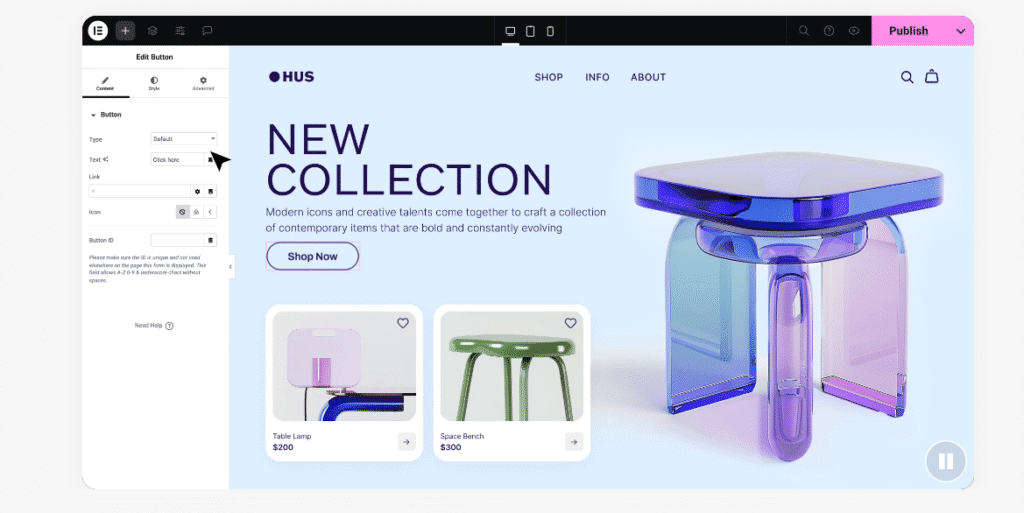
Elementor runs its own editor outside the native WordPress interface. It shows live visual changes with true drag-and-drop on the page. Beginners see exactly what a tweak looks like as they make it, so layout adjustments move fast.
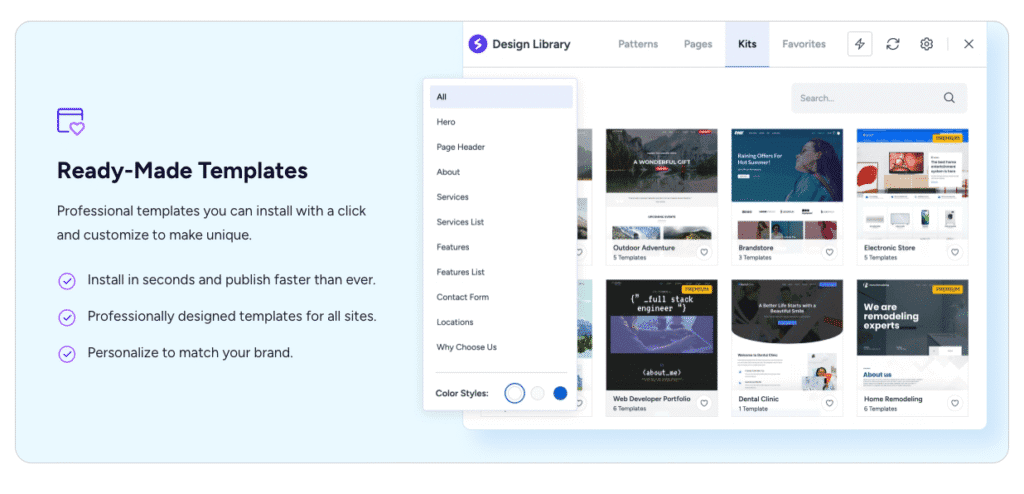
Template libraries work well in both tools, but in different ways. Spectra connects with the Starter Templates library, often paired with the Astra theme, and imports complete site designs straight into Gutenberg with one click. It’s a quick way to launch simple sites.
Elementor includes a huge library of templates and blocks, plus full website kits inside the builder. Users explore options without leaving the editor, which speeds up design experiments.
Global design controls aren’t the same across the two. Spectra uses WordPress Global Styles through theme.json, so styles follow the active theme across blocks. Elementor offers a separate Global Settings panel for colors, fonts, and spacing. It provides granular control, though it adds another layer to manage.
Role-based editing matters for agencies or teams with many contributors. Elementor offers detailed permissions inside its editor, including the option to lock specific widgets or sections. Spectra depends on default WordPress roles and capabilities. It’s fine for most sites, but lacks the tighter restrictions needed on complex builds.
Inline adjustments shape day-to-day speed. Elementor has on-canvas handles for padding and margins, so spacing changes feel instant during design sessions. Spectra routes most tweaks through sidebars or presets instead of visual dragging, which slows quick styling passes if hands-on controls are preferred.
Publishing speed often favors Spectra for simple posts and content updates. It uses the default WordPress editor, so content goes live without extra handoffs between systems.
Ease of use: Spectra vs Elementor shows a clear split. Spectra fits teams who want native WordPress flow and fast publishing. Elementor suits users who want visual controls, rich templates, and tighter role permissions inside one builder.
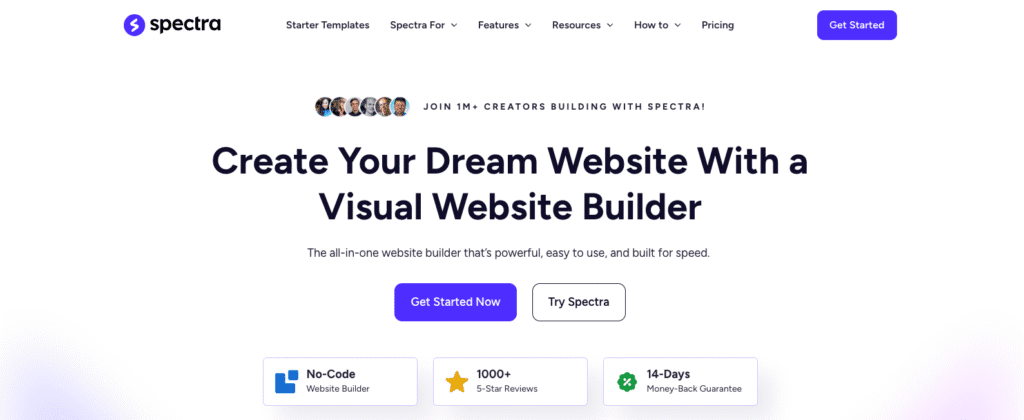
Spectra customization and Elementor design depth
Spectra adds advanced blocks to Gutenberg. Containers, grids, forms, sliders, and Lottie animations expand what the editor can do while keeping the native block feel. Containers help create flexible sections with familiar controls, so layouts stay consistent with WordPress.
Elementor goes further with layout control. Nested containers support absolute positioning anywhere on the page. Designers can stack elements, add motion effects, and shape dividers for decorative section edges. Custom CSS on each widget or section gives precise control down to tiny details.
Theme building differs in a big way. Elementor Pro includes a visual Theme Builder for headers, footers, single posts, and archives in one place without code. Spectra follows WordPress Full Site Editing inside the Site Editor with block themes. Results depend on theme support, and it feels less like a standalone builder feature.
Dynamic content works smoothly in Elementor Pro through integrations with ACF, Pods, and similar tools. Fields bind directly to widgets for titles, prices, images, and more. Spectra supports dynamic data with core Query blocks and compatible plugins, though field-to-block binding in the UI isn’t as direct.
WooCommerce shows a clear split. Elementor Pro offers Woo-focused widgets plus shop and product templates inside the builder for fast store setup. Spectra improves default Woo blocks but leaves deeper store layout control to the theme or the Site Editor.
Elementor sets per-device tweaks, custom breakpoints, and visibility by screen size for strong mobile layouts. Spectra follows Gutenberg’s responsive model with presets, without separate breakpoint controls.
Design systems take different paths. Spectra uses theme.json tokens so spacing and typography match the active block theme across the site. Elementor uses its own token system managed inside its panel, separate from WordPress standards.
Code access matters to some teams. Elementor Pro supports custom CSS and JS at widget, section, and page levels for tailored behavior beyond the UI. Spectra relies on theme-level Additional CSS or external tools rather than built-in code editors inside the plugin.
Spectra performance vs Elementor for page speed
Building on Gutenberg blocks keeps Spectra’s frontend lean. It extends core blocks instead of replacing them, so less JavaScript and CSS get sent to the browser. Elementor’s widget system often loads extra CSS and JS for each feature or design detail. Updates like Optimize DOM Output reduce some weight, but the runtime still adds overhead.
For Core Web Vitals, especially Largest Contentful Paint (LCP) and Cumulative Layout Shift (CLS), Spectra tends to score well with a solid block theme and a good cache. Elementor reaches green too with careful tuning, though its widgets raise the risk of slower paints and layout movement.
HTTP requests reveal more. Spectra relies on theme assets and core WordPress styles, which keeps requests lower. Elementor adds stylesheets for many widgets unless features like Improved Asset Loading are enabled to bundle assets.
DOM size shows a clear split. Elementor’s nested sections inflate node counts, which can slow rendering on complex pages. Spectra’s containers follow Gutenberg’s simpler markup, so HTML stays cleaner and lighter.
Both benefit from strong optimization stacks such as WP Rocket or LiteSpeed Cache and a CDN. Spectra usually needs fewer cache rule exceptions because its assets are simpler to manage.
Hosting affects outcomes. On shared servers with tight resources, Spectra’s lighter output produces faster interactions and a snappier response. On managed hosts with powerful caching, the gap narrows and both perform well under ideal settings.
Real tests give answers for Spectra performance and page speed vs Elementor. Use Lighthouse and WebPageTest together with field data like the Chrome User Experience Report (CrUX). Track:
- Total page load time
- Number of HTTP requests
- LCP and CLS
- DOM node count
- JavaScript and CSS payload sizes
Results vary with theme choice, plugin stacks, and real content, not just defaults or demos.
WordPress Spectra features and Elementor ecosystem
Astra’s creators, Brainstorm Force, also build Spectra. Pair Spectra with Astra and its Starter Templates and the setup feels natural. Design styles match, template imports work cleanly, and site building moves faster. Spectra extends Gutenberg, so it fits with block themes and core tools like Patterns and the Site Editor. It works with WordPress instead of swapping parts out, which keeps compatibility steady.
Elementor goes wide with a huge third‑party widget market. Add-ons like Crocoblock or PowerPack stretch what it can do far past basic widgets. The tradeoff is more add-ons, more moving parts, and more chances for complexity.
AI plays a role in both. Spectra puts AI helpers in the Gutenberg sidebar, tuned for blocks and content prompts that feel native to editors already working in blocks. Elementor AI covers more ground in one place: text, code help, and image creation for visual designers who want more than layout guidance.
Accessibility matters for both. Each offers templates built with accessibility-ready practices. Results still depend on how authors write and structure content because these tools are frameworks, not guarantees. Spectra extends core blocks that follow WordPress accessibility guidelines, so it starts with a strong base.
Multilingual workflows are smooth either way. Popular translation plugins like WPML, Polylang, and TranslatePress work with both. Elementor needs translations shaped for widget content inside its templates. Gutenberg blocks, and by extension Spectra, line up with core translation flows, which makes multilingual management straightforward.
Version history differs. Elementor includes a built-in rollback for plugin versions, so reversions after updates happen in the plugin UI. Spectra leans on WordPress revisions and normal plugin versioning to preserve history without extra tooling.
Maintenance risk diverges over time. Spectra’s tight link with core lowers the chance of breakage during major WordPress releases because it builds on familiar foundations. Elementor’s layered scripts and custom widgets mean teams should run careful regression tests after big updates to catch surprises early.
These WordPress Spectra features and benefits appeal to builders who want block-native workflows, steady compatibility, and a lighter maintenance path, while Elementor suits teams that need a larger add-on catalog and broader AI creation tools.
Spectra pricing and value versus Elementor plans
Spectra Pro starts at $49 per year. It targets site owners who want more blocks and templates without spending much. The refund window runs 14 days, which pushes quick testing but still offers some peace of mind. Elementor starts a bit higher at $4.99 per month when billed yearly (about $59.88 per year) for the Essential plan, then jumps to $16.99 per month ($203.88 per year) for Expert-level features aimed at agencies and power users. Elementor also offers a 30‑day refund period, double Spectra’s window, which gives more time to decide.
Both builders ship free versions with different value. Spectra Free upgrades the native Gutenberg experience with extra blocks that feel integrated and work well for simple sites. Elementor’s free version is lighter. It skips advanced widgets and doesn’t include Theme Builder, so serious customization needs a paid plan.
Licensing affects total cost. Elementor tiers cap the number of sites per license, from single‑site Essential to multi‑site Expert. Spectra Pro often costs less across several sites, which appeals to solo developers or small shops running a handful of client sites without stacking fees.
Hidden costs depend on the stack. Elementor Pro bundles forms, popups, and theme building, so extra plugins may not be needed even with the higher upfront price. Spectra stays lean, but complex forms or marketing tools may require additional plugins to fill gaps.
Agencies weighing budgets see different paths. An Elementor Expert license plus add‑on packs can top $200 per year per user or site combo while keeping tools in one place. Pairing Spectra with Astra Pro and a reliable block theme can lower overall spend, though it means stitching together separate pieces.
Refund policies matter beyond price. Elementor’s 30‑day window reduces pressure during evaluation compared to Spectra’s 14 days. Testing on a staging site before committing makes sense for both.
A common path works well: start with the free plans on a staging site, then upgrade only when specific features are needed. Theme Builder from Elementor or premium blocks and templates from Spectra Pro deliver value at the moment they’re required, not before.
Key price points:
- Spectra Pro: $49/year with 14-day refund
- Elementor Essential: $4.99/month billed yearly (~$60/year), 30-day refund
- Elementor Expert: $16.99/month billed yearly (~$204/year), 30-day refund
Best use cases when to choose Spectra or Elementor
Speed and simplicity favor Spectra for content-heavy sites like blogs, docs, or news portals. WordPress-native editing keeps pages lean and fast, so readers get quick access.
When pixel-precise layouts and visual flair take priority – Animated hero sections, layered landing pages, subtle motion – Elementor is the better fit. Designers get deep control over styling to make pages stand out.
For WooCommerce, Spectra with block themes works well for straightforward catalogs that load fast. Stores that need custom product pages or complex shop layouts benefit from Elementor Pro’s widgets and templates, which open up more design options.
Agencies with many clients often favor Elementor for its template library and permission controls, which speed up landing page work while limiting risky edits. Teams running large content libraries lean toward Spectra to lower maintenance and reduce update headaches.
Teams with limited tech comfort level stick with Spectra because it matches the standard WordPress editor. Training stays simple since the interface feels familiar.
When conversions drive the plan – A/B tests or CRO – Elementor’s built-in popups and quick visual tweaks help teams experiment faster. Spectra users pair native patterns with third-party testing tools to reach similar goals, just not in one place.
For long-term scale, Spectra’s lighter output helps preserve Core Web Vitals as content grows. Elementor needs disciplined design systems to keep performance steady on complex layouts.
Planning for future theme changes? Spectra’s reliance on core blocks makes switching themes easier, which protects flexibility. Elementor ties design closer to the builder, but speeds up polished first releases.
In short:
- Fast content publishing and simple workflows: Spectra
- Detailed design control and interactive effects: Elementor
Final verdict and next steps
Picking between Spectra and Elementor depends on the site’s goals. For fast load times, a simple workflow, and an editor that stays close to WordPress, Spectra fits well for content-heavy, SEO-focused sites. Lean code and tight theme integration, especially with Astra, reduce long-term headaches and make theme changes easier. For pixel-precise design, Theme Builder templates, and animated marketing layouts, Elementor Pro stands out with its large template library and fine-grained controls.
Test both on a staging site before committing. Clone a key page twice. Rebuild one with Spectra blocks in Gutenberg. Recreate the other in Elementor. Compare LCP, CLS, total page weight, number of HTTP requests, and how fast non-technical editors publish updates. Real measurements beat specs and opinions.
Budget matters too. Spectra Pro is $49 per year. Elementor Essential starts at about $60 per year, and higher tiers reach about $204 per year for advanced features. Pairing either with Astra gives a solid base. Spectra ties closely to Astra, while Elementor remains neutral and still runs well. For WooCommerce product templates or dynamic motion, add Elementor Pro to the shortlist. For most standard needs, Spectra Free or Pro covers a lot.
Back up the full site before testing. After 30 days of live use, review results on real pages, not demos. Choose the builder that proves itself in everyday work. For readers comparing options, an Elementor review and key features checklist plus a clear look at Elementor pricing and licensing options will help frame total cost and fit over time.
Leave a Reply