
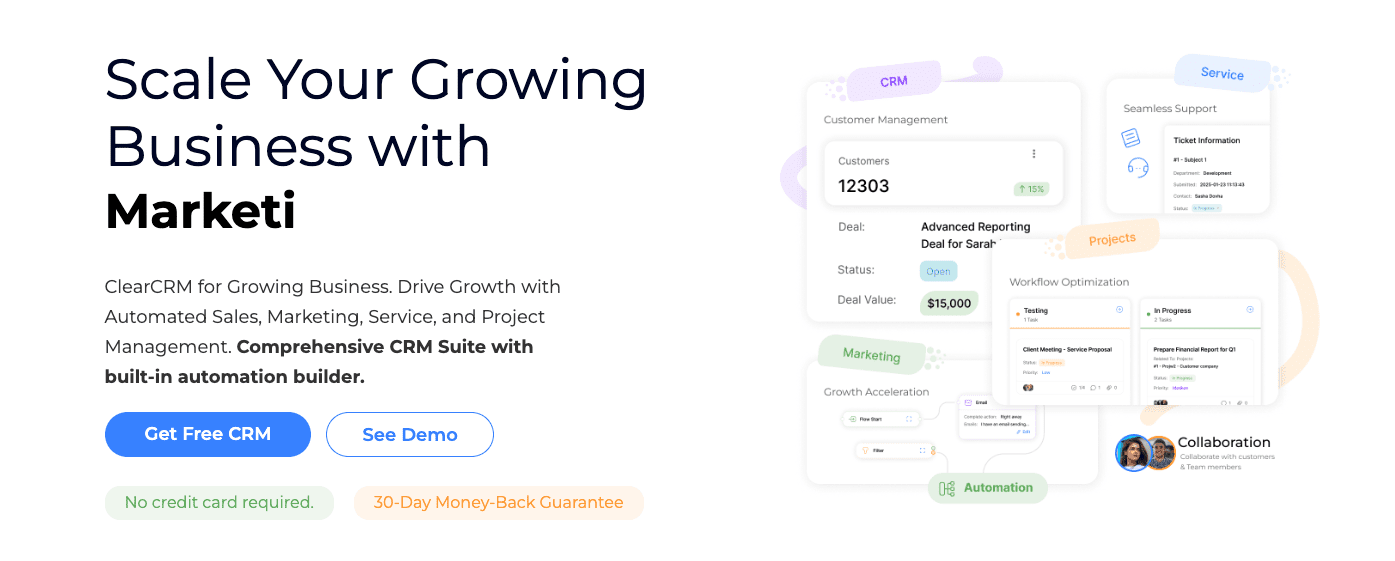
ClearCRM pulls sales, marketing, projects, customer service, and a client portal into one place. One login, shared data, fewer gaps. It targets teams of 5 to 200 who want everyone working from the same system instead of bouncing between apps that don’t sync.
It covers contacts and deals, email campaigns, workflow automation, support tickets, internal and client chat, plus knowledge bases. All in one subscription. It won’t go as deep as specialist tools for advanced marketing attribution or complex configure-price-quote setups, but it focuses on keeping operations tight and reducing integration work.
This review looks at ClearCRM for small businesses that are tired of stitching tools together and want unified permissions and reporting with lower overhead. The findings come from hands-on testing in its sandbox, vendor demos, and public docs, with outside viewpoints added for context. Any affiliate ties will be disclosed up front so readers know the relationship.
ClearCRM pricing and plans explained with real costs
ClearCRM pricing uses a simple seat model. Each user needs a license, and the price per seat depends on the tier. The entry plan covers sales pipelines, contact management, and basic email campaigns. Mid-tier adds marketing automation, project tracking, and customer service with support tickets. The top tier includes advanced workflows, client portals for external access, and priority support.
Add-ons raise the bill beyond seats. Extra storage helps when files grow or teams want longer data history. SMS credits are separate, since texting has carrier costs. API access may be an add-on if custom integrations go beyond what’s built in.
Billing runs monthly or annually. Paying yearly saves around 15%, and helps steady teams budget. There’s usually a seat minimum, often five, to make the pricing structure work. Heavy email senders or frequent automations may see overage fees tied to usage rather than sudden spikes.
A 5-user mid-tier setup starts with the base price times five seats, then adds common extras like higher email volume and more storage. The total often lands near $350 per month. A 25-user group costs more but may get bulk seat discounts. Adding phone credits for outreach can push totals toward $1,500 monthly, depending on activity.
Data caps differ by tier. Lower plans limit active pipelines or landing pages, while upper tiers loosen those limits or remove them. Knowledge bases may be restricted too. Smaller plans get fewer sites, and enterprise options can offer unlimited repositories.
Plan changes are flexible, but commitment terms matter. ClearCRM offers a roughly two-week free trial so teams can test without risk. Refunds exist, though policies usually allow partial returns only during early cancellation windows, not full refunds after extended use. Data export works in CSV or JSON, which makes moving off the platform easier later.
Downgrades aren’t always prorated. Moving down may wait until the next billing cycle so changes apply cleanly without losing prepaid amounts.
Core features and benefits you can use on day one
ClearCRM centers everything on a few core objects that fit together neatly. Accounts are companies or organizations, and Contacts are the people tied to those accounts. Leads capture prospects before they’re ready to become full contacts, while Deals track sales opportunities linked to leads or contacts. Quotes and Invoices follow from deals, moving teams from proposal to payment without bouncing between tools. Projects and Tasks keep internal work on track, often linked to clients or deals for context. Support Tickets handle customer issues and can connect to Articles in the knowledge base for quick answers that cut down repetitive questions. Assets and Documents store files tied to any record, so important materials stay easy to find.
From day one, common workflows support clear handoffs between stages. A lead submitted through a web form lands in the system ready for follow-up. Once qualified, it converts into a deal that moves through pipeline stages until an invoice goes out, all in one platform. On the support side, tickets route to agents’ queues with direct access to relevant knowledge articles, which speeds up resolutions without switching apps. Project templates help teams onboard new clients or launch campaigns by preloading tasks and timelines for typical scenarios.
A shared timeline per contact is a major advantage. Emails, calls logged as tasks, open tickets awaiting resolution, and invoices appear in chronological order in one view. Less window switching, less digging across systems, and a clearer picture of each relationship. There’s also unified search across every module, so finding information doesn’t mean guessing where it lives.
Built-in templates save setup work early on. Email sequences nurture prospects over time. Landing pages collect new leads fast. Quote designs standardize proposals. Project boards show progress at a glance.
Reporting hits the essentials with dashboards for pipeline health, revenue trends, campaign performance, and service level agreement (SLA) metrics to keep support responsive. Exports are included as CSV downloads for deeper analysis outside ClearCRM, while scheduled email reports keep stakeholders updated on a regular cadence.
AI tools in ClearCRM for writing help, routing, and forecasts
ClearCRM’s AI makes routine work lighter. It drafts emails with details from records and recent conversations, so teams don’t start from a blank page. After calls or meetings, it turns transcripts into clean summaries that catch the main points. Support tickets route themselves to the right queue, which speeds up replies. Deals get timely nudges with suggested next steps, so sales reps move faster and avoid guesswork.
Data access stays scoped. The system reads specific fields and recent emails linked to contacts or deals, and it skips anything marked sensitive when those fields are excluded. Teams also get clarity on third‑party language models. If those are in use, there’s an opt‑out to keep certain data out of those systems.
The payoffs show up in daily metrics. First responses on support tickets drop because suggested answers pull from past cases and the knowledge base. Proposals come together faster when product details and prices auto‑fill drafts instead of waiting for someone to dig up numbers. Notes from calls convert into follow‑up tasks right away, so projects don’t stall.
Customization makes the output fit. Teams set custom prompts and tone profiles, so messages match their audience, whether formal or casual. AI templates help with email sequences and knowledge base articles that mirror company style.
It’s not flawless. Accuracy depends on context, and quotes or contracts still need a review before sending since errors carry real costs. Every AI action gets logged, so managers can audit what was generated or changed at any time.
Client portal and self‑service that give customers one place to help themselves
ClearCRM’s client portal gives customers control. They handle routine tasks without waiting on support. Quotes and invoices are easy to view, approve, and pay. Project milestones are visible as work moves forward. Support tickets get submitted and tracked in the same place. Shared files and a useful knowledge base reduce email back-and-forth.
Access stays tightly managed so each customer only sees what’s meant for them. Permissions apply to individual contacts or whole companies. File-level sharing protects sensitive documents. Expiring links add extra safety by disappearing after a set time.
Branding options help the portal feel like a company’s own space. Custom domains or subdomains keep it familiar. Logos and colors match the brand. Email templates align with company style, and language settings reach different audiences in their preferred language.
Security stays front and center. SSO with SAML keeps logins secure. Multi-factor authentication adds another layer. Data is encrypted in transit and at rest. Session timeouts lower risk if someone leaves a device unattended.
ClearCRM also promotes self-service to reduce ticket volume. Put a portal link in email footers so it’s always within reach. Create accounts automatically when someone submits a first ticket to remove signup friction. Publish top help articles on the portal homepage so common questions get quick answers without direct contact.
ClearCRM for healthcare and HIPAA compliance made practical
ClearCRM supports healthcare teams with Business Associate Agreements (BAAs) that include messaging, file storage, and ticketing. The platform commits to careful handling of protected health information (PHI) under HIPAA. Healthcare providers get a system designed to meet legal standards and keep sensitive data protected.
Admins see detailed audit trails, with changes tracked down to individual fields. Every update is recorded and reviewable. Login activity shows who signed in and when. File access logs capture views and downloads, and exports are recorded too. Compliance officers get a clear view of data movement in ClearCRM without specialized technical training.
PHI controls focus on least-access principles. Role-based permissions limit visibility so only authorized staff view sensitive information. Record masking hides details when needed, adding privacy inside the app. Some channels, like SMS, stay off-limits for PHI due to security risk. Secure file sharing covers safe delivery to patients or partners without exposing data in open channels.
Organizations pick data residency from multiple regions to match local laws or internal policy. Backups run on a regular schedule with retention policies to protect information over time. Disaster recovery aims for fast restore times and low data loss if something fails, with targets based on service level agreements.
Operational safeguards match common security practice. Multi-factor authentication blocks unauthorized access. Idle session timeouts lower risk on unattended devices. Device management guidance supports IT with endpoint security. Breach notification timelines follow public policy so teams receive prompt alerts if an incident occurs.
These safeguards work together to support healthcare compliance and protect patient information while keeping day-to-day work efficient.
How ClearCRM compares to similar CRM software and when to choose each
Choosing between ClearCRM and other CRMs comes down to how well it blends wide coverage with a straightforward setup. It brings sales pipelines, marketing emails, support tickets, projects, and a client portal into one place. Many point tools go deep in a single area, while larger suites like HubSpot and Zoho lean on big app marketplaces that often need extra add-ons to fill gaps.
Cost for a 10-person team shows the appeal. One subscription covers the CRM, email marketing, and ticketing. Paying separate vendors for each tool adds up fast. ClearCRM keeps the stack lean and usually trims the monthly bill. If teams need advanced marketing attribution or complex configure‑price‑quote workflows, specialist tools may be worth the higher price.
Speed matters too. Teams often get pipelines, email domains, and the client portal live within days. Some rivals bring in consultants, which helps but adds cost and slows the rollout. Fewer external integrations mean fewer break points and less maintenance.
The trade-off is depth versus convenience. Rivals might offer bigger app stores or niche features such as AI lead scoring add-ons or field technician dispatch. Those extras add moving parts and longer training.
ClearCRM suits groups that want one login, shared data across sales, marketing, and support, and a branded portal for customers to self-serve. On the other hand:
- Marketers chasing granular campaign analytics may prefer HubSpot’s automation stack.
- Teams that need highly customizable CPQ or field service scheduling might lean to Monday Sales CRM or Zoho.
The decision hinges on whether broad coverage with less fuss beats stitching together specialized power across multiple apps.
Migration playbook to move from your current CRM without losing data
Switching to ClearCRM feels like a big leap. Breaking it into simple steps makes it easier.
Start by exporting current CRM data in CSV or JSON. List the fields that matter most: contacts, deals, activities, products, invoices. Align names and formats so fields match one-to-one. Plan for duplicates early. Clean records before import to avoid messy merges later.
Roll out in phases. Begin with the sales pipeline and email campaigns. Get those stable, then add support tickets and the client portal after two sprints. Use a sandbox if it’s available. Test automations there so real workflows aren’t disrupted.
Run quality checks during migration. Spot-check about 50 records per object type to confirm values, relationships, and dates are intact. Set up SPF, DKIM, and DMARC for sending domains to protect deliverability from day one. Review file permissions right after import so sensitive documents stay in the right places.
Change management matters as much as data. Build role-based training. Sales covers pipelines and quotes. Support learns ticket flows. Finance masters invoicing. Define success metrics up front: time to first quote, first-response time for support, pipeline hygiene. Keep these metrics visible.
Don’t shut down the old CRM right away. Keep it read-only for 60 to 90 days while teams adjust. Schedule nightly backups during cutover windows in case issues pop up mid-migration. Track API limits during bulk imports to prevent throttling and stalled jobs.
Hands-on testing with real records shows fit fast and reduces surprises around cost or compliance before full rollout. If a pilot runs within a team, By Solopreneurs welcomes results and lessons learned. Sharing feedback or case studies helps others and strengthens trust in this all-in-one CRM.
Leave a Reply