
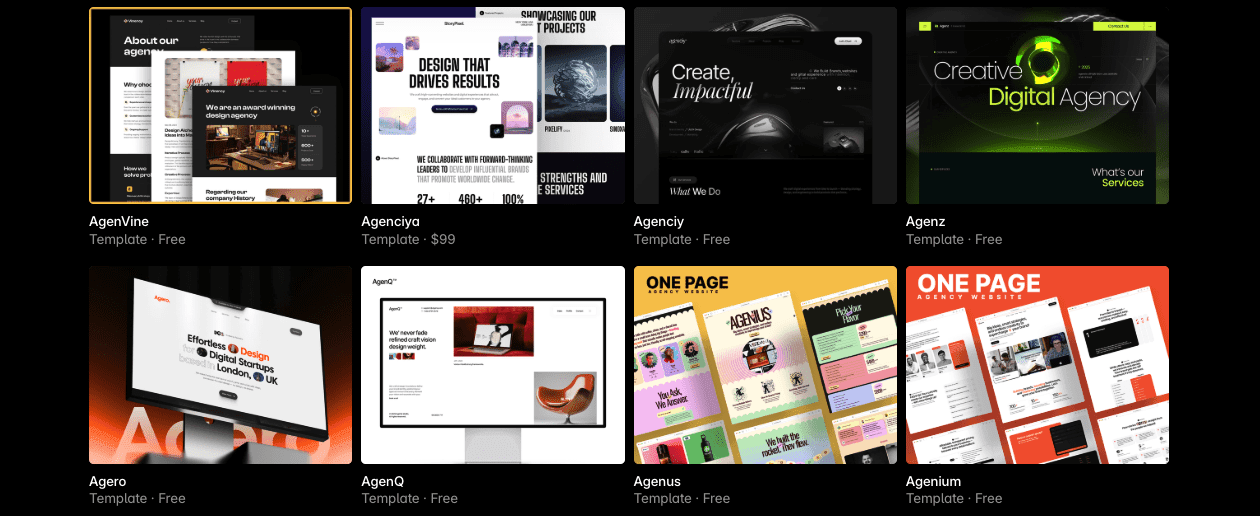
Agency owners planning a new client-acquisition site with Framer templates face a straightforward choice: which template fits their current goals and workflow. Agenciya, AgenVine, and Agenciy all deliver a professional site quickly. The difference shows up in case study storytelling, CMS depth, and how smoothly teams can manage content through the site.
Agenciya costs $99 and promises richer case study layouts, deeper CMS structure, and more team-friendly features. The free options work well for a lean launch, but they handle content blocks and responsive layout in simpler ways. Framer hosting is a separate cost billed per site.
The decision depends on having clear service pages, strong case studies that prove outcomes, and room to grow as your team expands. Agencies building early traction may prefer a free template to publish sooner. Established shops ready to scale with polished case studies may find Agenciya worth the upfront investment.
Here’s a quick way to decide in under ten minutes: weigh each template’s strengths against your current stage, the depth of your case study needs, and how much CMS structure your team will actually use.
Side-by-side evaluation of Agenciya, AgenVine, and Agenciy for agency needs
Choosing a Framer template comes down to design polish, content structure, and how the team will keep the site updated month after month. A side‑by‑side view makes the tradeoffs clear.
| Template | Design Credibility Signals | Services/Offer Structure | Customization Depth | Price-to-Value Verdict |
|---|---|---|---|---|
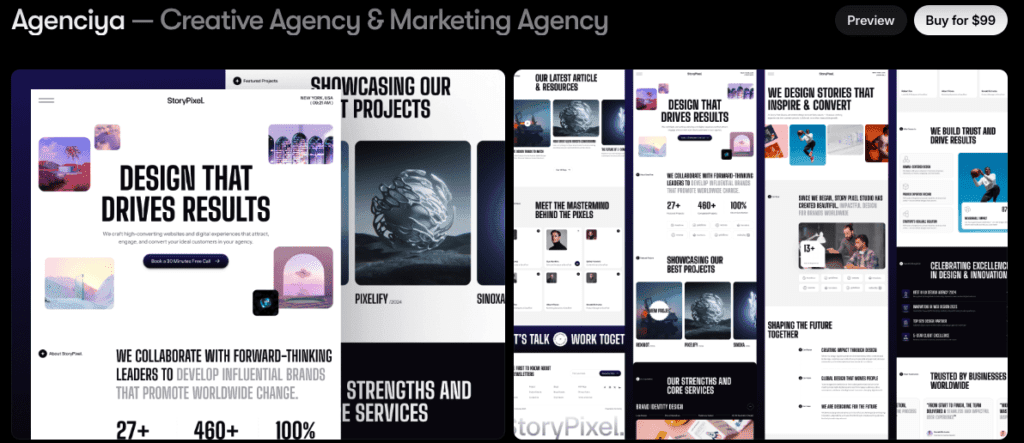
| Agenciya ($99) | Strong visual hierarchy with bold hero sections and a clear typography scale, trust modules with logos and testimonials, smooth motion pacing with subtle microinteractions, balanced whitespace for a polished look. | Clear pricing tables with package options, process and outcome storytelling supported, multiple CTA types including consult booking embedded in forms. | High customization through drag‑and‑drop, code overrides available. | Worth it for agencies that need polished presentation and scalable workflows. |
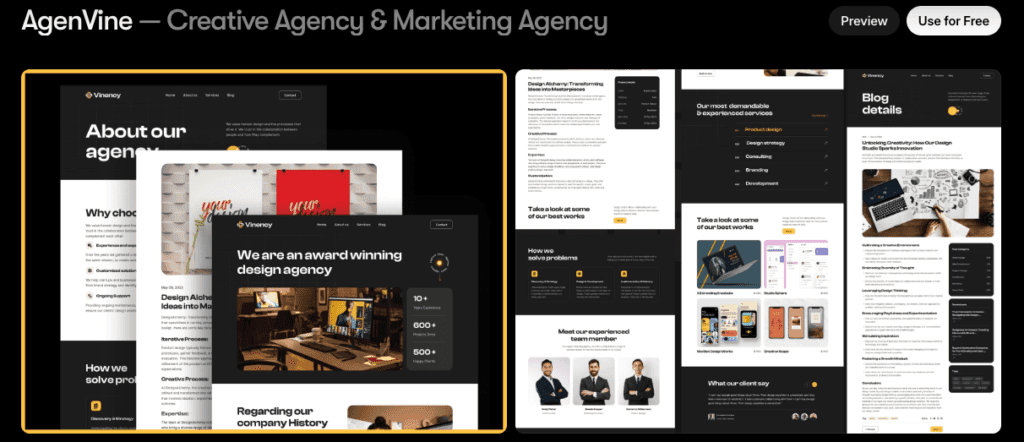
| AgenVine (Free) | Moderate visual hierarchy with simpler hero density and a basic typography scale, limited trust elements with mostly static logos, minimal motion effects with clean whitespace. | Basic service descriptions without pricing clarity, fewer CTAs focused on primary buttons, contact forms are straightforward with no calendar embeds. | Moderate customization via preset blocks without advanced overrides. | Good starting point if budget is tight, but lacks depth for scaling agency needs. |
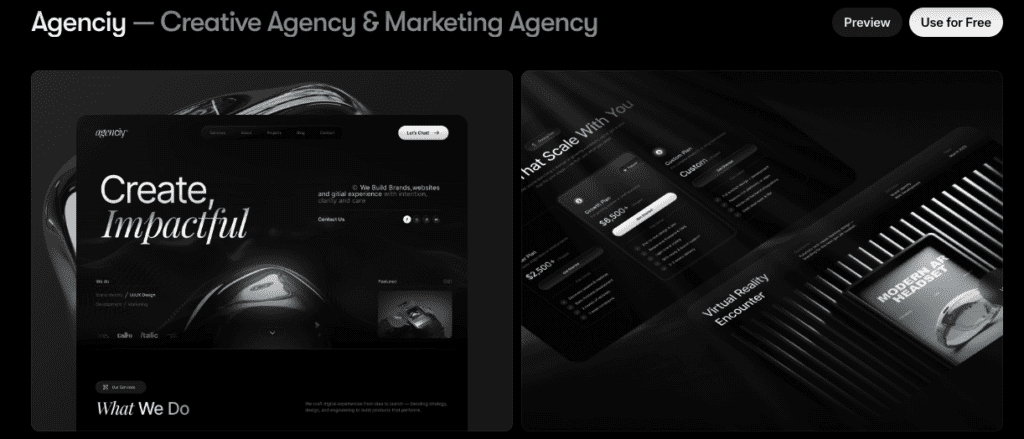
| Agenciy (Free) | Clean layout focused on simplicity with a moderate typography scale, some testimonial spots included but less prominent than Agenciya, sparse microinteractions with steady animation pacing. | Service pages outline offerings clearly but lack pricing tables or outcome focus, CTAs offer limited variety with softer prompts instead of direct bookings. | Decent customization within block limits, less flexible than paid alternatives. | Good free choice when ease matters more than complexity, not ideal as a long‑term investment. |
Agenciya blends sharp design with a solid CMS and clear publishing workflows, so agencies can add pages, case studies, and authors without friction. AgenVine works as a free launchpad if budget comes first and lighter features are acceptable. Agenciy keeps things tidy at no cost, though constraints show up fast as content and team needs grow.
Deep dives into credibility, services, and case study support by template
Agenciya opens with sharp hero sections that make the site look polished from the first scroll. Testimonial and logo carousels add real social proof without crowding the page. Case studies use repeatable blocks to keep layout and style consistent across projects. It also supports metrics modules for before-and-after KPIs and bold pull quotes that spotlight client praise where it matters. The result is clear stories backed by data and feedback. Services are easy to tune, since titles and icons sit in tidy content blocks. Pricing tables come prebuilt, though custom layouts take manual edits.
AgenVine keeps a clean landing page style built for quick launches. It doesn’t include deep case study templates, but it leaves space to build problem, approach, and results layouts as needed. Metrics go in by hand unless a CMS is wired up first, which suits smaller portfolios with fewer projects. Services pages need some manual edits too, since changing steps and copy isn’t drag-and-drop. Pricing sections aren’t included and need to be assembled from basic blocks or custom parts.
Agenciy takes a minimalist route, so pages load fast and type stays crisp. The portfolio grid often supports filters or tags, letting teams group work by brand, web, or performance without cloning pages. It’s an organized way to grow a modest portfolio. Service pages stay straightforward. Editing preset blocks handles name and icon changes, with a bit less flexibility than premium options. Pricing tables don’t come ready-made and are built from smaller sections, which adds setup time but keeps the template lean.
What you will customize in Framer after installing a template
Most Framer templates don’t drop in perfectly. Time depends on how much gets changed. With a well-made template that’s close to final, agencies usually spend 6 to 12 hours swapping colors, adjusting fonts, and updating content. Reworking case study layouts or setting up new CMS collections pushes it to 12 to 20 hours or more.
Quick checklist many teams hit first:
- Adjust brand tokens, update colors and type scale to match the identity
- Customize CTA styles so buttons feel on-brand and inviting
- Rewrite services copy for clarity and impact
- Fine-tune process timelines that explain how work flows
- Swap in fresh testimonials that build trust
- Add 2 to 4 polished case studies with images saved as WebP or AVIF for faster loading
Templates often include separate Blog and Case Study collections. Check the fields: client name, industry, project scope, timeline, KPI changes, and asset links. Missing fields add setup time, roughly 30 to 60 minutes per collection to model the fields and update the templates.
Motion effects deserve a careful pass. Animations add flair, like slide-in hero sections or slow testimonial carousels, but they nudge load times by about 100 to 300 milliseconds on typical laptops. Trimming entrance animations first usually protects Core Web Vitals while keeping the look intact.
How to choose the right Framer template for your agency today
Free templates like AgenVine or Agenciy suit lean teams and new agencies. Simple offers, one or two services, and fewer than three case studies fit this setup. No recurring fees, no fuss. If the founder edits the site and updates move slowly, skip the $99 and put that money toward clearer messaging or proper analytics.
Complex work shifts the math. Multiple service lines and a growing set of case studies need structure, consistent layouts, and clear KPI blocks. A paid template like Agenciya speeds things up and keeps pages uniform. Setup goes faster, publishing looks sharper, and the workflow stays tidy. For teams billing above $15 an hour, saving 6 to 10 hours covers the upfront fee.
Plan for volume, not just today’s content. Monthly case studies or a new teammate handling updates call for scalable CMS features from the start. Deep CMS fields and prebuilt detail pages prevent later rework when manual steps pile up.
Pick based on the next quarter, not an ideal state. Duplicate the site early and run a 90‑day sprint. Post short weekly case study snippets, then publish monthly deep dives on client wins. Measure leads and time spent. The design either supports the pipeline or it doesn’t. Adjust before sinking time into a full redesign.
Choosing a Framer template comes down to fit now with space to grow. Balance cost, workflow speed, and team capacity. Keep it practical, ship fast, and iterate when the data says so.
Leave a Reply