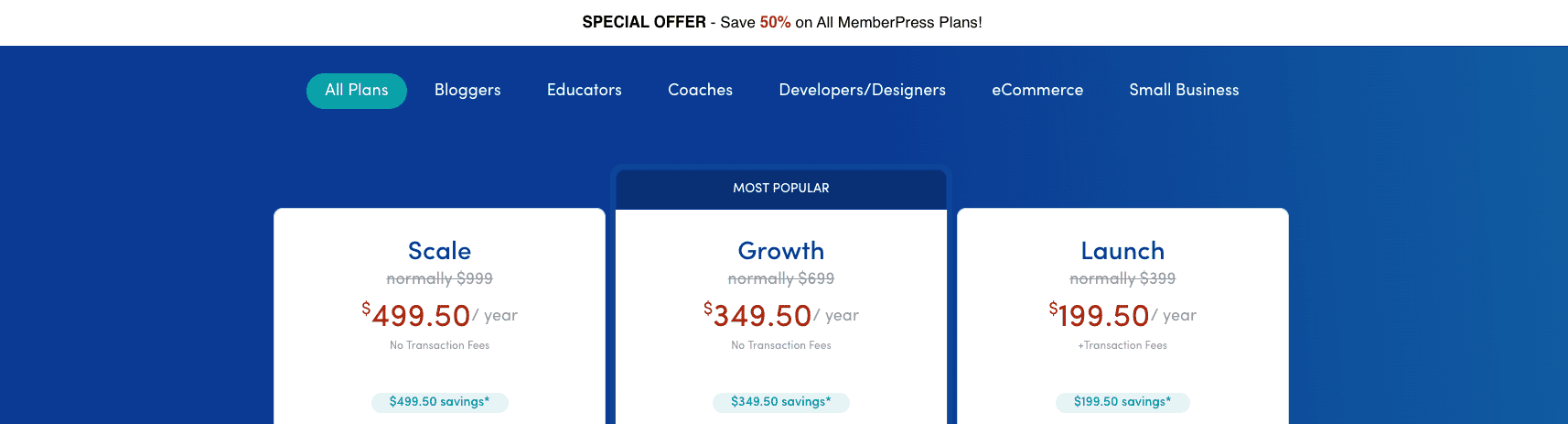
MemberPress coupon code deals change often. They tend to follow big moments like New Year promos and the Black Friday/Cyber Monday rush. Many appear as short flash offers that last a few days or up to a week, so timing matters. Most discounts apply to the first year, and renewals usually go back to full price unless checkout shows otherwise.
These promos come with rules. Stacking codes isn’t allowed, upgrades or downgrades rarely qualify, and some plans won’t take discounts at all. To avoid surprises, add a plan to the cart, enter the code, and confirm the final price before paying. The last verified date for each code helps avoid expired offers.
Next up, readers will see recently verified codes and quick steps to apply them without wasting time on dead links.
Today’s verified MemberPress discounts and plan highlights
Today’s MemberPress deal offers solid savings on all three plans. Prices are in USD, and checkout adds taxes or VAT based on location. Basic lists at $179 per year and drops to about $143 with the current discount, around 20% off. Plus goes from $299 to roughly $239. Pro falls from $399 to about $319. These numbers show what to expect before any regional tax gets added.
The plans fit WordPress membership sites at different stages. Basic works for one site and includes core tools like subscriptions, paywalls, and built-in Stripe and PayPal – good for a simple setup. Plus raises the limit to three sites and brings add-ons like content dripping and better reporting, helpful for a growing operation. Pro supports up to five sites and unlocks premium add-ons such as affiliate features and priority support, a better match for larger teams that need more horsepower.
The same 20% discount applies across the board, but the dollar savings scale up with the plan. Basic drops by about $36, while Pro saves about $80. That kind of gap can tip the choice when weighing budget against features.
Sometimes MemberPress runs bundle promotions that include the core plugin with Courses or other products. Those deals use their own codes and apply to the bundles, not the standard plans. If a bundle promotion is active, it will appear with its specific code so buyers can see the extra value.
Course plugins run promotions on the same rhythm, and we track the live LearnDash coupon code the same way.
How to use the MemberPress coupon code at checkout
Go straight to the official MemberPress pricing page. Check the URL to make sure it uses https and ends with memberpress.com. That confirms it’s the right site and keeps your information secure. Pick the plan that fits your needs, then click Buy Now.
On the checkout page, find the field that says something like “Have a coupon?” Enter the MemberPress coupon code there. Paste it carefully and remove any extra spaces or stray punctuation, since even a small typo will make the code fail.
Click Apply. The order summary should change and show the lower price. Take a quick screenshot or write down the new total before paying, so you have a record of the discount.
If the code fails, try a different browser or clear your cache. Old data often causes issues. If it still doesn’t work, the code may be expired or restricted to another plan. Delete the entry, refresh the page, and try another current discount from this list.
How to get 50% off MemberPress and when it usually appears
Big savings on MemberPress tend to show up during major sales like Black Friday, Cyber Monday, and New Year. Deals sometimes pop up around product launches or anniversaries too. Most run one to four days, then they’re gone.
The 50% discount almost always applies to the first year only. A $399 plan drops to about $200 in year one. Renewal in year two returns to the regular price unless another sale is active. The upfront savings help, but future bills go back to standard rates.
Want a real shot at catching these brief promos? Join the MemberPress email list. Their social profiles tease sale windows as well. When a deal is live, the site usually shows bold banners and a countdown clock on pricing pages, so it’s hard to miss once the sale starts.
Ignore third‑party sites pushing “evergreen” 50% codes. Most don’t work and waste time. Trust links from official emails, site banners during promos, or checkout messages only.
Quick tips to confirm a real 50% deal:
- Join the MemberPress mailing list for early alerts
- Watch their social accounts during major holidays
- Look for a countdown timer on pricing pages
- Avoid coupon sites claiming permanent half-off codes
Before you buy, quick checks to confirm the discount fits your setup
Check a few things first so a MemberPress discount doesn’t go to waste. Confirm WordPress and PHP versions match MemberPress requirements. Their docs list the exact versions. Nothing sours a deal like finding out the plugin won’t run well on the current setup.
Look at payment gateways next. If Stripe or PayPal matter, make sure they’re supported in the country and included in the plan under consideration. Some tax tools and extra gateways sit behind higher tiers, which surprises people when an entry plan misses a needed feature.
Consider site count. Basic covers one site. Trying to stretch it across several projects risks license issues and extra costs. Match the plan to the number of sites and the growth plan. It saves money and avoids hassle later.
At checkout, apply the verified coupon, then save receipts and screenshots. Keep the code used, the discount amount, and the final total in one place. Those records help with renewals and any support requests.
Use these steps together – choose the plan that fits, confirm the gateway and feature needs, apply a valid code, and keep proof of purchase. Found a working coupon not listed here? Share it so others benefit too.


Leave a Reply