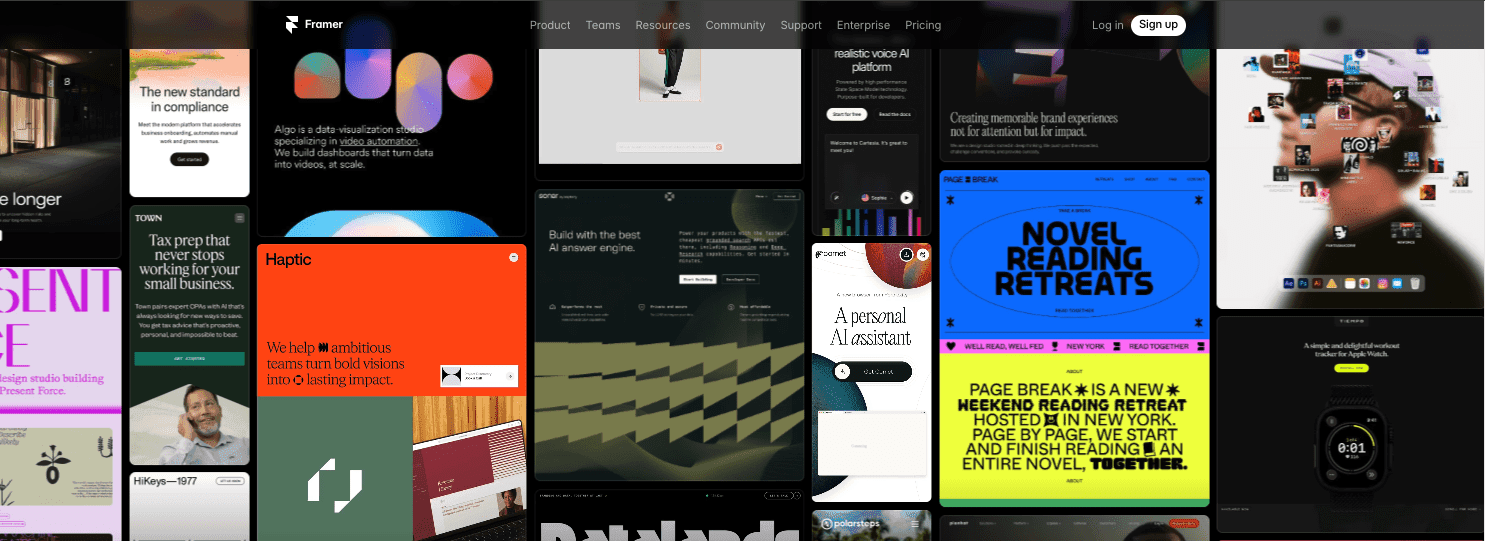
I’ve launched products on tight timelines, and Framer hits a sweet spot for speed. It’s a visual builder that turns designs into working pages without waiting on a developer. Drop in sections, tweak styles, publish, done. The real question founders ask: can an idea on Friday become a live site by Sunday with a brand look that doesn’t feel cheap? In my experience, yes – When the goal is a sharp marketing site, not a complex app.
Framer isn’t built for enterprise-scale permissions or massive multilingual content setups. It shines when you need fast output that still looks polished. Landing pages. Marketing pages. Feature announcements. Hiring pages. Investor updates. Simple blogs. Those ship fast and look on-brand. If the plan is a custom product with heavy logic and lots of dynamic data, I’d reach for a different stack.
There’s a learning curve. Designers pick it up fast because the layout and component model feel familiar. Hands-on founders without design experience need a short ramp, about a day, to learn frames, layout behavior, and component states. That day pays off when edits take minutes instead of tickets.
I’m going to show a quick win next – Using a solid template, its built-in CMS, and hosting to ship something real in a day or two. No fluff. Just a fast path from idea to a public site, which is what this Framer review for founders is really about.
On this page
What Framer is and how it’s different from other builders
Framer starts with a true canvas. It lets designers place frames and stacks on a blank page, then move things exactly where they want. Frames act like containers you drop anywhere, and stacks keep those pieces aligned as content changes. Designs go live without a handoff to a developer. The tool publishes real pages from the canvas.
Webflow mirrors HTML and CSS box models, which gives precision but pulls people into code-like panels and layout math. Squarespace and Wix lean on templates, so setup is fast, but unique layouts and richer interactions hit limits. Framer sits in the middle. It feels friendly for design work and still covers serious needs.
| Feature | Framer | Webflow | Squarespace / Wix |
|---|---|---|---|
| Canvas/Design Freedom | Freeform canvas with frames & stacks | Structured layout mirroring HTML boxes | Template-driven blocks |
| Coding Requirements | No-code plus optional React embeds | Visual coding concepts necessary | Mostly no-code |
| Interaction Capabilities | Built-in animations at element & component levels | Custom interactions via triggers | Limited interactive elements |
| Hosting Integration | Integrated hosting/CDN/SSL/image optimization | Requires separate hosting setup | Included but less developer-focused |
Roots in React-era prototyping still show up. Framer Sites keeps work no-code for most projects and leaves room for custom code when fine control matters.
Built-in animations live at the element and component level. Fades, slides, and micro-interactions flip on in the UI. No plugin hunt. No JavaScript libraries.
Publishing stays simple because hosting, CDN, SSL, and image optimization run inside the platform. Pages ship fast. Security is on by default. Image compression keeps weight down. Analytics connections plug into common tools without extra glue.
Design tokens help teams keep style consistent. Colors and type live in a shared system. Global spacing variables shape layouts across pages. Reusable components speed up work without locking people into rigid class hierarchies.
What is Framer and how it’s different: a canvas-first site builder that treats layout like design, ships production pages from the same surface, and bundles hosting, performance, and interactions in one place.
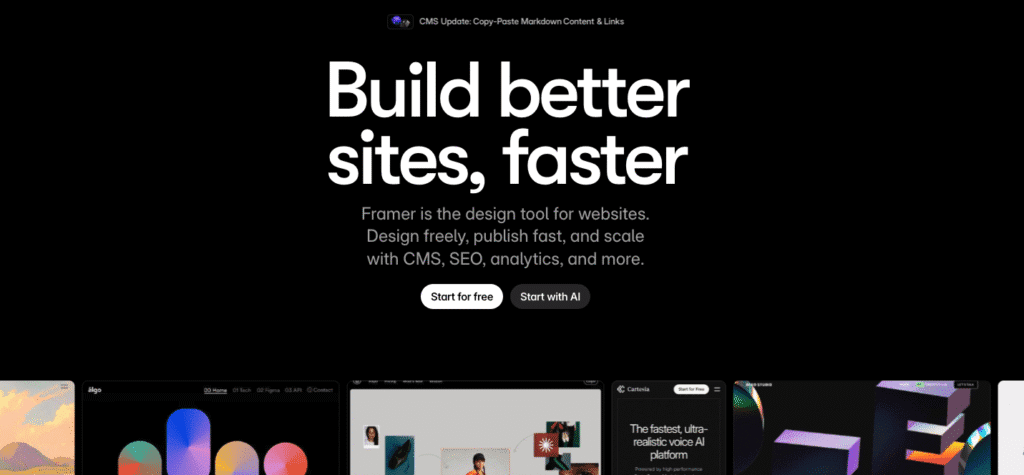
That canvas-first way of working takes some unlearning if you arrive from another builder, and the quickest route through it is one of the best Framer tutorials.
Before committing to that learning curve it is worth being honest about who Framer is made for, and who should avoid it.
Framer features and benefits for startup websites
Framer makes small teams feel fast and in sync. Real-time editing keeps everyone on the same canvas at once, more like Figma than a handoff tool. Feedback happens in minutes instead of long email chains. The component system saves hours. Build a nav bar, footer, or button once, then reuse it across the site. Variants and states cover the details – Hover styles, active states, a nav bar that changes on scroll – And one edit updates every instance.
Responsive work feels sane with stacks and constraints. No mountain of breakpoints. Set rules for spacing and alignment, then let layouts adapt across desktop, tablet, and mobile.
- Define container direction (horizontal/vertical)
- Set constraints to pin edges or allow stretching
- Adjust item sizing relative to available space
- Preview layouts on different devices instantly
- Make global layout tweaks without rebuilding pages from scratch
Pages adjust cleanly across screens with fewer fixes later.
Animations come built in. Scroll fades, hover effects, reveal-on-scroll, even page transitions – No JavaScript needed. The result feels smooth and intentional without extra dev time.
SEO settings live where they should. Page titles, meta descriptions, open graph tags, canonical URLs, sitemaps, and per-page indexing controls help search engines read the site the right way.
Lead capture is straightforward. Native forms plug into tools like Zapier for automated handoffs – New signups can post to Slack or drop into Airtable – Or just trigger email alerts. Teams collect info fast and follow up without extra steps.
Brand assets stay consistent. Global fonts and color styles keep the look uniform. Images use WebP and lazy loading to cut weight and speed up pages, even with heavy media. Faster loads and stronger performance scores come baked in – Less time chasing technical fixes, more time shipping.
In short, these Framer features and benefits help startups move faster, keep branding tight, and ship sites that load quickly and rank well.
Framer CMS and the design workflow for content teams
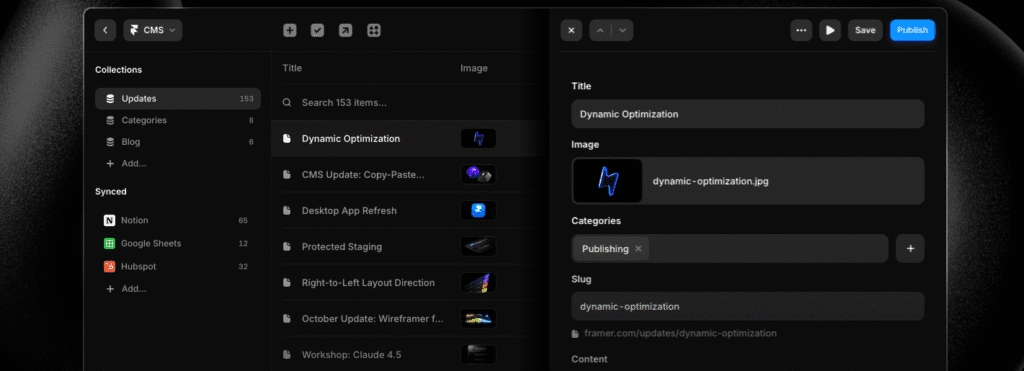
Framer CMS and design workflow feel practical for teams running blogs, changelogs, jobs, or case studies. Collections use fields like rich text for stories, images that drop into the right spot, slugs for tidy URLs, and category references to keep content grouped. Each item connects to the canvas through bindings, so the layout stays steady even when copy or images change.
Editors work in a clear back-office UI, away from the canvas. Updates land fast, with fewer mistakes, and without looping in designers for headline tweaks or image swaps. The site keeps its look. Non-technical folks get work done.
Draft and publish states help plan content. Scheduled publishing handles launches and embargoes without timing drama.
CMS collections usually include:
- Rich text fields for flexible storytelling
- Image uploads tied to page elements
- Slug management for clean URLs
Binding keeps dynamic pages visually consistent as content evolves.
Localization supports language-specific URLs on each page or collection, so different languages sit side-by-side. Complex translation pipelines aren’t built in yet, so teams still run some steps manually outside Framer.
Version history helps fix mistakes fast, with smooth rollbacks. Webhook triggers and API endpoints sync CMS data with external tools like Notion or a headless CMS when a team needs it.
In short, Framer CMS fits into a team’s flow. Editors avoid layout issues, and the system still handles real-world complexity under the hood.
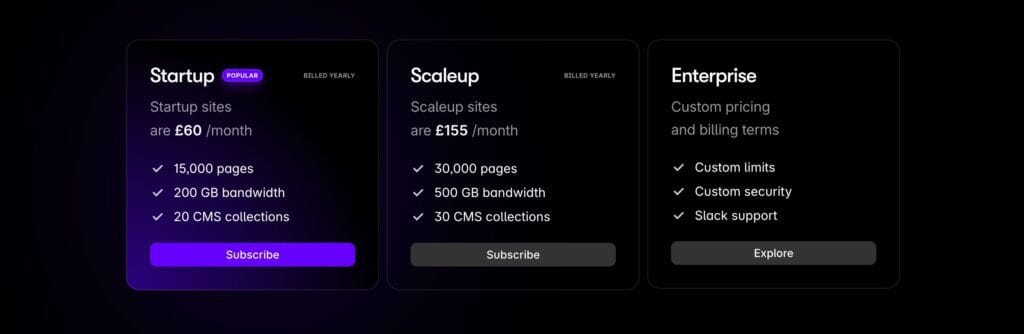
Framer pricing and plans explained for lean teams
I think Framer’s free tier suits early ideas. It lets people try the editor, build prototypes, and publish to a Framer subdomain. Good for testing layouts or direction. Not a match for polished brands that need a custom domain.
Once a custom domain is in the picture, paid site plans enter the chat. Pricing rises with CMS item limits, bandwidth needs, collaborator seats, and extras like page passwords. For most startups, getting both a custom domain and CMS feels like a real step up. Treat it as a monthly operating cost, not a one-time spend.
Bigger teams or multiple sites change the math. I’ve seen workspaces help when there are country versions, client sites, or lots of editors. One hub. More seats. Fewer editing conflicts.
Traffic surges and heavy media libraries squeeze plan limits. Upgrade before performance dips or throttling kicks in. It’s easier than firefighting during a spike.
Hosting stays simple on paid plans. SSL and CDN are included, so no surprise bills from third parties. One predictable payment makes accounting cleaner.
Here’s what usually scales as plans go up:
- Custom domain connection instead of a Framer subdomain
- Number of CMS collection items
- Monthly bandwidth tied to visitor volume
- Collaborator seats for editor access
- Password protection for private pages
Annual billing often lowers costs. Founders should balance savings against cash flow before locking in a year.
What kind of websites you can build with Framer and its limits
Marketing sites, launch pages, and early waitlists are where Framer feels at home. Pricing pages come together fast, with layouts that make value clear without extra effort. Docs-style homepages and small blogs also fit well, since they benefit from clean structure and don’t need a heavy backend.
For brands with lots of pages, strong visuals, and animations across the site, Framer keeps up. Smooth page transitions and subtle interactions help tell the story as visitors move through content.
Ecommerce introduces trade-offs. There’s no native cart or checkout, so embeds like Shopify Buy Button or Gumroad cover simple sales. They’re fine for a lean storefront, but they won’t match a full ecommerce stack when inventory control, order workflows, or a tailored customer journey matter.
Gated content and member areas aren’t built in either. Services like Memberstack or Outseta handle signups and access rules, which adds setup steps and ongoing maintenance. If paid access sits at the center of the business, plan extra engineering time.
Anything beyond the CMS basics needs custom code or external APIs. Collections handle many common cases, though real-time data, complex filters, or third-party systems start to push past Framer’s comfort zone.
Accessibility takes intent. Use semantic elements, write alt text for images, keep focus states visible, and test keyboard navigation. Relying on defaults isn’t enough.
Speed is usually strong thanks to hosting and image optimization. Heavy animations, inline video, or large images slow things down and hurt SEO. Lazy load media, compress assets, and watch file sizes to keep pages quick.
So, what kind of websites you can create with Framer? Marketing sites, product launches, pricing pages, lightweight blogs, and polished multi-page brand sites with animations. Anything that needs carts, memberships, or complex data can work, but it asks for more tooling and care.
Those limits also shape how you leave. A Framer site lives on Framer’s hosting, so if you ever need the markup itself — for an archive, a client handover, or a move to another host — you can convert a Framer site to static HTML for free instead of rebuilding it elsewhere.
Framer animations and interactions that bring design to motion
Motion turns static layouts into something people notice. Framer animations and interactions do this without writing JavaScript. Hover effects react the moment a cursor touches a button or image. Taps give quick feedback on clicks or touches, so buttons feel responsive. Scroll-triggered micro-interactions fade elements in or nudge them into place as visitors move down the page. Eyes keep moving. Attention stays longer.
Page transitions push the polish further with fades or slides between sections, so nothing feels choppy. Easing and duration controls help match the brand vibe, whether a light bounce or a calm glide. Reveal-on-scroll effects time content to appear right as people reach it. The flow feels like a story rather than a stack of blocks.
Component states keep behavior consistent across the site and cut repeated work. Define hover, pressed, or focus once inside a component, then reuse it. The nav bar shifts color on hover anywhere it appears, no extra setup. Hours saved, fewer mistakes, consistent patterns for visitors.
Motion assets add flair when used carefully. Lottie files and video clips drop in without fuss, and they lift the visual quality fast. File compression matters though. Unoptimized videos or heavy animation files introduce jank and frustrate users. Keep assets lean to protect smooth performance and still deliver standout moments.
On mobile, restraint wins. Parallax effects and complex transitions drain battery and slow older phones when overdone. Scale animations down on small screens to protect CPU headroom. Keep the experience crisp, not sluggish. Same story on tablets when hardware runs tight.
I look at how motion changes real behavior. Scroll depth shows whether attention increases because animation guides the eye. Bounce rate tells when too much movement sends people away. These signals point to tweaks that let motion support content instead of stealing the show.
Accessibility deserves care with movement. Some people prefer reduced motion due to vestibular disorders or sensory sensitivities. Framer respects this through prefers-reduced-motion media queries, so fallback states present content cleanly with minimal motion while keeping layout and style intact.
Who uses Framer and why founders should test it in 48 hours
Framer draws in design-led startups, solo founders who know Figma, small marketing teams, and agencies that need fast landing pages without losing visual quality. Speed from idea to live site stands out, the polish feels built-in, hosting is included, and teams move with little help from engineers once things are set up.
It’s not right for every project. Heavy ecommerce with complex inventory or checkout flows, strict multi-language governance, or deeply interactive apps push the limits. Webflow with plugins or a headless CMS often fits those needs. Squarespace sets up faster but offers less layout freedom. Wix Studio suits agencies but changes the workflow. Webflow wins when granular CSS control matters.
What keeps Framer in motion: an active template marketplace for quick starts, frequent updates that add useful features, and a growing expert directory so help is close by. These signs point to a platform growing with its users.
Here’s a simple 48-hour test drive:
- Pick a template that matches your brand.
- Connect a custom domain for a real feel.
- Build five core pages: Home, Features, Pricing, About, Blog.
- Invite a designer or marketer to collaborate live.
- Set a firm launch date to keep pace and judge team fit.
Start with free drafts to explore without pressure. Bring teammates in early to reduce guesswork. This hands-on sprint shows how fast ideas turn into a polished site and whether it matches your pace before you commit.
Who uses Framer and why: design-focused teams pick it for speed, visual quality, and less dependency on engineers. Agencies reach for it when deadlines are tight and style matters. Solo founders use it to ship real sites without a big dev setup.


Leave a Reply