Choosing between Spectra and Divi for WordPress in 2026 feels like choosing two different ways to build. Spectra is a Gutenberg block plugin from Brainstorm Force, the team behind Astra. It adds blocks and patterns to the core editor and stays native to WordPress. The goal is speed and simplicity, with no extra bloat. Divi is Elegant Themes’ all-in-one package, a full theme with a visual builder. It ships with its own templating system and deep design controls that often sit on top of Gutenberg.
This decision shapes daily work, not just setup. A lean, native stack keeps things familiar and quick. An all-in-one builder offers more features right away and a heavier design layer. The pick affects hosting needs, editing flow, long-term upkeep, and how smooth the site runs over time.
Here’s a straight comparison focused on what matters: feature flexibility, front-end performance with Core Web Vitals in mind, ease of use from first steps to routine edits, who each tool fits best, ecosystem maturity with maintenance needs, plus pricing that looks past the first purchase into future costs. No fluff, no hype. Just clear points so readers know what they’re signing up for when weighing Gutenberg with Spectra against the Divi page builder.
On this page
- Performance and Core Web Vitals with Spectra and Divi compared
- Editing experience in Divi versus Spectra inside Gutenberg
- Design control and theme building with templates, styling, and libraries
- Pricing, licensing, and the long‑term cost to own
- Adoption, updates, and best‑fit use cases to help you decide
Performance and Core Web Vitals with Spectra and Divi compared
Fast WordPress sites rank better and keep visitors around. Slow, bloated code drags down Core Web Vitals and hurts conversions. Builders that add layers of extra markup make the browser work harder.
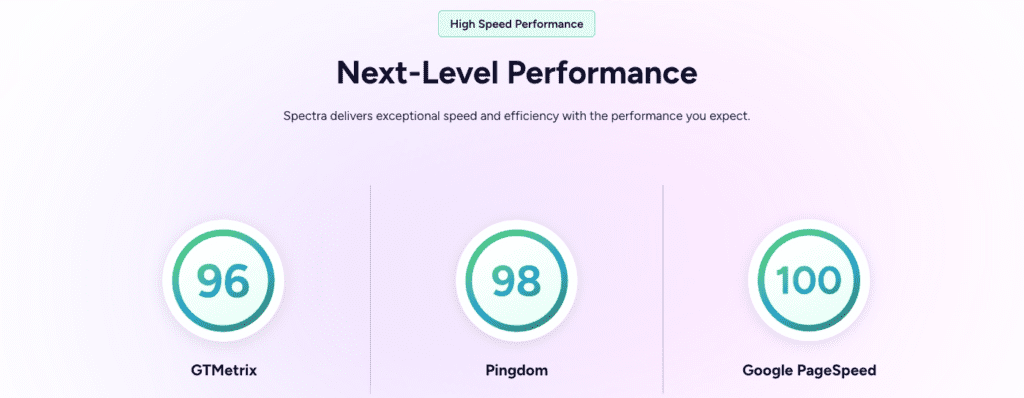
Spectra stays close to Gutenberg. It outputs native markup with fewer wrapper divs, so the DOM stays smaller. Less HTML and CSS means lean pages with fewer bytes to ship. In similar layouts – hero sections, grids, calls-to-action – Spectra often delivers lighter pages that load fast out of the box.
Divi runs its own CSS and JS framework with dynamic module loading and Critical CSS to limit render‑blocking. These features help, yet they usually add more HTTP requests and bigger files than Spectra’s lean setup. Speed holds up, but the payload tends to grow.
- Tests use PageSpeed Insights or Lighthouse with mobile throttling. Key metrics include Largest Contentful Paint (LCP), Cumulative Layout Shift (CLS), Interaction to Next Paint (INP), total DOM nodes, and kilobytes transferred.
- On modest shared hosting, Gutenberg-first tools like Spectra reach green Core Web Vitals faster without heavy tuning compared to bulkier visual builders.
- Optimization paths differ. Spectra relies on caching, CDNs, selective block loading, and theme tweaks (Astra pairs well). Divi offers Dynamic CSS, asset deferral, and related toggles, but settings need careful configuration because conflicts with other plugins or delays may appear if things are set up incorrectly.
Editing experience in Divi versus Spectra inside Gutenberg
Spectra lives inside the Gutenberg editor, so it feels like part of WordPress instead of a separate app. Teams already working with blocks spend less time learning new workflows. Designers stick with familiar tools, like native patterns, block settings, and the list view, while getting helpful extras from Spectra such as container rows, sliders, and forms. No jumping between editors or fiddling with new interfaces – work stays in one place.
Divi sets up its own visual builder, a separate canvas where editing feels very hands-on. Inline controls let users adjust elements right on the page. Switch to wireframe mode for structure, then open detailed settings for each module or section. This gives precise control over layouts and styles, but it also means learning a new system outside WordPress’s core block approach.
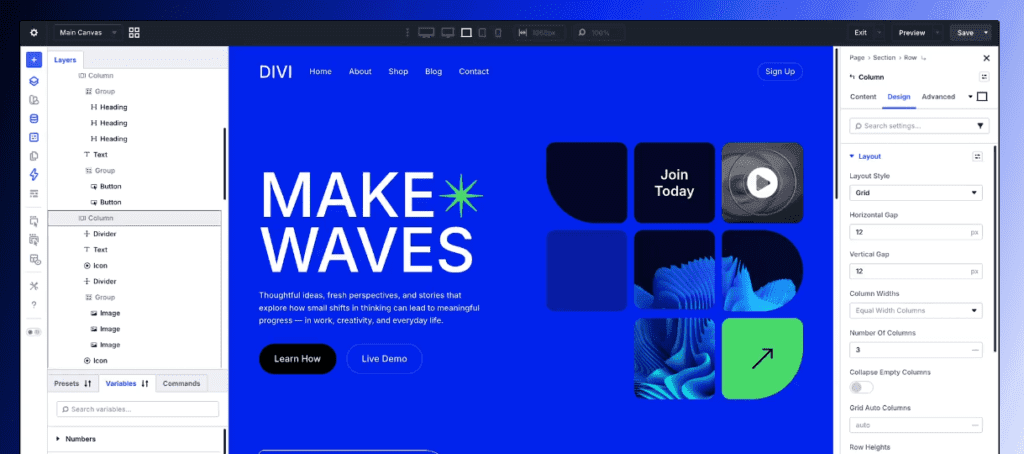
Global styling shows the split clearly. Spectra relies on theme.json and Gutenberg’s global styles. Consistency comes from theme tokens and presets inside Spectra blocks, which keeps styling aligned with WordPress’s native system. Divi routes design control through Theme Options, Presets, and Global Colors that affect modules across the site. Sweeping changes are simple, but it ties the site’s design to Divi’s framework.
Content portability is another divider. Turn off Spectra or remove it, and content stays put as plain HTML when possible because it’s built on standard Gutenberg blocks. Disable Divi’s builder, and pages often keep shortcodes or extra markup that needs cleanup during export.
A quick glance at UI highlights:
- Spectra: Native Gutenberg integration, small learning curve, advanced blocks that fit existing workflows.
- Divi: Separate visual canvas, precise inline editing, steeper learning curve from a unique interface.
- Styling: Spectra uses theme.json and global styles. Divi relies on Theme Options and Presets.
- Portability: Spectra content degrades gracefully without the plugin. Divi content stays tied to the builder.
In short, the decision hinges on staying close to WordPress basics versus working in a feature-packed visual builder with very fine control.
Design control and theme building with templates, styling, and libraries
Spectra leans on WordPress’s built-in design tools, so it feels like part of core, not a bolt-on. It uses theme.json tokens and global styles to keep design choices consistent across blocks. Its template kits target Gutenberg, so layouts stay tidy and close to native standards. Handing off projects or swapping themes later gets easier because the setup follows familiar WordPress rules.
Divi pushes further with its Theme Builder, almost a mini theme system inside the builder. Teams create headers, footers, category pages, and post templates that pull dynamic data based on conditions, like different layouts by user role or content type. Visual template scoping gives designers precise control without extra plugins or code.
Divi’s library is huge, with thousands of layout packs and modules built to work together with Global Colors and style presets. This helps ship client work fast when branding variants need rollouts at scale. Spectra stays lean. Its library centers on native block patterns and clean code instead of flashy extras.
Dynamic content shows a clear split. Divi maps custom fields from ACF or Pods straight into modules with a visual link, so complex, data-first sites move faster without code edits. Spectra relies on Gutenberg’s dynamic blocks and third‑party field plugins. It works, though it often needs manual linking until visual binding improves.
Pricing, licensing, and the long‑term cost to own
Spectra starts with a free core plugin on WordPress.org, so setup begins without a bill. A full site often needs Spectra Pro, plus Astra Pro or other add-ons for forms, SEO, and speed tools. Each add-on brings its own price and renewal, and costs rise based on how many extras get added.
Divi bundles everything under one Elegant Themes membership. The package includes the Divi Theme, Divi Builder plugin, Extra theme, Bloom for email opt-ins, and Monarch for social sharing. Pricing comes as annual plans or a lifetime license. The lifetime option makes sense for teams running several sites over years, usually overtaking annual renewals after three to four years.
- Spectra’s core is free. Pro licenses are sold per site or multi-site on yearly terms.
- Total spend often includes Astra Pro and any other needed plugins.
- Divi membership wraps multiple products into one fee with yearly renewals or a single lifetime payment.
- Lifetime access beats annual costs when used across many long-term projects.
Gutenberg stacks like Spectra keep early spending low by mixing free plugins, though extra time often goes into stitching tools together. Divi’s single-vendor setup cuts down on managing multiple vendors, yet deeper use of advanced features may increase reliance on Divi’s framework.
Agencies price this in different ways. Teams working with Divi often bundle a lifetime license into a one-time build cost that covers unlimited sites, which simplifies billing but ties clients to Divi’s setup. Shops building with Spectra usually itemize Astra Pro, Spectra Pro, and other renewals. The modular path gives clients clearer control over each line item and when to keep subscriptions active.
Adoption, updates, and best‑fit use cases to help you decide
Spectra and Divi come from long-standing WordPress teams with proven track records. Spectra follows Gutenberg’s roadmap and is built by Brainstorm Force, the team behind Astra, known for speed and simplicity. Divi is the flagship from Elegant Themes, supported by a large community and years of development. Spectra updates tend to ship in step with WordPress core, which keeps behavior predictable. Divi ships frequent feature releases, and teams need to run compatibility checks to avoid surprise conflicts.
In practical use, Spectra fits newer builds that favor native WordPress tools and lean performance. Adoption keeps growing as teams choose less bloat and smooth handoffs between editors. Divi remains a staple in agency pipelines where a unified visual builder with strong design control helps deliver complex sites for many clients.
Choosing a direction depends on priorities:
- Sketch a simple 3-page layout in both Spectra inside Gutenberg and Divi’s visual builder.
- Run Lighthouse on mobile to measure real-world performance.
- Time the build process and compare how editing feels after repeated changes.
A short trial like this helps teams match tools to skills, goals, and performance targets.
Hands-on testing shows strengths beyond feature lists and marketing claims, which makes the final choice clearer and more confident.

Leave a Reply