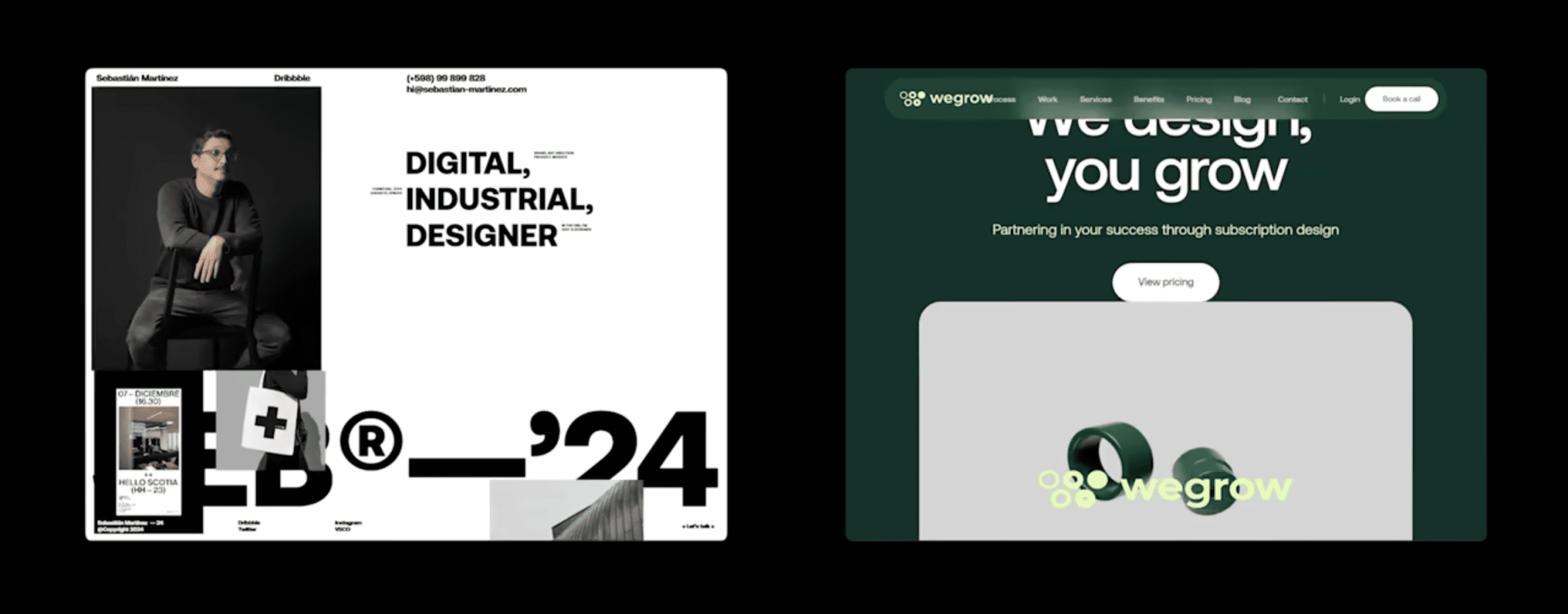
Finding a solid Framer tutorial is tough when the clock’s ticking and a marketing site or MVP needs to go live. This guide ranks the top 5 by practical learning value, with clear explanations, a steady pace, and projects that lead to real builds. No hype from flashy reviews or big followings – it favors what gets solopreneurs moving fast without filler.
Each tutorial was judged on curriculum flow, lesson depth, and how well it covers key tools: components, CMS integration, responsive design, and publishing workflows. The goal is simple: help people with tight schedules – usually 30 to 120 minutes – ship landing pages or quick iterations without a full dev team.
To find a match fast, skim each option’s “best for,” “what it covers,” and “limits.” New to Framer? Comfortable with Figma or other no-code tools? There’s a fit for both. Jump in with confidence – the picks focus on learning Framer fast so solopreneurs can ship today.
World’s Shortest Framer Course by Juxtopposed is the fastest path to a live page
Juxtopposed’s World’s Shortest Framer Course helps newcomers get from zero to a live page in under an hour. It’s built for speed and keeps things simple so a first site ships fast.
Perfect for beginners who want a quick win. Long courses feel heavy, so this one strips extras and focuses on publishing. No prior experience required, which suits anyone testing Framer before committing more time.
It starts with a clear tour of the interface so the layout, panels, and tools feel familiar. Lessons move into adding sections and basic components. Styling stays straightforward yet makes the page look clean and polished. Publishing to a Framer subdomain is the payoff, and seeing a live URL right away boosts momentum and shows real progress.
Short, bite-size lessons reduce overwhelm and guide learners from blank canvas to published site. Each step builds toward launch, which keeps motivation steady and avoids stalls.
It skips advanced topics like CMS work, responsive layout nuances, and deeper component architecture. Those aiming for complex interactions or larger, scalable projects will need follow-up resources.
The editorial team ranked it #1 for beginner Framer tutorials because it delivers practical results over theory. The curriculum focuses on shipping something shareable with minimal fuss, a smart first step before exploring advanced material.
Framer University’s Make a Site From Scratch is a solid first real build
Framer University’s “Make a Site From Scratch” tutorial is a practical pick for founders who want a real marketing site, not just a splashy landing page. It starts from a blank canvas and shows the standard Framer workflow step by step.
It covers core layout work with frames and auto layout, adds navigation, and links pages so the site feels complete. Publishing comes next, plus simple responsive adjustments so pages look good on phones and desktops without drowning in settings.
A big plus is its source. It’s official, so the structure reflects current Framer practices. The lesson order mirrors how a small MVP or basic marketing site actually comes together. Momentum stays steady because each step builds toward launch.
It skips depth on CMS collections and multi-variant components. Anyone aiming for complex dynamic content or advanced component systems will need extra training after this course.
Editors liked how the pacing matches real project needs, which lowers friction when moving from a single page to a small, working website.
Flux Academy’s Learn Framer for Beginners clarifies foundations for scalable design
This tutorial suits designers moving from Figma to Framer who want a steady, step-by-step path with clear reasons behind each design choice. It shows how visual decisions map directly to build mechanics without the rush.
Core ideas come first: frames vs. stacks, spacing systems, and how those shape layouts. Typography and color tokens get real focus to keep styles consistent. Component reuse starts early, paired with clean page structures that scale as sites grow.
What makes it stand out is the blend of rationale and practical moves. Students learn why certain layouts work, not just which buttons to click. That mindset saves time later when projects move past single pages or UI updates stack up.
It takes longer than quick-start tutorials because it builds conceptual clarity instead of racing to a launch. Advanced topics like CMS filtering and programmatic content show up later, after the basics stick.
Editors liked how the flow builds understanding that reduces refactors as complexity increases. For designers who want strong Framer fundamentals tied closely to the build process, this course offers a solid path.
Ryan Hayward’s Framer Basics packs a precise crash course into 18 minutes
Short on time and need the basics of Framer before touching templates or client work? This free fundamentals tutorial gives founders a clear primer without filler. It gets to the point fast and respects tight schedules.
The video runs about 18 minutes and hits the essentials: moving around the canvas, working with frames, layout controls, adding text and images, and publishing. The pacing is tight, so viewers get a full overview without unnecessary tangents.
One strength is the script. Each step pairs with on-screen demos that reduce the mental effort required to follow along. Watch it once, maybe twice, then start building. Key ideas stick.
Don’t look for depth. Responsive breakpoints and CMS don’t get detailed treatment. Multi-page structures or SEO need other sources.
Editors liked its focus on retention through brevity. It works well as a warm-up before longer courses that cover advanced topics.
Megan Weeks’ Learn Framer for Web Design FAST is a friendly on‑ramp for visual builders
Megan Weeks’ Learn Framer for Web Design FAST gives designers a clear path in without overwhelm. It suits visual learners who want a friendly walkthrough instead of dry instructions. Anyone asking, “Is Framer easy for designers?” gets a calm yes. Basics land fast, so placing and styling sections feels natural from the start.
The course shows how to add hero banners, about areas, and contact forms with simple components – no code needed. Styling controls stay straightforward yet flexible enough to make pages look polished. Simple interactions add a bit of spark without adding complexity. A quick publishing demo then shows how to get a site live fast.
Megan’s approachable tone lowers barriers for non-technical founders and newcomers to web design tools. Examples feel practical and relatable, mapped to common marketing site needs instead of abstract exercises. Motivation stays high because learners see real progress as sites take shape.
The tutorial leans light on deeper structure topics like component variants or CMS integration. Projects that go beyond a single page or need dynamic content will need extra resources later.
Editors liked how this course favors quick comprehension over feature sprawl. It aims to help first-timers ship something presentable in hours, not days lost in complexity.

Leave a Reply