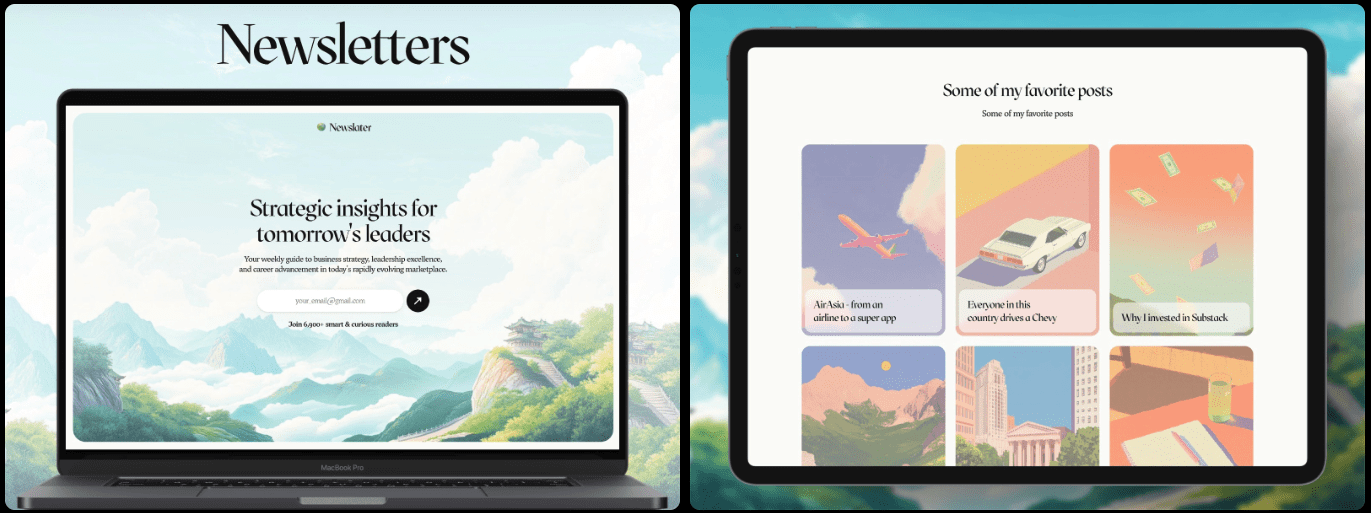
A website is more than a digital business card for an artist or performer. It’s the stage where first impressions happen. It should load fast, look sharp on any phone, and turn casual visitors into fans or bookings.
This guide ranks the top Framer entertainment templates for artists and performers in 2026. It keeps things simple with clear pros and cons for each pick, so a site can launch this week.
Here’s the testing criteria used:
- Visual impact: strong hero sections, smooth motion, typography with presence.
- Flexibility: modular sections, layout options, CMS support for different styles.
- Performance: fast Core Web Vitals, smart image and video handling.
- Mobile responsiveness: accurate tap targets, intuitive gestures, vertical video support.
- SEO: clean metadata and schema markup for better discovery.
- Integrations: embeds for Spotify, Apple Music, YouTube, Vimeo, Mailchimp, Ticketmaster, Eventbrite.
- Ease of editing: no-code tweaks with reusable components in Framer.
- Value for money: features matched to cost.
Prep work matters. Have three assets ready first: a standout hero image or performance clip, a tight one-liner that captures the vibe, and one conversion goal, like booking requests or email sign-ups. These choices help a template work well right away.
Top picks ranked for audience engagement
Letterhead is the top free pick for performers who want a clean, press-kit style site with standout typography. Pages load fast, edits take minutes, and navigation stays simple. Advanced motion sections are limited. Solo artists, comedians, and actors get a solid one-page layout with room for essentials and links.
Stageo costs $69 and fits theater and live events. It includes dedicated show and program pages, schedule blocks, and clear ticket calls to action that drive sales. The styling leans heavily into stage imagery. Non-theater users may want to tweak the visuals to match their brand.
Aventis is free and flexible, built for deeper portfolios. Setup takes longer than the others. It supports multi-section case studies and CMS-ready galleries for long-form storytelling. Studios, choreographers, and visual performers who want full project narratives over quick highlights will like it.
TRVNS is $54 and pushes bold visuals with strong hero sections and grid layouts for albums or set lists. Blog options are limited out of the box, so content variety might feel tight. DJs, producers, and bands get a fast path to launch landing pages for new releases or tours.
Dancer costs $69 and centers on motion-forward design with full-bleed video blocks, plus rehearsal and performance schedules. The video focus looks sharp but needs well-compressed media to keep load times in check. Dance companies and performance portfolios benefit most from this dynamic layout.
Who each template fits best with strengths and trade‑offs
- Letterhead suits a solo violinist who wants a sleek, no-fuss electronic press kit. Concert dates drop right into the events section, and embedded YouTube performances bring a live feel straight to fans’ screens. Link Calendly for bookings to keep the process clean and professional. Setup takes under two hours, so it’s a fit for musicians who want polished results without wrestling with tech.
- Stageo fits theater groups or live event organizers with multiple shows on the calendar. Its event page pattern covers the essentials, including date, venue, and cast list. Add a trailer video, then use one “Get Tickets” button that sends visitors to Eventbrite. No maze of menus. The layout keeps people focused on the show.
- TRVNS fits DJs and club performers who want bold visuals with fast access to music releases and booking info. A grid layout shows album art next to stream buttons from SoundCloud or Spotify embeds, so fans start listening without leaving the site. A sticky footer with a “Book Me” call-to-action opens a short Typeform inquiry form. Fewer clicks, faster contact.
- Dancer works best for dance companies or performance troupes that need motion-rich pages with choreography videos front and center. Full-screen video heroes set the mood, followed by short notes about each piece and cast credits below. Add a downloadable booking rider PDF for a complete package. Compress 1080p MP4 files with H.264 at 8 – 12 Mbps max to keep playback smooth across devices.
What to check for performance, mobile, and integrations
Run quick performance checks before picking a new Framer entertainment template. Start with a Lighthouse mobile audit. Target a Largest Contentful Paint under 2.5 seconds on a mid‑range phone to keep pages responsive. Autoplay videos drag down load speed and trigger layout shifts that annoy visitors. Swap them for poster frames with click‑to‑play. The page feels faster and still looks polished.
Mobile usability matters most because fans show up on phones. Make tap targets at least 44 pixels square so links and buttons don’t get missed. Keep navigation from covering hero calls to action. No one should scroll to find a booking button. Test portrait video blocks as well. They need to support vertical formats like 9:16 without awkward cropping that cuts off key visuals.
Integrations tie the whole online presence together, so confirm what each template supports before committing. Audio embeds from Spotify, Apple Music, and SoundCloud let fans listen without leaving. Video usually runs through YouTube or Vimeo for trailers or live clips that add personality. Email tools like Mailchimp or ConvertKit grow the list, and ticketing links through Eventbrite or Ticketmaster drive sales right on the site. Add rel=”noopener” to external ticket links for security.
Plan content structure in Framer’s CMS early to avoid rework later. List the content types updated often – shows, albums, projects, press quotes – and map them to CMS collections in Framer. Skip hard‑coded lists that need manual edits with every change.
How to choose the right template and launch this week
Start by deciding what the site must do. If selling tickets and showcasing shows comes first, Stageo fits the job. For an electronic press kit or a simple booking hub, Letterhead makes setup quick. Visual storytellers who need space for images and case studies will like Aventis. DJs and producers focused on new releases should look at TRVNS. Dance companies that rely on video benefit from Dancer’s motion-heavy layout.
Ignore looks for a moment. Match the template to the main goal: streams, bookings, or ticket sales. Pick one, then launch fast.
Here’s a tight 90-minute setup plan:
- Swap the logo and set colors so the brand feels consistent.
- Write an H1 that states what you do and who it’s for in 7-10 words.
- Replace the hero image or video with a strong visual.
- Clean up the navigation so visitors find key pages fast.
- Use one clear call-to-action (Book Me, Get Tickets, Listen Now) and remove extras on mobile.
- Connect a custom domain for credibility.
- Test on phones. Make sure taps are easy without zooming.
- Publish.
Keep momentum after launch. Add short press quotes or a basic media kit with bios and photos. Embed an events calendar so fans stay current. Check analytics after a week, note which headlines or CTAs get clicks, then adjust based on real visitor behavior.
Choose a template now. Draft the home page, an about section, and one page focused on conversion, then go live before overthinking it. The strongest sites grow with their audience after launch.

Leave a Reply