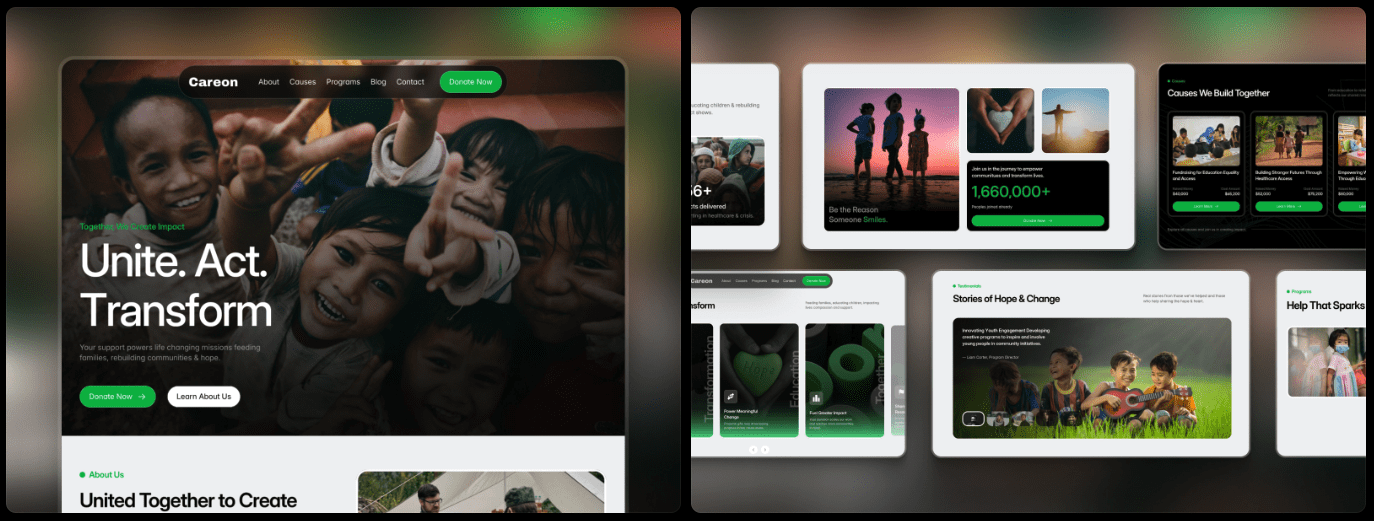
Nonprofits work with tight budgets, need to earn trust fast, and must make donating feel safe and simple. Building a credible site on a deadline adds real pressure.
This guide shares a ranked list of Framer nonprofit templates that balance trust, ease of use, storytelling, and price. The goal is to move quickly without second-guessing. Careon (Free) leads for credibility and cost savings. Endeavor (Free) comes next. Biogax ($79), Hopely ($29), and Charis (Free) complete the set.
Expect a straightforward walkthrough based on real builds and tests. The review looks at donation flow clarity, accessibility basics, content flexibility, and mobile performance. Every pick aims to help nonprofits launch fast and with confidence.
Ranked reviews that prioritize trust and smooth donations
1. Chameron
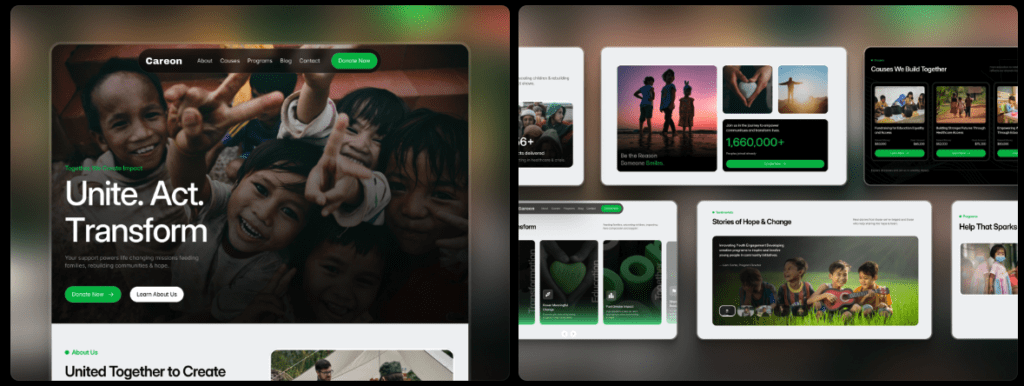
Careon puts a bold donate button at the top so people ready to give don’t hunt for it. An impact stats block shows real numbers and results, which builds trust fast. The Give/Donate page includes suggested amounts and simple edits, so staff update it without fuss, and donors move through it with fewer steps. The hero section shares the mission in plain language and adds a clear volunteer call-to-action, which opens the door to more than donations.
2. Endeavor
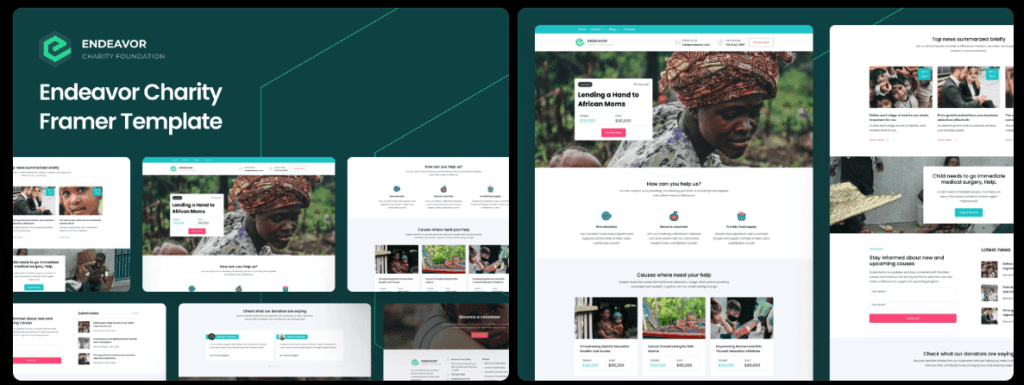
Endeavor offers focused program pages with clean icons that explain each area at a glance. A built-in newsletter form helps grow the list with no extra tools. The footer displays EIN and registration info in the open, which supports credibility. An events section pulls community drives and fundraisers into one view and keeps calendars tidy.
3. Biogax
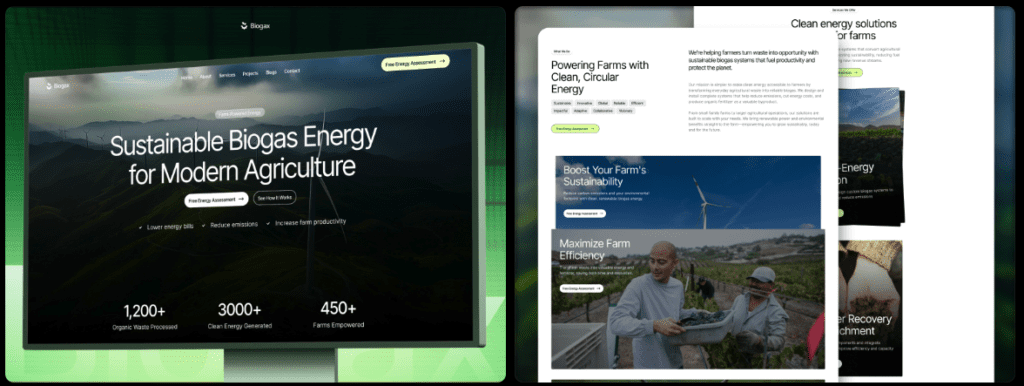
Biogax brings richer storytelling with timelines and case studies that show progress over months or years. Modular donation widgets include progress bars, so supporters see how close a campaign is to its goal in real time. Board and staff pages look polished and make leadership visible, which strengthens trust. Flexible CMS categories sort programs, reports, and stories in a way teams maintain without extra work.
4. Hopely
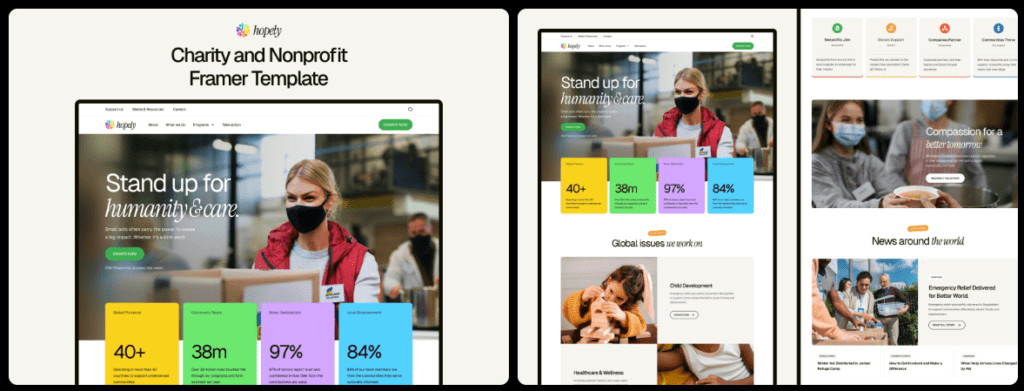
Hopely keeps costs down and covers the basics. A clean donation modal shows preset giving tiers that make choices simple. Light animations add a touch of finish without pulling attention away from donate actions or the partner logo strip, which quickly signals credibility.
5. Charis
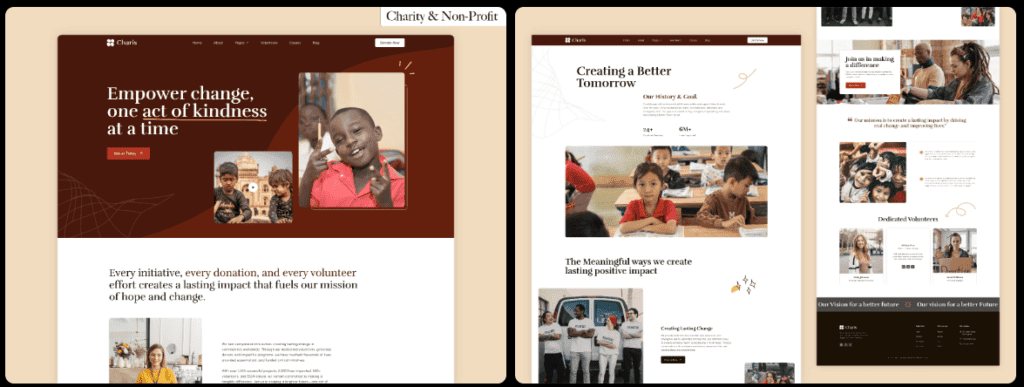
Charis works well as a starter for groups that want mission-first messaging in the hero. Donations link out through a simple button instead of an embedded form, which suits small teams getting set up. A minimal blog supports steady updates, and strong color contrast keeps key elements accessible.
Why these five fit nonprofits that need credibility and easy updates
These templates stand out because they show clear proof of trust right away. Impact numbers like families served or meals provided show real results, not vague claims. Names, titles, and headshots for leadership make the organization feel approachable and credible. Many include badges from respected charity evaluators and list legal details like the EIN in the footer. Small details like these signal a legitimate cause.
Storytelling feels natural with sections built to highlight people and progress. Biogax deserves mention for timeline blocks paired with case studies, a simple way to show how projects grow over months or years. Volunteer spotlights and beneficiary stories add heart with minimal effort. Dry stats turn into narratives that help donors feel connected.
Accessibility gets real attention. Text contrast meets recommended standards, so reading is easy for most visitors. Clear focus indicators guide keyboard users through links and buttons. Alt text fields prompt teams to describe images for screen readers so important content isn’t lost. Animations can scale down for motion sensitivity, and Charis ships with strong contrast defaults that keep the design comfortable without losing visual appeal.
Content updates stay straightforward with Framer CMS collections tuned for nonprofit work. Communications staff can publish posts or stories without calling a designer for every small change. Map “Stories” into collections with fields for title, excerpt, impact metrics, and donate links. Each update informs supporters and nudges them toward action.
Costs, integrations, and donation flows to match your tools
Free templates like Careon, Endeavor, and Charis give nonprofits a solid start without upfront costs. Paid options such as Hopely at $29 and Biogax at $79 add more features for a one-time fee. Framer hosting isn’t included in those prices. Check the current site plan rates before committing to avoid surprises.
Most templates connect with donation tools like Stripe Checkout, Donorbox, PayPal, and Givebutter. Donors shouldn’t jump through hoops. A click on “Donate” from the homepage should go straight to a simple form within one or two clicks. Extra pages cause drop-off.
Integrations go beyond payments. Embedding newsletter forms from Mailchimp or Beehiiv grows the email list. Syncing donor data into CRMs through Zapier or Make automates follow-ups and cuts manual work. Track donations with GA4 events tied to Donate button clicks. Use consent banners when collecting emails.
Mobile testing catches snags before supporters do. Try a mid-range Android over 4G and aim to finish the full flow in under 20 seconds. No horizontal scrolling. Buttons and links need tap targets at least 44 pixels wide so fingers don’t miss during checkout.
Sites already running on WordPress can skip the rebuild and pick from the best WordPress donation plugins instead.
How to choose the right Framer nonprofit template and launch in 90 minutes
Pick a Framer nonprofit template with three essentials in mind: proof of impact people can trust, a donation flow that feels smooth on the first try, and an editor setup the team can update without stress. Put those pieces together, and the site feels honest for visitors and manageable for staff.
A tight 90-minute launch plan for a small team:
- Import the template from the list.
- Swap the hero text for a clear mission under 20 words and add a bold Donate button.
- Add three impact stats and one quote from someone served by the program.
- Connect a donation provider (Stripe, PayPal, etc.), then complete a test donation on mobile to spot glitches.
- Publish one Story post with outcomes and an obvious donate link.
Keep the copy plain. Use “Donate” for the primary button, add a secondary action like “Get involved” or “Volunteer,” and write the About section at roughly an 8th-grade level so the message lands with everyone. Add governance basics in the footer: legal name, EIN, and a contact email. Include a short privacy note if collecting emails. Share annual reports or summaries when ready to strengthen transparency.
Pick a template, run a quick mobile donation test, and publish a focused site today. Start lean and trustworthy, then add more stories and refine details as the organization grows.

Leave a Reply