Founders in a rush to launch often pick Framer. Drag, drop, ship. It looks sharp without waiting on developers. Speed wins early. Months later, the glow fades. Costs creep up, and control over how the site actually runs stays limited. A static HTML setup starts to make more sense.
Static sites cut out server work on each page view. Fewer round trips, less JavaScript, faster loads. Largest Contentful Paint often drops by about half compared with client-heavy setups. Visitors on 4G see content in under 2.5 seconds when images are compressed and critical CSS lands first.
Costs drop significantly too. Static hosting often costs pennies, sometimes nothing with free tiers from Cloudflare Pages or Netlify. Builder platforms run $15 to $30 per month. Big traffic spikes still raise bandwidth bills, so monitoring matters.
Ownership gets clearer when the whole site lives as files in Git. Every change has a history. Moving between hosts like Hostinger or GitHub Pages is simple. No vendor lock-in, which helps during handoffs, mergers, or legal reviews.
The move isn’t perfect. Framer-specific interactions won’t always port cleanly. Some parts need small JavaScript swaps or third‑party services for forms and gated content. Marketing pages, blogs, and docs work well. Complex apps needing real-time data need more backend work.
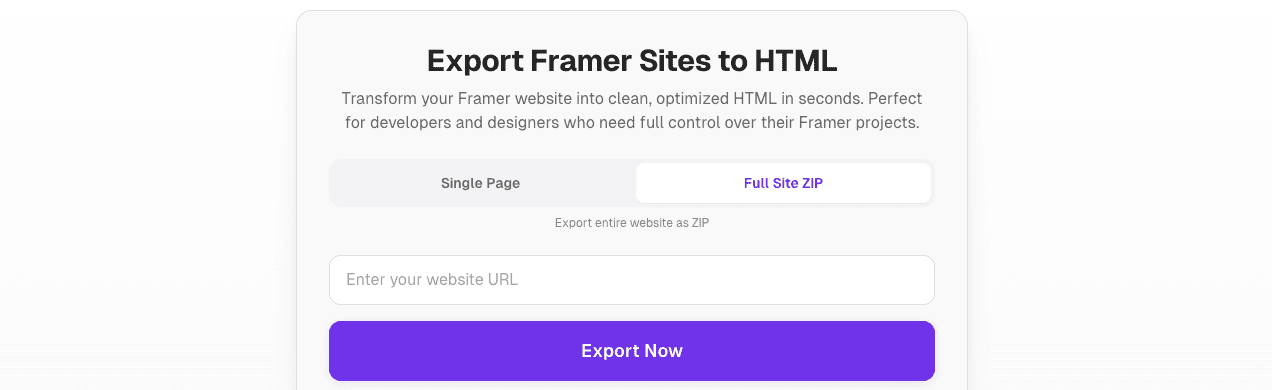
NoCodeXport bridges the gap. It takes Framer designs and exports lean static sites. The look stays intact, performance improves, and hosting costs drop. Trade-offs exist, but the path is clear.
How to use NoCodeXport to turn a Framer project into a hosting‑ready static site
NoCodeXport’s Framer to HTML tool turns Framer designs into clean, hosting‑ready static sites. It covers responsive layouts and image optimization, so the focus stays on getting the site live fast with strong performance.
Head to nocodexport.com/tools/framer-to-html. Share a public Framer project link, or invite access if it’s private. List the pages to export, set breakpoints for mobile, tablet, and desktop, and identify any essential interactions you need to preserve. Include brand fonts, SVGs, analytics scripts, and third‑party embeds. Providing these details upfront reduces back‑and‑forth and speeds up delivery.
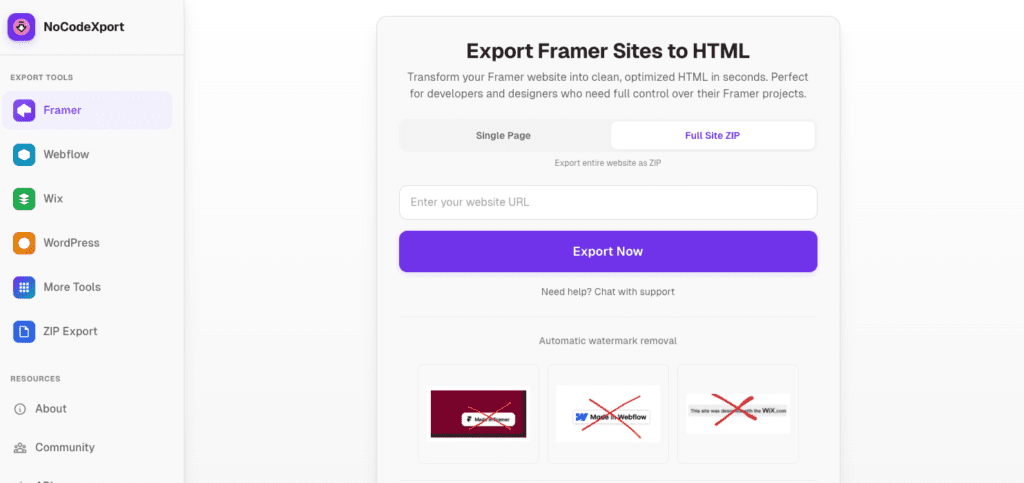
Process overview:
- Submit the project details above.
- NoCodeXport reviews the design and sends a quote with a timeline.
- After approval, they hand‑code semantic HTML5 with responsive CSS for each device.
- Images are optimized with formats like WebP or AVIF, with fallbacks for older browsers.
- JavaScript is added only when needed for animations or interactive elements to keep pages lean.
- Delivery includes a tidy folder with index.html, an assets directory for images and stylesheets, and a README with hosting tips.
Bring these before kickoff:
- Public link or access invite to the Framer project
- Page list and device breakpoints
- Brand fonts and SVGs
- Analytics codes (Google Analytics, etc.)
- Any third‑party widgets or scripts
Animations built in Framer get recreated with CSS transitions or GSAP where it makes sense. This keeps effects smooth without heavy scripting. For dynamic sections like blogs or product grids, JSON data with static templates works well. A lightweight headless CMS such as Airtable via Simple.ink keeps updates easy without full rebuilds. Features that need server logic – user auth or gated content – require separate services like Memberstack since static hosting doesn’t handle those natively.
Testing spans Chrome, Safari, Firefox, and Edge at common widths: 375px, 768px, 1024px, and 1440px. Core Web Vitals checks verify LCP, CLS, and INP meet current standards before sign‑off.
Hosting steps:
- On shared hosts like Hostinger, DreamHost, or GoDaddy, upload files via file manager or SFTP to public_html/.
- Set index.html as the default document.
- Enable gzip or Brotli compression, and turn on HTTP/2 for efficient loading.
- On Cloudflare Pages or Netlify, push the repository with no build step required. Their CDN caching serves content globally right away.
Version control keeps changes safe. Store exports in Git to preserve history and allow quick rollbacks. For content edits, request partial re‑exports for specific pages or connect a CMS so editors update text and images without touching code.
Want faster load times and fewer hosting headaches while keeping key interactions intact? Try NoCodeXport’s tool. Start with the highest‑traffic pages for quick wins, then expand from there.
Leave a Reply