Want a clean Framer store that converts without fighting a mess of plugins? This shortlist rounds up the strongest Framer ecommerce templates, ranked by what actually matters: conversion-focused design, ecommerce readiness, customization flexibility, performance, and the product types they fit best.
Top picks: FocusFlow at number one, then DigiGoods, Kanva, MintWorld, and Fjord. These templates do more than look nice – they help a store go live fast. Ecommerce readiness means native cart and checkout options that work with Framer Commerce or integrations like Stripe and Snipcart. Product pages, variants, and order confirmation flows come included.
Performance gets first-class treatment. Each template is tested on Framer’s CDN with Lighthouse performance targets above 90. Load times aim under 2.5 seconds on average mobile connections, with critical CSS and JS kept lean, usually under 100KB when possible.
The founder’s take is simple: ship fast. Speed beats perfect. The goal is cutting setup from weeks to days and getting a minimum viable store ready in eight hours, including copy, images, and payments. Templates should reduce decisions, not multiply them.
Quick note: some links in this guide are affiliates. Rankings come from hands-on tests, public performance audits, and careful doc reviews to keep the process transparent.
On this page
- FocusFlow is best for conversion and speed with digital products
- DigiGoods is the top choice for clean digital download flows
- Kanva shines for physical products with flexible brand sections
- MintWorld suits hybrid catalogs with a fast, CMS‑driven setup
- Fjord delivers an editorial look for premium, higher‑consideration goods
- How Framer templates work for ecommerce and how to launch in a day
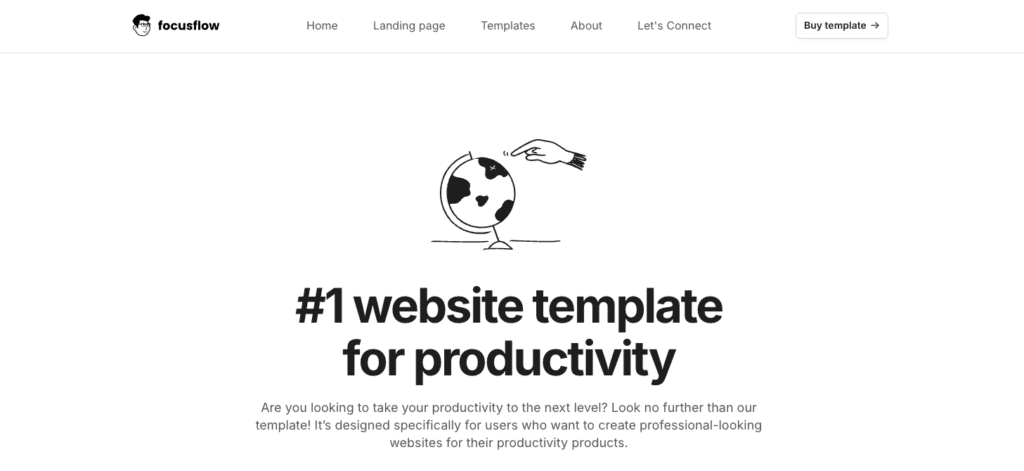
FocusFlow is best for conversion and speed with digital products
FocusFlow is a Framer shop template built for stores that sell digital products and want strong conversions. It opens with a clear value proposition above the fold and one bold call to action that directs visitors to buy. Product pages keep a sticky add-to-cart button on screen as shoppers scroll. Trust elements sit in plain view with reviews, guarantees, and refund policies.
It works with Framer Commerce and Stripe, so payments feel smooth. Digital delivery is ready out of the box. Customers get downloads behind gated pages or unlock access with license keys through integrations like Lemon Squeezy checkout embeds. Course creators and icon pack sellers avoid complex setups.
Customization doesn’t need code. Global styles control colors and fonts across the store. Modular sections – hero banners, feature grids, pricing tables, FAQs, upsell bands – ship with variants that slot in fast. No-code CMS collections store products and testimonials to keep content current.
FocusFlow stays fast. It uses lean components to reduce weight and loads quickly on mid-tier phones. Non-essential scripts defer until primary content renders. Image slots auto-size and support modern formats like WebP and AVIF to cut bandwidth.
It’s a great fit for courses, Notion templates, SaaS preorders, and tiered icon sets sold through one-page checkout flows that reduce cart abandonment. FocusFlow blends speed with practical design decisions for digital goods.
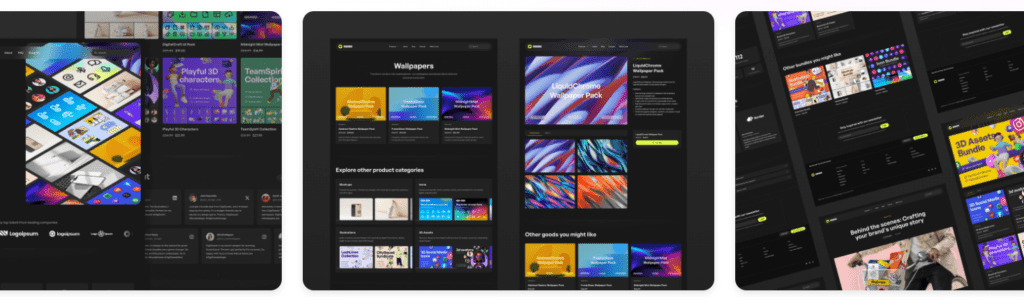
DigiGoods is the top choice for clean digital download flows
DigiGoods gets the basics right for selling digital downloads. After checkout, customers land on a secure download page with no detours. A license key field sits on the page, plus an update log so buyers can track versions without digging.
Pricing is set up for common cases. Single licenses, team packs, and extended options each show their own price blocks. For EU sales, sellers can switch on VAT notes and invoice links when using Stripe Tax or Lemon Squeezy, which means less manual tax work and fewer invoice headaches.
Email confirmations do more than send a receipt. They include dynamic links that deliver files through Framer actions or services like Gumroad and Lemon Squeezy, so buyers get the files right away in their inbox.
Refund friction stays low with release notes layouts and a clear support policy. Customers see what changed with each update and know where to get help, which reduces support tickets.
It also helps with SEO. Clean URLs use product slugs, and product pages include schema for price and availability so search engines can read the details. Media loads lazily, which steadies the layout while pages load and keeps browsing fast.

Kanva shines for physical products with flexible brand sections
Kanva is a flexible Framer ecommerce template for both digital and physical products, built for stores where brand storytelling matters. A big, zoomable product gallery helps shoppers examine details, from fabrics to ports and buttons. Variant selectors make size and color choices clear. A sticky cart on mobile keeps checkout a tap away.
Stock badges like “In stock” and “Low stock” give instant context and reduce second guessing. Estimated delivery windows sit next to shipping and returns inside an accordion, so key info stays close to the add-to-cart button. Post‑purchase emails can point buyers to Shippo or ShipStation for tracking, which keeps fulfillment tidy without extra steps for the team.
Customization goes deep. The section library includes lookbooks for visual storytelling, UGC grids for real customer photos, and press bars for media pull quotes. These pieces drop in fast. Global tokens sync colors and type with existing brand styles, so stores match their look within about an hour.
Cross‑sell tools are built in. Related products surface by tags right where shoppers browse, which nudges relevant add‑ons without clutter. The cart drawer supports accessory add‑ons with instant price updates. Picture adding matching socks or a charger before checkout to raise average order value in a natural way.
Speed holds up under real product photography. Image presets keep mobile assets under 2MB per product page, which supports quick loads and LCP under 2.5 seconds even with rich visuals. Crisp photos still shine, and the page stays responsive.

MintWorld suits hybrid catalogs with a fast, CMS‑driven setup
MintWorld keeps stores simple and tidy, good for shops that sell both physical products with SKUs and instant digital downloads. It splits product pages so each type gets the right focus. Physical items show specs and shipping info. Digital goods highlight quick access and download steps. Shoppers see clear details without extra noise.
Content features support growth through education. The template includes a blog and guides built to lift SEO. Articles point readers to product calls to action, then move them into checkout flows. Helpful posts and tutorials turn into sales with little setup.
Checkout stays flexible. Clear docs explain how to swap between Framer Commerce, Stripe Checkout, or Lemon Squeezy. Styles stay consistent so the flow looks the same across payment paths.
Localization gets real attention. Text styles and currency components work with multi-currency setups from the start. Guidance steers teams away from hard-coded symbols, so prices adapt by region without broken layouts or confusing labels.
Performance holds up under traffic. Animations stay minimal to keep interactions smooth while saving resources. Reduced DOM depth trims complexity under the hood and targets Lighthouse scores around 90 to 95. A system-font option cuts flash of unstyled text, so pages feel stable from the first load.
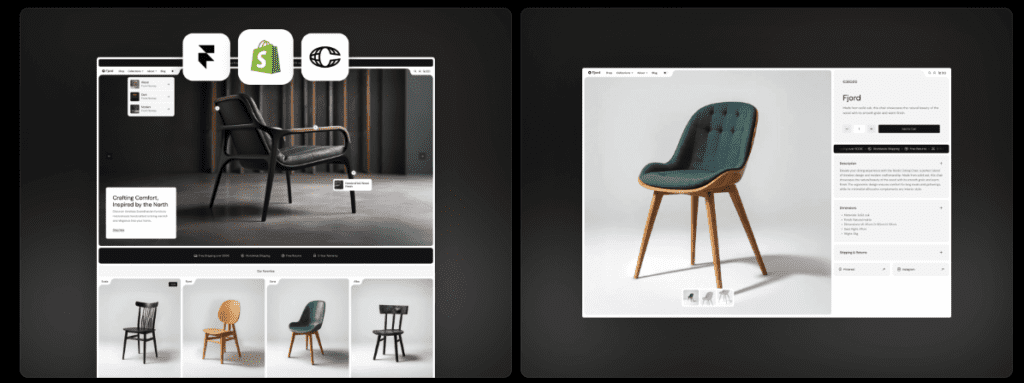
Fjord delivers an editorial look for premium, higher‑consideration goods
Fjord has an editorial vibe made for startups and indie hackers who want to showcase premium physical goods or design assets. High-contrast type and lots of whitespace give it a clean, magazine look. It draws the eye and lets each product feel curated and upscale.
Product pages go long so sellers can tell the full story behind each item. Spec tables spell out details. Side‑by‑side comparisons help shoppers weigh options before they commit. It feels like a glossy catalog where clear info guides the decision.
Media gets careful layout. Vertical videos sit next to three-image hero carousels, with fixed aspect ratios so the page stays steady as it loads. Sellers get guidance to compress images under 800 pixels wide for mobile, which keeps detail sharp and pages quick.
Trust shows up in the right places. Dedicated pages cover shipping, returns, and warranties without stuffing product descriptions. Footer microcopy quietly reminds visitors about guarantees and support.
Returns hit small teams hard, so the template nudges stores to add pre‑purchase questionnaires or size guide modals near checkout. These prompts surface fit or spec info at the moment it matters, so buyers know what they’re getting before they buy.
How Framer templates work for ecommerce and how to launch in a day
Launching a Framer store in a day is realistic with a tight plan and smart priorities. Pick a template that matches the product type – digital files, physical items, or both. Write the core copy first. Clear headlines, product benefits, and pricing details come before visual tweaks. Good words sell faster than pretty layouts.
Quick setup path:
- Duplicate the template in Framer.
- Create CMS collections for products and testimonials.
- Connect payments with Framer Commerce, Stripe, or an external checkout.
- Map product fields: price, file URLs for digital items, variants.
- Add legal pages for privacy, terms, and returns.
- Publish to a test domain and review the flow.
- Run Lighthouse, fix layout shifts, cut heavy scripts, and aim for LCP under 2.5s.
- Point the custom domain after checks pass.
Conversion basics matter more than polish. Use a single strong CTA color so buttons pop. Keep add-to-cart sticky on mobile. Put trust signals, such as guarantees and reviews, high on product pages. Spell out shipping and return rules in plain language. Shorten checkout fields to the minimum.
Set targets and watch them weekly. For low-ticket digital items, push for a 6 – 10% add-to-cart rate. Keep checkout completion near 50 – 70%. Hold page loads under 2.5 seconds. Adjust sections in small passes rather than rewriting the entire site.
Migrating from Gumroad or Shopify Lite? Keep old links live for a week. Add 301s from old product URLs to the new ones to preserve rankings and avoid breaking active purchases.
Serrena suits brands that lean on editorial storytelling. It needs extra image tuning because it’s media-heavy compared with speed-first, delivery-focused templates.
Pick a template from the ranked list and publish an MVP store today. Ship something real and improve after it’s live.



Leave a Reply